




Which Apolosign device fits your family best? Discover how to choose between a digital calendar, portable TV, and digital photo frame—and why you don’t need to wait for Black Friday.
1. Apolosign Black Friday 2026: Sale Dates and Offers
The Apolosign holiday sale includes Early Access, Black Friday, and Cyber Monday:
| Sale Event | Dates | Offer |
|---|---|---|
| Early Access | November 9–15 | Get $40 off orders of $200 or more with code EarlyBird40 |
| Black Friday | November 16–29 | Save up to 50% on eligible products sitewide |
| Cyber Monday | November 30 | Save up to 50% on the final day of the year’s biggest sale |
Current Early Access pricing matches Black Friday pricing, so there’s no need to wait.
During Early Access, enter EarlyBird40 at checkout to receive the qualifying discount. During Black Friday and Cyber Monday, eligible discounts apply automatically—no discount code is required.
“Up to 50% off” refers to the maximum available discount. Actual savings vary by product and model. Check the product page and checkout for final pricing. All dollar amounts are in USD.
2. Which Apolosign Product Is Right for Your Family?
Each product serves a different purpose. Start with the part of everyday life you want to improve.
Apolosign Digital Calendar: Family Organization with a Personal Touch
Best for households coordinating multiple schedules and looking for a customizable family calendar.
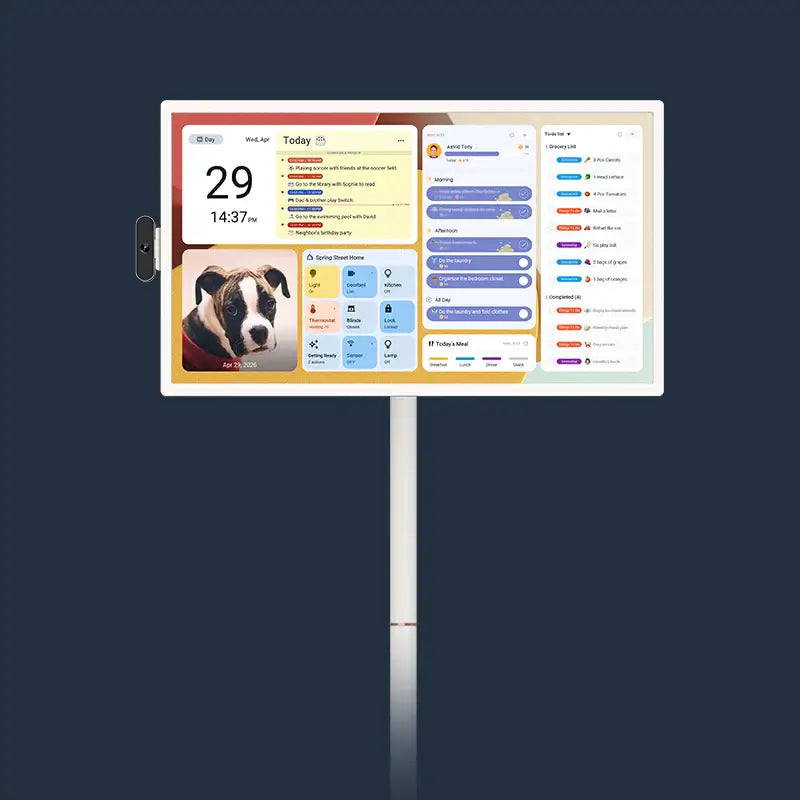
Work meetings, school events, extracurricular activities, and weekend plans often live on different phones. An Apolosign Digital Calendar brings family schedules together on a shared screen, making upcoming plans easier to see.

Automatic Calendar Syncing
Connect a supported calendar service or iCal link to keep existing events updated automatically. You can continue using familiar calendar tools while giving your household a shared view of relevant plans.
Before buying, check compatibility with the calendar services your family already uses.
A Personalized Dashboard for Your Household
Some families want a clear weekly overview. Others prioritize to-do lists, children’s tasks, or shared plans.
The personalized dashboard is a standout Apolosign Digital Calendar feature. Available layouts and widgets let you organize the screen around your household’s routines, keeping frequently used information easy to find.
For a screen you’ll use every day, how information is displayed matters as much as the features themselves.
Theme Colors and Limited-Time Holiday Themes
Theme colors let you adjust the calendar’s appearance to suit your preferences and home décor.
Limited-time holiday themes add a seasonal touch to the shared screen, making it part of your family’s holiday atmosphere. Theme availability and release dates depend on current updates.
Tasks, Habits, and Points-Based Rewards
To-dos, habit tracking, and points-based rewards help families organize daily responsibilities.
Parents can assign tasks, while children can see what needs to be done and track their progress. This creates a clear, shared approach to chores and everyday routines.
No Recurring Subscription Fees for Core Features
Apolosign Digital Calendar’s core calendar and family management features require no monthly or annual subscription fees.
When comparing digital calendars, consider both the purchase price and the ongoing cost of the features you plan to use.
Buying Tip: Choose the Location Before the Screen Size
Will the calendar go in the kitchen, living room, or near a desk? Will family members interact with it up close or check schedules from across the room?
For shared viewing or displaying more information, consider a larger option, such as a 27-inch digital calendar. For smaller spaces, compare the device’s full dimensions with your available desk or wall space. Check the product page for the complete selection of current sizes and configurations.
Remember to allow room for the stand or mounting setup and confirm access to a power outlet.

Apolosign Portable TV: Entertainment and Family Planning in One Device
Best for households that want flexible viewing alongside everyday family organization.
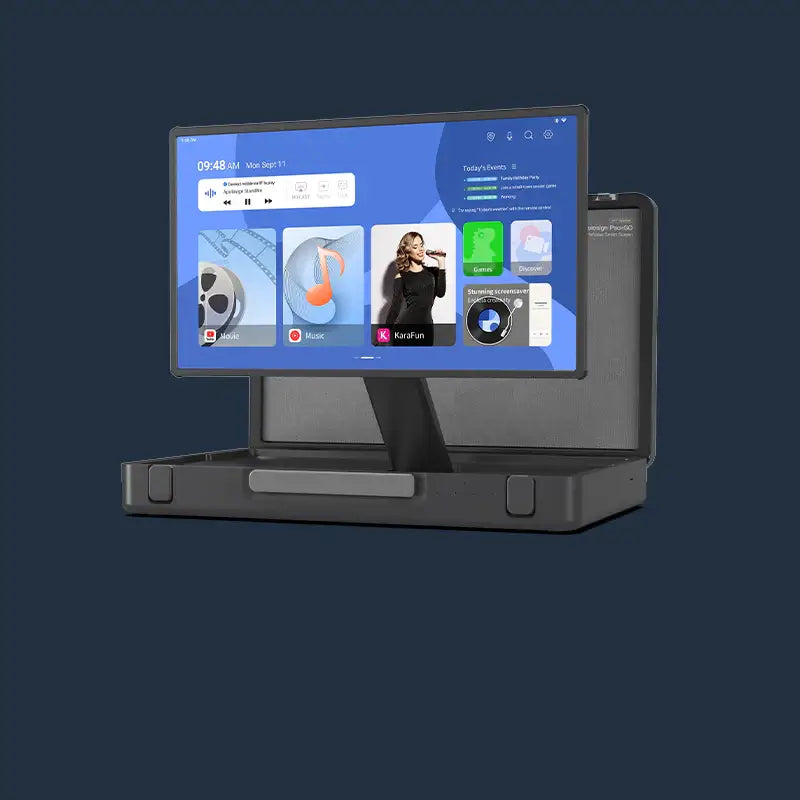
An Apolosign Portable TV lets you adjust your viewing setup around your room layout and activities.
It also includes Apolosign Calendar features such as calendar syncing, task management, and points-based rewards . Check the day’s plans in the morning, review tasks during the day, and switch to entertainment in the evening.

When comparing portable TVs, focus on:
- Screen size and resolution: Choose for your usual viewing distance.
- Power requirements: Check whether the model includes a battery or needs continuous power.
- Mobility: Review the weight, stand design, and routes between rooms.
- Apps and connectivity: Confirm support for your preferred content apps and connections.
If you plan to move the device frequently, check doorway clearance, flooring, and the space needed for the stand. A movable design does not necessarily mean cordless operation; battery specifications and runtime vary by model.

Apolosign Digital Photo : Keep Family Memories in View
Best for displaying photos or choosing a meaningful gift for parents, grandparents, and loved ones living far away.
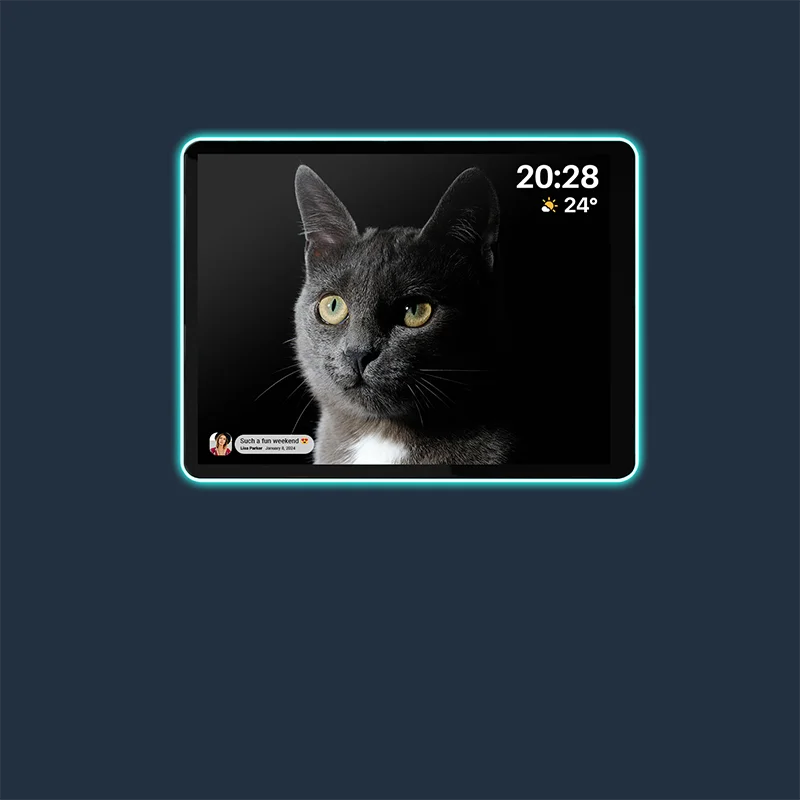
Children’s milestones, travel photos, and family gatherings deserve more than a place in a phone gallery. An Apolosign Digital Photo Frame brings those moments into everyday view.

Frameo-compatible models let you share photos through the Frameo app. Family members can send new pictures even when they live apart, keeping the frame updated with everyday moments and special occasions.
For a more personal gift, gather a selection of meaningful photos in advance. After checking the setup requirements, preload them so the recipient sees familiar faces and shared memories when they turn it on.
When comparing digital photo frames, consider:
- Placement and size: A bedside table, desk, and living room may call for different sizes.
- Display quality: Check clarity and your preferred portrait or landscape orientation.
- Photo sharing: Confirm Frameo compatibility and how relatives will send pictures.
- Storage and connectivity: Review internal storage and Wi-Fi requirements.

Apolosign 10.1" Neon Light Digital Photo Frame
Quick Product Comparison
| Your Main Need | Product to Consider | Everyday Use |
|---|---|---|
| Organize schedules on a customizable shared screen | Digital Calendar | Family planning, tasks, and personalized dashboards |
| Combine entertainment with family planning | Portable TV | Flexible viewing and shared household management |
| Display memories and share new photos | Digital Photo Frame | Everyday photo displays and remote photo sharing |
If you’re buying a gift, prioritize what the recipient will enjoy using regularly.
3. How to Choose the Right Size and Model
Measure the Whole Device, Not Just the Screen
Screen size usually refers to the diagonal measurement—not the device’s width and height.
Check the full dimensions and leave room for the stand, cables, and everyday use. For mounted or movable devices, also review installation requirements, outlet locations, and movement routes.
Consider Viewing Distance and Who Will Use It
A larger screen can help when several people need to view information or watch from farther away. A compact model may suit close-up use or a smaller space.
For a digital calendar, consider touchscreen access. For a portable TV, focus on viewing distance. For a digital photo frame, consider how the display fits its surroundings.
Compare the Exact Model Specifications
Resolution, storage, power options, connectivity, included accessories, and app support can differ between models.
The right choice meets your needs, fits your space, and stays within your budget.
4. Stock Tips: Plan Ahead for Popular Models
Popular sizes and configurations can sell out before the sale ends. During last year’s event, Apolosign’s 15.6-inch digital photo frame and 27-inch digital calendar sold out within two days .
If you’ve chosen a model, keep an eye on availability. If you’re still comparing, identify your first choice and any acceptable alternatives before the final days of the sale.
For holiday gifts, leave time for delivery, setup, and wrapping as well.
5.Choose Something Your Family Will Use Every Day
A personalized view of the week, a more flexible entertainment setup, or a daily reminder of the people you love—the right device should fit naturally into your home.
Measure your space, confirm the features you need, and choose your model. With current Early Access pricing matching Black Friday pricing, there’s no need to wait. From November 9–15, use EarlyBird40 for $40 off qualifying orders of $200 or more.
Shop while your preferred model is available, and get a head start on your home upgrade or holiday gifting.
FAQ
Should I Buy Now or Wait Until Black Friday?
Current Early Access pricing matches Black Friday pricing, so there’s no need to wait. From November 9–15, use EarlyBird40 to get $40 off orders of $200 or more. You can also skip the peak-season shipping queue, leaving more time for delivery and holiday preparations.
Does Apolosign Digital Calendar Require a Subscription?
Apolosign Digital Calendar’s core calendar and family management features do not require a monthly or annual subscription. This makes it easier to plan for long-term use without recurring fees for those features.
If Portable TV Has Calendar Features, How Should I Choose Between It and Digital Calendar?
Choose Digital Calendar if you want a dedicated family planning screen that keeps schedules visible throughout the day. Its personalized dashboard, theme colors, and holiday themes also let you tailor its appearance.
Choose Portable TV if you want calendar syncing, task management, and points-based rewards alongside entertainment. Consider whether your family needs schedules to remain visible while someone is watching a show or movie.