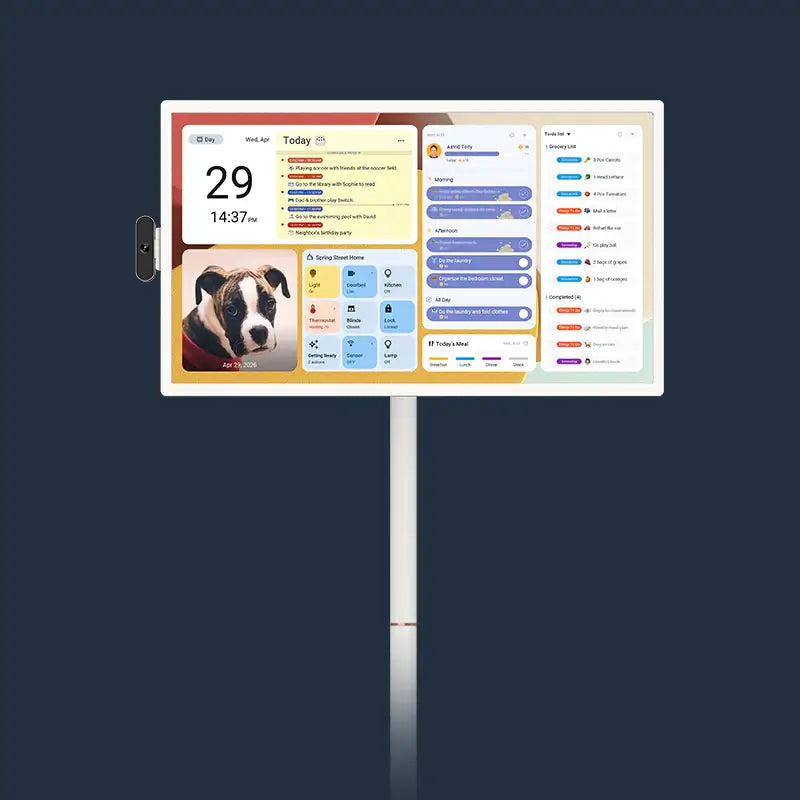
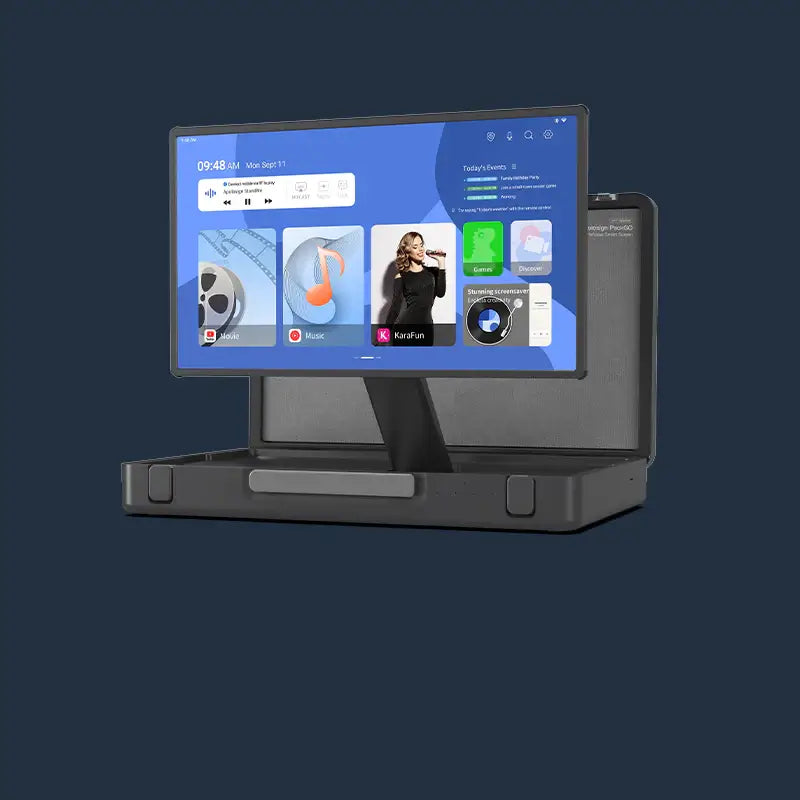



A digital calendar with a built-in meal planner keeps meal decisions, grocery lists, and family schedules in one visible spot in your kitchen. That setup cuts repeated mealtime questions, reduces forgotten ingredients, and turns weekly planning from a scattered process into a quick routine.
The difference comes down to what you put on the screen, how your family keeps it updated, and whether the screen size actually fits the wall where you need it.
How Does a Digital Calendar Simplify Meal Planning?
Most meal planning falls apart because the plan lives in the wrong place. A phone app gets buried. A paper list gets lost. A digital calendar mounted in the kitchen puts the weekly menu where the family actually makes food decisions.
One Screen Replaces Scattered Notes
When the meal plan, grocery list, and family schedule sit on the same display, people stop asking the same dinner question twice. Instead of checking a phone app, texting a spouse, or reading a sticky note on the fridge, everyone can glance at the screen during breakfast or after school.
A shared grocery list tied to the weekly menu also helps reduce missed items and last-minute store trips. Clemson Extension recommends keeping a grocery list visible in the kitchen. The same factsheet notes that planning meals in advance helps families buy only what they need.
Meal Timing Stays Realistic
Dinner plans fall apart when they ignore the rest of the schedule. A digital calendar that syncs with Google Calendar, iCloud, or Outlook shows sports practices, late meetings, and school events right beside the meal plan. If Tuesday has soccer until 6:30 PM, the family sees the conflict early and can switch to a 20-minute meal instead of abandoning the plan entirely.
What Should a Weekly Menu Board Digital Display Show?
A weekly menu board digital display works best when it shows the parts of meal planning that cause the most friction. If the screen only shows calendar events, people still check somewhere else for food decisions.
Weekly Meals and Backup Options
Start with dinners for the full week, and add breakfast or lunch entries for days that need them. Then add one or two fallback options for the busiest nights, like leftover pasta or a frozen meal you already have. That makes the plan flexible enough to survive schedule changes without a complete reset.
Grocery List on Digital Calendar
A grocery list on digital calendar view catches missing ingredients before the next shopping trip. Keep the list beside the menu, not in a separate app. When someone uses the last of the eggs or olive oil, they can add it directly on the touchscreen. That shared visibility reduces duplicate purchases and forgotten staples.
Recipe Links and Prep Notes
Short prep reminders beside each meal save time during cooking. Examples: "thaw chicken by noon," "start rice at 5:15," or "chop vegetables after pickup." If a recipe link is useful, place it next to the meal entry so the cook does not need to search during prep.

How to Set Up a Digital Meal Planner for Kitchen Use
A digital meal planner for kitchen use only helps if the family can update it in under five minutes each week.
Pick a Fixed Planning Time
Choose a specific window each week for menu updates. Sunday evening works for most families because it gives time to shop before the workweek starts. One person enters the plan, and everyone else adds requests or flags schedule conflicts before it is finalized.
Use Color Coding for Fast Scanning
Assign colors to different categories: dinners in one color, school events in another, errands in a third. Color-coded entries are faster to scan than plain text, especially during a busy morning. Most digital calendars that run on Android support color-coded events and adjustable home screen layouts.
Keep the Daily Check Short
A one-minute check after school or before dinner keeps the plan current. If overtime, a rained-out game, or a surprise playdate changes the evening, the meal plan gets adjusted in real time rather than ignored.
If the weekly update takes longer than five minutes, people tend to stop doing it. The best routine is one that keeps the calendar current without becoming another task on the list.
Can a Digital Calendar Replace a Paper Meal Planner?
For most families, yes. Paper meal planners still work for some households. For families with changing schedules, multiple cooks, or a need for shared visibility, a digital calendar handles updates and coordination far more smoothly.
Paper vs. Digital Calendar for Meal Planning
|
Feature |
Paper Planner |
Digital Calendar |
|
Real-time updates |
No. Requires erasing or rewriting. |
Yes. Changes sync across devices. |
|
Shared access |
Only visible in person. |
Visible on the wall screen and linked phones. |
|
Grocery list integration |
Separate list needed. |
List sits beside the meal plan on the same screen. |
|
Schedule conflict visibility |
Requires checking a separate calendar. |
Family events display alongside meals automatically. |
|
Prep reminders |
Manual sticky notes. |
Timed alerts and on-screen notes. |
For households where two or more people cook or shop, the sync and shared-access features of a digital calendar save the most time. Paper still works fine for a single person who cooks alone and rarely changes plans midweek.
Which Screen Size Works Best as a Smart Kitchen Display for Recipes?
The right screen depends on kitchen layout and how far away people will read it. A screen that looks great in a store can feel too small on a kitchen wall, or too large in a compact space.
Size Comparison by Kitchen Type
|
Size |
Best Fit |
Meal Planning Use |
Limitation |
|
15.6 inches |
Compact kitchens, desks, kids' bedrooms |
Good for a smaller wall or countertop where space is tight. |
Can feel small if several people read it from across the room. |
|
21.5 inches |
Standard kitchen walls, family hubs |
Balanced middle option for most wall-mounted setups. |
May feel modest in a large open-plan space. |
|
27 inches |
Open-plan kitchens, larger living areas |
Best when multiple people need to read the screen from a distance. |
Can overpower a small wall. |
Use this as a starting point: 15.6 inches for secondary or compact rooms, 21.5 inches as the standard kitchen choice, and 27 inches for open-plan homes or farther viewing distances.

What Extra Features Make a Digital Calendar Useful Beyond Meal Planning?
A screen mounted in the kitchen can do more than show the weekly menu. The features below turn it into a central hub for household coordination.
Chore Charts and Reward Systems
Assign daily chores to each family member with color-coded task lists. Some digital calendars include a built-in reward system where kids earn points for completed tasks. That structure helps children build routine habits without requiring a separate app or printed chart.
Smart Home Control and Voice Commands
A digital calendar that supports Google Assistant can respond to voice commands for checking the weather, controlling smart lights, or playing music. In a kitchen setting, hands-free control is practical when your hands are wet or covered in flour.
Privacy Mode for Shared Spaces
If guests visit and the family schedule is on display, a quick-swipe privacy mode hides calendar details behind a photo screensaver. That feature is especially useful in open kitchens where the screen faces a dining or living area. For a step-by-step walkthrough, this privacy mode setup guide shows the full process.
Photo Frame and Screensaver
When the calendar is not actively in use, the screen can display family photos from Google Photos or local storage. That dual function keeps the screen useful even when no one is checking the calendar.
Start Meal Planning With a Digital Calendar That Fits Your Kitchen
A digital calendar placed where your family makes food decisions reduces forgotten ingredients, repeated questions, and last-minute mealtime stress. Pick a screen size that fits your wall and viewing distance, set a weekly planning routine, and keep the grocery list on the same screen as the menu.
The Apolosign Digital Calendar combines meal planning, family scheduling, chore tracking, and smart home control with zero subscription fees on core features. It is available in 15.6", 21.5", 27", and 27" 4K sizes with 1080p or 4K touchscreens.

FAQs About Digital Calendars for Family Meal Planning
Q1. How Does Meal Planning on a Digital Calendar Reduce Food Waste?
Planning meals on a visible screen helps families buy only what they need for the week. When the grocery list is tied to specific meals, there are fewer impulse purchases and fewer forgotten ingredients that expire unused. Sticking to a weekly plan also encourages cooking with items already in the pantry.
Q2. Can Multiple Family Members Edit the Meal Plan at the Same Time?
Yes, on most models. Digital calendars that sync through a mobile app allow different family members to add meals, update grocery items, or flag schedule conflicts from their own phones. Changes appear on the kitchen screen in real time.
Q3. How Much Wall Space Does a Digital Calendar Need in the Kitchen?
A 15.6-inch model is roughly the size of a large laptop screen. A 21.5-inch screen needs about 20 inches of clear wall width. A 27-inch display requires a larger section of open wall, similar to a small bulletin board. Measure before mounting.
Q4. Does a Digital Calendar for the Kitchen Need a Subscription to Work?
Not always. Some devices require monthly or annual fees to access scheduling, meal planning, or chore features. Others, such as Apolosign, include all core scheduling and meal-planning functions with the initial purchase. Check the subscription policy before buying to understand the full cost.
Q5. Is a Digital Wall Calendar Better Than a Fridge Magnet Planner for Meal Planning?
It depends on your household size and schedule complexity. A magnetic fridge planner works for simple weekly menus with one cook. A digital wall calendar is a stronger fit for families with multiple schedules, shared grocery lists, and a need for real-time updates synced across phones and the kitchen screen.