

The global soccer craze provides an excellent opportunity to reduce sedentary habits and boost family fun. Parents can easily transform tournament excitement into physical activity. A smart portable TV bridges the gap between passive viewing and healthy movement.
This approach turns everyday matches into active screen time for families while keeping children highly engaged.

Exploring the Countries Behind the World Cup Teams
The tournament brings different nations directly into your living room. Children naturally ask questions about the players they see on the screen. Parents can turn this curiosity into a valuable learning moment. Educational tech for kids has evolved far beyond simple quizzes. A large 32-inch touchscreen transforms a basic living room into a digital classroom. Kids can physically tap the screen to learn more about the world.
Interactive Geography Lessons
Children learn best when they can touch and interact with their materials. You can load up an interactive world map application on the smart portable TV. Kids can swipe across continents to locate the home country of their favorite team. They can pinch to zoom into specific cities or stadiums. This tactile experience helps cement spatial awareness. A static paper map rarely holds their attention for long. The bright display makes borders and oceans pop with color. Parents can sit alongside them to point out capitals and landmarks.

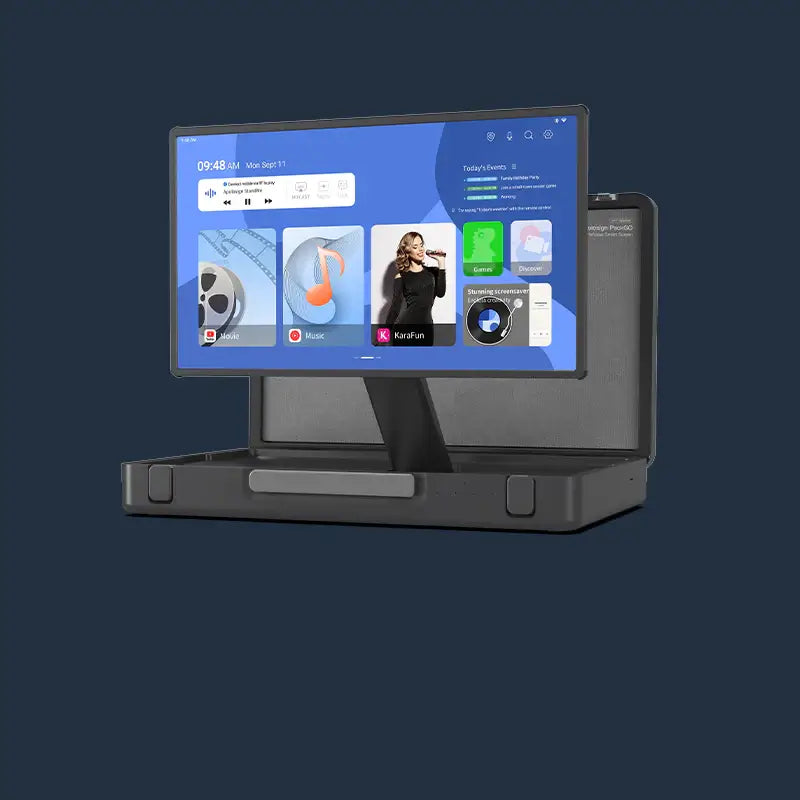
Apolosign PackGo 27" Briefcase Portable TV
Discovering Global Cultures
Geography pairs perfectly with cultural exploration. Families can use the touchscreen to look up facts about different participating nations. Kids might want to know what people eat in Brazil or how they say hello in France.
Here is a quick example of topics families can explore together:
|
Team |
Continent |
Fun Fact Topic to Search |
|
Argentina |
South America |
Traditional foods and music |
|
Japan |
Asia |
High speed trains and history |
|
France |
Europe |
Famous art museums |
|
Senegal |
Africa |
Wildlife and natural landscapes |
These quick searches turn a simple soccer match into a global adventure. Parents can encourage kids to present a fun fact before the kickoff. This public speaking practice adds another layer of skill development. Families can gather around the screen to discuss their findings. This shared activity builds strong communication habits. Kids love to share the new facts they discover with their siblings. The interactive nature of the screen keeps everyone engaged simultaneously. Parents can ask open-ended questions to stimulate critical thinking. A simple soccer match transforms into a lively family discussion.
Following Soccer Drills on a Life-Sized Vertical Screen
Curiosity about sports teams naturally leads to wanting to play like them. Kids often feel inspired after watching their favorite athletes score incredible goals. You can harness this energy to promote physical activity right inside the house.
Full Body Movement
A static couch setup rarely encourages children to break a sweat. Families benefit from a display that matches children's energy levels. The Apolosign screen can rotate 90 degrees to show a tall vertical format ideal for movement tutorials. This orientation provides an immersive, proportional view for active participation. Children can stand alongside the on-screen trainer and mirror the movements step by step. They can follow footwork drills step by step. This setup encourages active screen time for families instead of mindless scrolling. Parents can join in to make it a friendly competition. Ten minutes of jumping jacks and dribbling drills elevate heart rates significantly. The CDC recommends that children aged 6 to 17 get at least 60 minutes of physical activity daily, and active viewing sessions count toward that goal.
Vertical Video Compatibility
Social media platforms dominate the modern instructional video space. Many talented coaches post their best tutorials in a vertical format. Traditional televisions usually display these videos with massive black bars on the sides. The rotating screen eliminates this awkward formatting entirely. For a deeper look at how a portable screen transforms World Cup viewing into a full family experience, the best portable TVs for World Cup viewing guide covers the key features worth knowing.
Here are a few ways to utilize vertical video for physical activity:
- Follow daily agility challenges posted by professional athletes.
- Watch slow-motion replay breakdowns of famous penalty kicks.
- Complete five-minute stretching routines during halftime.
- Learn basic yoga poses to improve flexibility for sports.
Kids stay focused when the content fills the entire display. The immersive nature of the vertical screen makes the digital coach feel present in the room. Soccer drills represent only the beginning of the possibilities. Children can easily switch to dance tutorials or martial arts basics. The screen rotates seamlessly to accommodate any video format. Kids stay entertained for hours without sitting completely still. The large display provides clear visual cues for proper physical form. Better form prevents minor injuries during living room workouts. Families can curate a specific playlist of active videos for rainy days.
Building Chores Into Game Day Excitement
Match days also offer a perfect framework for daily routines. Kids anticipate the big game all week long. Parents can use this massive motivation to tackle household responsibilities. A visual system usually works best for younger family members.
Setting Up Digital Goals
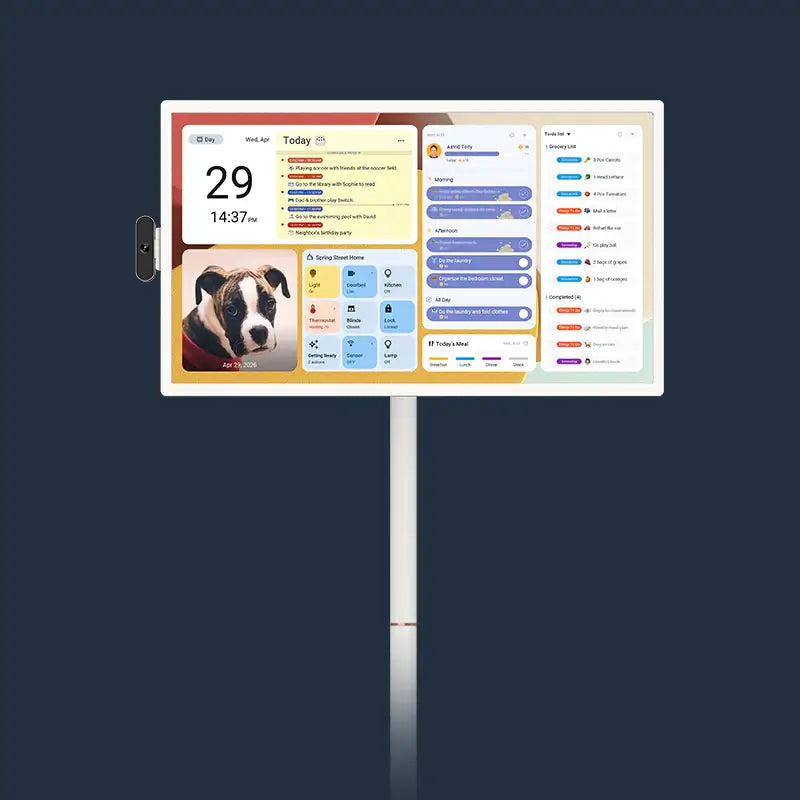
Verbal reminders often lead to frustration for both parents and children. A digital schedule removes the nagging completely. You can load a habit tracker for kids directly onto the display. The large format ensures everyone in the family sees the daily expectations. You can map out the entire week leading up to the final match. Tasks appear clearly on the screen with satisfying checkboxes next to them. The tactile satisfaction of tapping the screen to complete a chore builds positive reinforcement. Research on visual chore charts confirms that large-format displays significantly improve task completion rates for younger children.

Earning Game Time
The concept of a match ticket system makes routine tasks highly engaging. Kids complete their assigned chores to earn their viewing privileges. You can assign different point values to various household jobs.
A typical reward breakdown might look like this:
- A clean bedroom equals one quarter of a match ticket.
- Early homework completion earns half of a match ticket.
- Dinner preparation assistance grants a special snack pass for the game.
- Dog walking duties secure the right to pick the viewing spot.
This strategy teaches delayed gratification and responsibility. Children feel a strong sense of accomplishment when they finally sit down to watch the game. They earned their entertainment through hard work. Parents can customize the reward system as children grow older. Younger kids might need daily immediate rewards to stay motivated. Older teenagers might work toward a larger weekend viewing party. The digital calendar adapts easily to these shifting family dynamics. You can change the background colors to match the current tournament theme. A personalized interface keeps the system fresh and exciting. Children take pride in managing their own digital profiles on the screen.
Safe and Adjustable Screens for Little Fans
A physical setup for children requires specific hardware considerations. Regular televisions sit precariously on media consoles. Young kids frequently bump into furniture during excited moments of a game. A dedicated device needs to adapt to an energetic household.
Height Adjustable Hardware
Children interact differently with technology than adults do. A screen mounted high on a wall creates a massive physical disconnect. The Apolosign device features a fully height-adjustable stand. You can lower the display all the way down to a toddler's eye level. This accessibility invites them to touch and explore the screen comfortably. They do not have to stretch or climb on unsafe chairs to reach the top corners. Older siblings can easily raise the screen back up for their own activities. This versatility ensures the device grows with the family.
Smooth Mobility Across Rooms
Families rarely stay confined to one single room throughout the day. The action moves from the kitchen to the playroom constantly. A smart TV with wheels for home use solves this logistical problem easily. The smooth casters allow parents to glide the unit across different flooring types.

You can move the screen to the most appropriate area for any given task:
- Roll it into the kitchen to show a countdown timer for snacks.
- Push it to the center of the playroom for an open-space workout.
- Move it onto the patio for a fresh-air viewing party.
- Tuck it safely into a corner when playtime ends.
This mobility maximizes the utility of the device. It becomes a central hub for the family rather than a static piece of furniture. The sturdy base keeps the entire unit stable during transport. Parents can feel confident leaving it in high-traffic areas. A wire-free environment significantly boosts household safety. Long power cables create dangerous tripping hazards in busy living spaces. The built-in battery eliminates this concern entirely during the game. Kids can run freely around the screen without snagging any cords. The chassis features durable materials to withstand minor bumps. Parents appreciate the peace of mind that comes with thoughtful engineering. The display seamlessly blends safety with high-end entertainment.
Transform Your Family Viewing Experience Today
Parents can successfully blend digital entertainment with physical growth. The global soccer season offers a unique chance to keep children active and curious. An Apolosign display helps facilitate these healthy habits effortlessly. You can turn every match into a fun developmental tool. Bring this interactive setup into your home and watch your kids thrive.
FAQs
Q1: Can multiple children use the touchscreen at the same time?
Yes, they can. Large touch panels typically support multi-touch inputs. This allows siblings to interact with maps or educational games together without interference.
Q2: Does the screen require a constant wifi connection to work?
It depends on the application. Offline videos and pre-downloaded apps run perfectly without internet access. Streaming live matches and loading interactive maps will require a stable wireless connection.
Q3: Are rolling smart screens safe on hardwood floors?
Absolutely safe. The caster wheels feature rubberized or soft-glide materials. These parts glide smoothly across delicate surfaces without leaving scratches or marks.
Q4: How long does the internal battery usually last?
Typically around four to six hours. This capacity comfortably covers two full soccer matches. Brightness settings and volume levels will slightly affect the total runtime.
Q5: Can parents lock specific apps during school days?
Yes, parents have full control. The Android operating system includes built-in parental settings. Adults can restrict application access or set strict daily time limits. The American Academy of Pediatrics also recommends that parents actively manage children's media use by focusing on content quality rather than time alone.