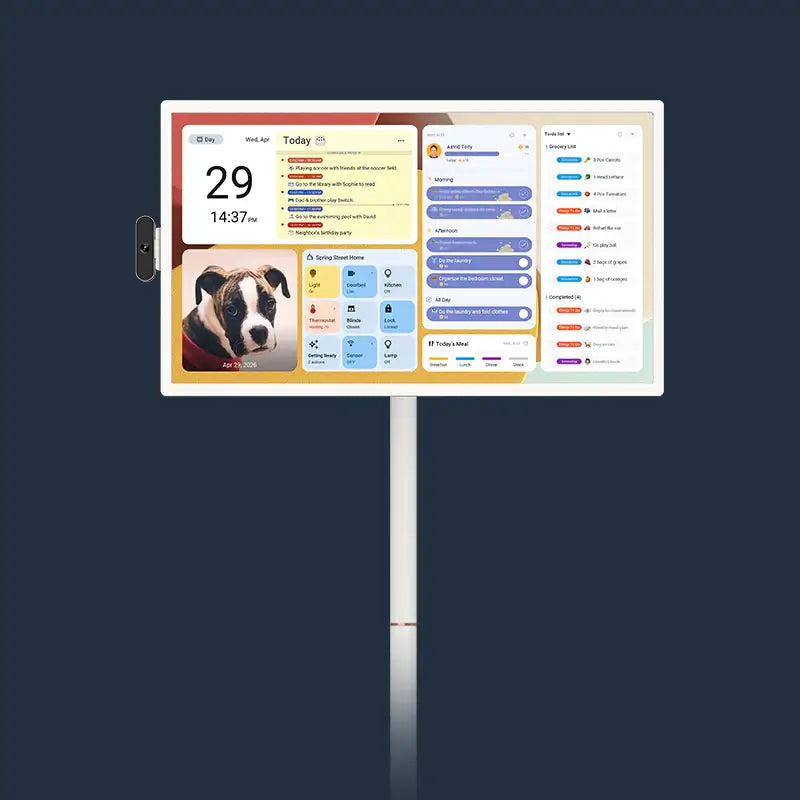
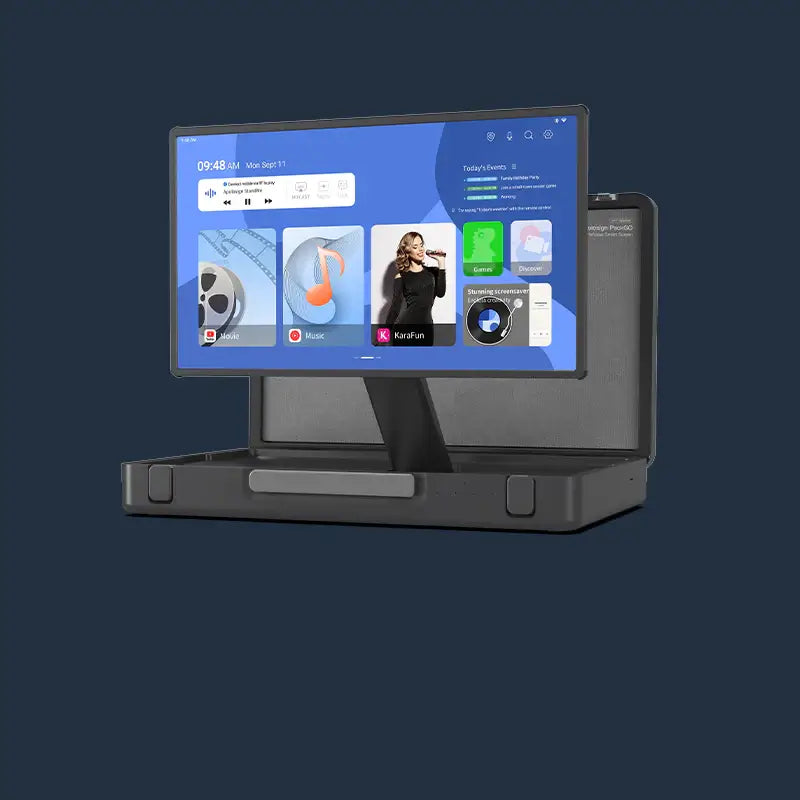



Digital calendars with built-in reward systems often help kids complete chores more consistently than paper charts or verbal reminders. Children respond to immediate, visible feedback, and a wall-mounted screen delivers that in ways paper cannot.
Setting up the right structure from the start, choosing the right screen size, and knowing when to reduce rewards all determine whether the habits actually stick.
Why Paper Chore Charts and Verbal Reminders Stop Working
Paper charts and repeated verbal prompts both tend to lose effectiveness quickly. Both fall short for the same reason: neither gives children the immediate, visible feedback they need to stay engaged.
The Problem with Static Charts and Repeated Prompts
- Paper charts lose relevance fast. Kids stop checking them once the novelty fades, and parents end up doing the tracking themselves.
- Verbal reminders create a negative cycle. The American Academy of Child and Adolescent Psychiatry notes that starting age-appropriate chores as early as age 3 helps children build responsibility and self-esteem. Giving children a consistent visual system supports their development better than repeated spoken instructions alone.
Children under 12 often struggle with time perception. A task that feels "later" to them is often due right now, and no paper chart resolves that gap.

What Children Actually Respond To
Children stay engaged longer when they can see the result of completing a task right away, before any external reward arrives.
Predictable structure reduces friction. When the same screen in the kitchen or hallway shows the same format every morning, children check in without needing a prompt.
Color-coded tasks simplify decision-making. A quick visual scan tells a child what comes first, even before they can read fluently. Pairing color-coding with visual chore charts on a wall screen makes the system immediately intuitive for younger children.
Digital Calendar vs. Paper Chart: A Direct Comparison
Paper charts and digital calendars both aim to keep household tasks organized, but they handle the daily demands of family life very differently.
|
Aspect |
Digital Calendar |
Paper Chart |
|
Updates |
Real-time sync with parent app |
Manual rewriting required |
|
Feedback |
Interactive check-off with instant visual confirmation |
Static stickers or pen marks |
|
Reward Tracking |
Automatic point tracking and reward logging |
Parent must remember and update separately |
|
Visibility |
Wall-mounted display in high-traffic areas |
Easily overlooked or misplaced |
|
Maintenance |
Minimal once the system is configured |
Frequent replacement when worn |
A digital chore chart for kids removes the manual work that causes paper systems to stall. The interactive format gives children ownership over their tasks while reducing the oversight burden on parents.
How to Build a Smart Calendar Reward System That Holds Up
A reward system works when children can clearly see the connection between completing a task and earning a reward. A simple, age-appropriate structure is what makes it sustainable week after week.
Start with Three to Five Age-Appropriate Tasks
Overloading the task list creates frustration rather than motivation. Pick tasks that match your child's current abilities, assign clear point values, and make the completion criteria obvious before the first day.
Small daily completions earn immediate recognition. Larger weekly totals unlock a chosen privilege or experience, which keeps engagement going without making the system feel mechanical.
Using a digital calendar running on Android, parents can download additional habit-tracking apps from Google Play to expand the system as the child grows. All core reward and chore features on the Apolosign Digital Calendar are included without any subscription fee.
Move from External Rewards to Internal Motivation
Rewards work best as a temporary support structure. Once a child completes tasks consistently without prompting, the goal shifts from completing tasks on their own.
Phase out rewards gradually rather than all at once. Move from rewarding every completed task to celebrating weekly consistency, then to occasional family recognition.
There is no fixed timeline for this shift. Start reducing rewards when you notice your child checking the calendar and completing tasks without a reminder, which shows the routine has become self-sustaining. Understanding kids' time management milestones can help you judge when the routine is ready to stand on its own.
How to Set Up a Digital Habit Tracker in Your Home
Placement and initial configuration both affect whether children check the calendar daily. A screen placed where children rarely pass will not affect their daily behavior.
Choose the Right Screen Size for Your Space
A screen placed in a high-traffic area makes the digital calendar part of the morning flow rather than an optional reference. Visibility determines whether kids check in without being reminded. Choosing the right spot is covered in detail in this guide on digital calendar placement.
|
Screen Size |
Best Placement |
Best For |
|
15.6 inches |
Small kitchen, desk, or kids' bedroom |
Individual routines, younger children |
|
21.5 inches |
Kitchen wall or family command center |
Shared family tasks, busy households |
|
27 inches |
Living room or open-plan home area |
Large families, maximum visibility |
The 15.6-inch model supports both wall mounting and desk placement. The 21.5-inch and 27-inch models are wall-mounted, making them well-suited for kitchens and hallways where the calendar becomes a fixed reference point for the whole family. All three sizes come in four finishes: Teak Yellow, Spruce Grey, Black, and White.

Configure the Calendar Before Introducing It to Kids
- Set up the task list and point structure through the parent app before the first morning you use it. Children adopt new tools faster when the system is already running and they can interact with it right away.
- Use color-coding to assign each child a distinct color. This removes any question about whose tasks are whose and gives each child clear ownership over their section.
- The Apolosign Digital Calendar supports Google Assistant for hands-free control of compatible smart home features. Task management is handled through the touchscreen or the connected parent app.
When Should You Scale Back Rewards on a Gamified Habit Tracker?
The right time to pull back on rewards depends on what you observe in your child's behavior, not on a set number of days on the calendar.
Identify the Right Behavioral Signal
Watch for the moment when your child checks the calendar and completes tasks before being reminded. That behavioral shift is the signal to begin reducing external rewards.
At that point, move from rewarding task completion to recognizing weekly consistency. Acknowledge their effort and independence in conversation, rather than through points on the screen.
Use Privacy Mode to Reduce Screen Dependency
Once habits are established, some families reduce how prominently the task list is displayed. The Apolosign Digital Calendar includes a one-tap privacy feature: swiping down a photo screensaver instantly covers the schedule from view. This is useful when guests arrive or when you want children checking in by habit rather than by constant visual cuing.
Use Digital Calendars to Build Lasting Family Habits at Home
Digital calendars help kids build better daily habits by making task completion visible the moment it happens, in a way that paper charts and verbal reminders cannot replicate. Set up a simple task list with clear point values, place the screen where it gets seen every morning, and plan a gradual exit from rewards once the routine holds on its own. The Apolosign Digital Calendar is available in 15.6-inch, 21.5-inch, and 27-inch sizes, with all core features included at no subscription cost.

FAQs About Digital Calendars and Kids' Daily Habits
Q1. What Age Should Kids Start Using a Digital Chore Chart?
Children around age 3 can begin with simple visual check-offs. The American Academy of Child and Adolescent Psychiatry notes that age-appropriate chores from an early age help children build responsibility and self-esteem. By age 6, most kids handle a point-based reward system well. Match the task count and reward structure to your child's current attention span and reading level.
Q2. How Do You Keep Kids Motivated with a Reward System After the First Few Weeks?
Refresh the task list every four to six weeks and let kids help choose new goals. Interest drops when the same chores stay the same week after week. Introducing a new milestone reward or rotating task categories keeps the system active without requiring a full reset.
Q3. What Rewards Work Best on a Gamified Household Task System?
Small daily privileges, such as extra screen time or a chosen snack, work well for younger children. Pair those with a larger weekly experience, like a family outing or a chosen activity. Focusing on experiences rather than objects keeps the system from becoming purely transactional over time.
Q4. Does the Apolosign Digital Calendar Require a Monthly Subscription for Chore and Reward Features?
No. All core features, including chore charts, reward tracking, to-do lists, and calendar sync, are included with the device at no recurring cost. Some optional AI features are available as a separate paid upgrade, but the reward and habit-tracking functions work fully without any subscription.