


Do you feel like a broken record? You ask your child to put away a backpack or feed the dog. Nothing happens. You wait five minutes. You ask again. Still, the child does not move. The volume of your voice goes up. The tension rises. Parents everywhere know that struggle. We repeat requests endlessly until we feel exhausted. Families need a better method. A visual system on the wall changes the dynamic entirely. Such a setup shifts responsibility from your voice to their eyes. It moves the burden off your shoulders.
Why Verbal Reminders Fail: Mental Load, Time Blindness, and Invisible To-Dos
We often assume kids ignore us on purpose. Science suggests a different reality. Young brains struggle with what experts call working memory. When you shout a command from the kitchen, that information must stay active in their mind while they finish a video game level or find a lost sock. Usually, the new instruction vanishes. The child does not mean to disobey. The thought simply evaporates.
Verbal words disappear instantly. Once you stop speaking, the reminder ceases to exist in the physical world. A child with "time blindness" cannot feel the passage of ten minutes. To them, "soon" means nothing. "Now" feels like an annoying interruption. Without a visual anchor, time feels infinite to a young mind. They truly believe they have plenty of time left to do the chore later.
The mental load also weighs heavily on parents. You hold the entire schedule in your head. You become the clock. You become the alarm. You become the manager. That role leads to burnout. We need to externalize the executive function. We must take the invisible to-do list out of our brains and put the list onto a physical surface.
Visual cues remain constant. A picture or a text line on a wall does not fade away. The text stays there. It waits for attention. It does not get angry. It does not yell. It simply exists as a fact. When a child sees a task, the processing moves from the auditory center to the visual center. That shift often bypasses the emotional defensiveness triggered by a parent's nagging voice.

From Nagging to Checklists: Why Check-Off Tasks Work Better for Kids
Pilots use checklists for a reason. Surgeons use them too. The brain loves a list because a list offers a clear path from start to finish. For a child, a checklist provides safety and predictability. They know exactly what "done" looks like. They can see the finish line.
A chore chart works because of dopamine. That is the brain chemical responsible for feelings of satisfaction and reward. Checking a box or tapping a completed task releases a small amount of dopamine. It feels good to finish things. It creates a micro-success.
Verbal nagging removes autonomy. The constant requests feel like being bossed around. A checklist offers agency. The child can choose the order of tasks. They can decide when to start. The only rule is finishing before the deadline. That small amount of control makes a massive difference in attitude.
When the list lives on a shared screen, the device becomes a neutral third party. You are no longer the bad guy. You are merely the person pointing at the screen. The conflict shifts. It is no longer Parent versus Child. It becomes Child versus The List. You can stand on the same side as your kid and cheer them on as they defeat the list.
What Is a Digital Family Wall Screen? Calendar + To-Do List + Chore Board in One
Paper lists get lost. Whiteboards end up smeared or ignored. A digital solution solves those issues while adding smart automation. The Apolosign Digital Calendar represents the ideal hardware for that central hub. Our mission at ApoloSign is to create innovative smart displays that simplify modern family life.
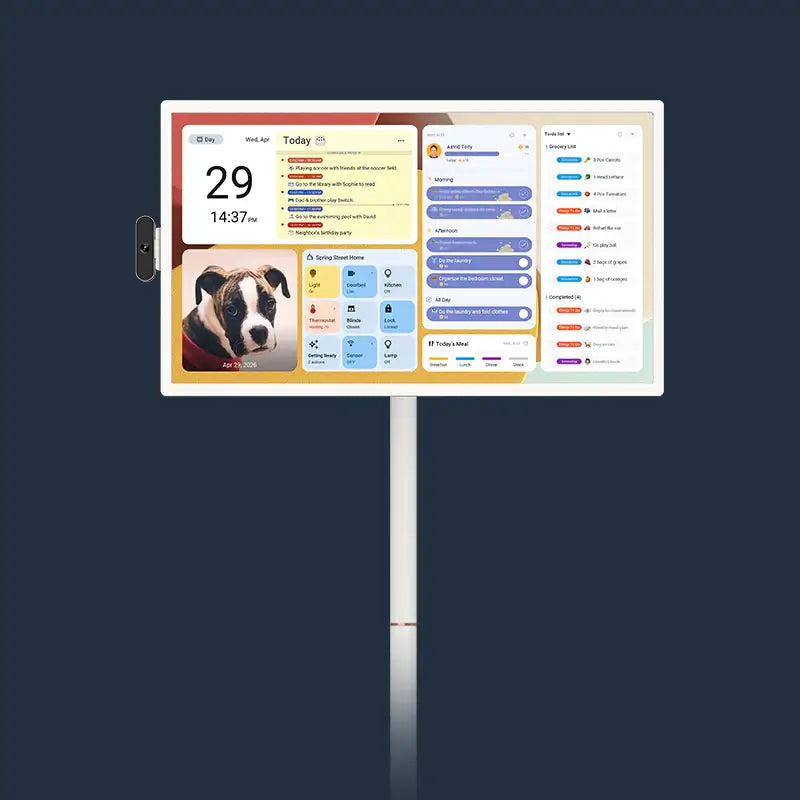
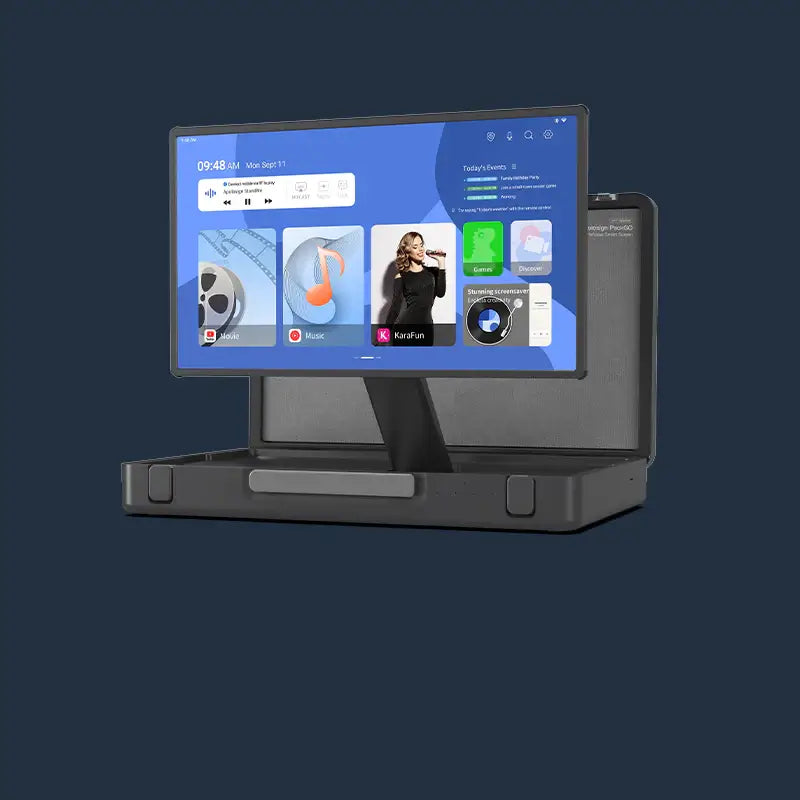
Think of the device as a command center. The 27-inch 4K model serves as the hero product for large shared spaces. It anchors the room. However, not every home has a massive wall available in the kitchen. The Apolosign lineup includes 21.5-inch and 15.6-inch models as well. These smaller options work beautifully in a narrow hallway or above a small desk. The software experience remains the same across all sizes. You simply choose the physical canvas that fits your specific space.
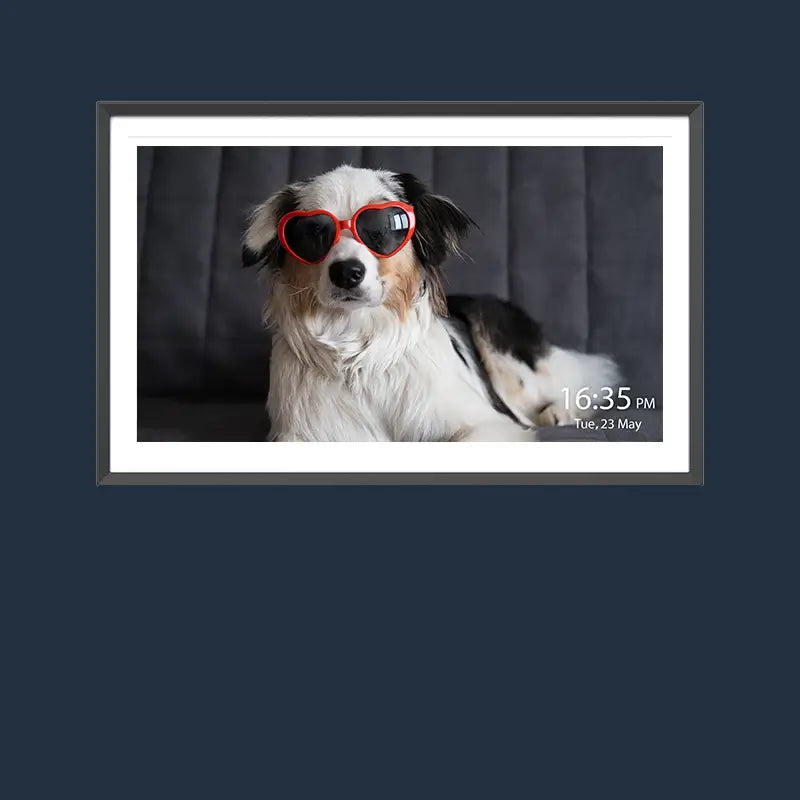
The display features an anti-glare matte finish. That detail matters in a sunny kitchen or a bright living room. You can see the schedule clearly from across the room without reflections blocking the view. The matte texture also feels more like paper and less like a glowing TV. That helps the screen blend into home decor instead of dominating the space like a monitor.
The unit runs on an Android operating system. That means the screen acts like a giant and powerful smart device. It syncs seamlessly. The family chore chart on the wall updates instantly if you add an item from your phone while at work.
It creates a single source of truth. The device pulls data from Google Calendar, Apple Calendar, Outlook, and Cozi. If Dad adds a soccer game on his iPhone and Mom adds a dentist appointment on her Android, both appear on the wall immediately. Everyone stays on the same page. No one can say they did not know about the event.

Designing Your Homework, Practice & Chore Check-Off Board on the Wall Screen
You have the hardware. Now you need the layout. The goal is creating a chore chart for kids that they actually want to use.
The Apolosign interface offers a "Dual Mode" experience. You can switch between a dedicated Calendar Mode and an Android Dashboard Mode. For a heavy homework and activity day, the Dashboard Mode offers incredible flexibility.
Imagine the screen split into zones.
On the left side, you place the calendar widget. It shows the hard landscape of the day. School ends at 3:00 PM. Piano lesson starts at 4:30 PM. Seeing the blocks of time helps kids understand why they must start homework immediately.
On the right side, you place the to-do list widgets. These are the soft tasks. "Practice scales for 15 minutes." "Read Chapter 4." "Empty the dishwasher."
You can color-code these items. Use green for homework. Use blue for house chores. Use red for urgent items. Visual separation helps the brain organize information quickly.
Because the device supports Android widgets, you can download specific apps to suit your style. Maybe you prefer a simple list. Maybe you want a gamified app with avatars. You can pin a weather widget there too. Knowing rain is coming might remind your child to pack an umbrella without you saying a word.
The 4K resolution on the 27-inch model keeps text crisp. Even small fonts remain readable. Grandparents or family members with poorer eyesight will appreciate the clarity. The high contrast allows for quick glancing as kids run through the kitchen.
Turning Repeated Reminders into One-Time Setup with Routines, Recurring Tasks, and Rewards
The true magic lies in automation. You do not want to write "brush teeth" every single day. That wastes time.
Use the "Routines" feature. You set the program up once. Every weekday at 7:00 AM, the "Morning Routine" list appears.
- First, make the bed.
- Second, brush teeth.
- Third, pack lunch.
- Fourth, put on shoes.
The system resets itself for the next day automatically. You never have to remember to post the list. The wall screen remembers for you.
A weekly chore chart benefits from the "Recurring Task" setting. Does trash go out every Tuesday? Program the task to pop up on Tuesday morning. Does the dog need heart medicine on the first of the month? Set the alert to repeat monthly.
The Apolosign system includes a built-in reward tracker. Gamification turns boring labor into a game. You can assign point values to tasks. "Unloading the dishwasher" might be worth 10 points. "Finishing math homework before dinner" might be worth 20 points.
The screen tracks the total. At the end of the week, those points can translate into real-world rewards. Maybe 100 points equals an extra hour of video games. Maybe 500 points equals a trip to the ice cream shop.
The device creates the feedback loop for you. The child taps the task. The screen acknowledges the completion. The points tally up. They see immediate progress. That visual confirmation motivates them to do more. It builds positive habits without constant parental pressure.

Age-Specific Setups: How to Use the Wall Screen with Kids 4–7, 8–10, and 11–13
Different ages require different visual strategies. The flexibility of the Android system allows the screen to grow with your family.
For Ages 4–7
Little ones cannot read complex sentences. They need pictures. Use widgets that support icons. A picture of a toothbrush works better than the words. Keep the list short. Three items are enough.
- Morning: Clothes, Teeth, Breakfast.
- Evening: Toys away, Pajamas, Book.
Focus on the routine itself. Let them physically touch the screen to check off the item. The 10-point touch screen on the Apolosign creates a tactile experience they will enjoy. The "ding" sound of completion brings them joy.
For Ages 8–10
School work begins to pile up here. They need a chore chart that mixes responsibilities with school tasks. Create a "School" section and a "Home" section. School items might include math worksheets or 20 minutes of reading. Home items might include setting the table or feeding the cat. Use the Google Assistant integration. They can say "Hey Google, add 'Science Project' to my list." The voice control feature empowers them to manage their own workload without typing.
For Ages 11–13
Tweens possess busy social lives and extracurriculars. They need a dashboard that looks like a command center. Display the full weekly view. They need to see that soccer practice on Thursday means they must finish the history essay on Wednesday. Teach them to use the "Family Calendar" sync. If they want a ride to the mall, they must put the event on the central calendar. If the event is not on the wall, it does not happen. Give them ownership of one specific zone on the screen. Let them add a "Widget" for their favorite sports team scores or a "Spotify" widget for music. When they feel the screen belongs to them, they check the board more often.
Start with One Simple Checklist on the Wall Screen
You do not need to overhaul your entire parenting style overnight. Start small. Pick the one time of day that causes the most stress. Is the issue the morning rush? Is the problem the after-school chaos?
Install the Apolosign Digital Calendar. Choose the size that fits your wall, whether that is the large 27-inch or the compact 15.6-inch. Sync your existing calendars. Create one simple checklist for that stressful window. Explain the rules to the kids. Show them how to tap the screen.
Then, step back. Let the wall screen do the talking. Enjoy the silence in the kitchen. Watch as your children glance at the wall. See them notice what needs doing. Watch them simply do the task. That peace of mind is the ultimate reward.