


For many working parents, the calendar is often a source of anxiety rather than a tool for organization. It is a reactive list of demands: Zoom calls, pediatrician appointments, and deadlines, that dictates your day before you’ve even had your first cup of coffee. However, after speaking with productivity experts and testing various organizational methods, we have found that a digital calendar should not be a record of where your time went, but a proactive shield for where your time should go. By shifting from a defensive stance to an offensive one, you can reclaim your rhythm.
What “Meetings All Day” Really Costs Working Moms
When your schedule is packed back-to-back, the cost isn’t just physical exhaustion; it is cognitive fragmentation. In productivity circles, this is often referred to as "context switching." For working mothers, who often carry the invisible "mental load" of household management alongside their professional duties, this cost is doubled.
You aren't just switching from a budget meeting to a client call; you are switching from "employee" to "parent" to "scheduler" continuously. If you rely solely on a standard work planner that only tracks professional obligations, you miss half the picture. The result is a phenomenon we see often: the "busy but unproductive" day, where you attend every meeting but make zero progress on the work that actually moves the needle, leaving you to finish tasks late at night.
High-Value Time vs. Low-Value Time: A Simple Framework for Busy Parents
To fix a broken schedule, you must first categorize your time. Not all hours are created equal.
- High-Value Time: This is time spent on "deep work" (tasks requiring intense focus and strategic thinking) or "deep connection" (undistracted time with family). This is the time that yields long-term results.
- Low-Value Time: This includes administrative tasks, status update meetings, replying to non-urgent emails, or scrolling. These are necessary evils but should be contained.
The mistake most digital planners make is treating a 30-minute status meeting with the same visual weight as a 30-minute strategic planning session. To guard your rhythm, you must visually distinguish High-Value Time on your calendar and defend it aggressively. If you don't assign a purpose to your time, someone else will assign it for you.
Why Digital Calendars Are More Than Just a List of Meetings
Paper planners have a tactile appeal, but they lack the one feature working parents need most: interoperability. A paper planner cannot send a push notification to your partner that you are running late, nor can it prevent a colleague from booking a meeting over your designated focus time.
A robust digital calendar acts as a central nervous system for your life. It allows for automation (repeating events), integration (seeing work and home life in one view), and access (checking schedules from your phone, laptop, or wall display). The goal is to move from a static list to a dynamic system that reacts to real-time changes. By utilizing an all in one digital planner approach, you consolidate the fragmented parts of your life—the soccer practices, the board meetings, the grocery lists—into a single, manageable stream of information.

Step One: Blocking High-Value Time Before Anyone Else Can Book It
The most effective strategy we have observed is "defensive calendaring." This involves blocking out your High-Value Time weeks in advance, treating these blocks with the same sanctity as a doctor's appointment.
If you know you are most mentally sharp between 9:00 a.m. and 11:00 a.m., create a recurring event called "Focus Time" or "Strategic Work." Most workplace calendars will mark you as "busy," preventing colleagues from scheduling over this time. Similarly, block out "Family Transition" from 5:30 p.m. to 7:30 p.m.
This prevents the "Swiss cheese" effect—where your day is punched full of holes by random 15-minute meetings, leaving you with no consolidated time to think. It feels uncomfortable at first to decline a meeting because you have a "block" scheduled with yourself, but it is the only way to ensure your primary output isn't sacrificed for secondary discussions.
Step Two: Designing a Weekly Rhythm on Your Digital Family Calendar
Rhythm is different from a schedule. A schedule is what happens at 2:00 p.m. on Tuesday; a rhythm is the general flow of your week.
We recommend color-coding your digital calendar to visualize this rhythm.
- Blue for Deep Work: No interruptions allowed.
- Green for Family/Kids: Pick-ups, games, dinner.
- Red for Urgent/Admin: The unavoidable chores and meetings.
When you look at your week in a "week view," you should see blocks of color that reflect your priorities. If your calendar is a sea of Red with no Blue, you know immediately that your rhythm is off before the week even begins. This visual audit is one of the most powerful features of modern digital planners, allowing you to correct course proactively rather than reacting to burnout on Friday.
Step Three: Syncing Work, Partner, and Family Calendars Without Losing Your Mind
The technical hurdle for most families is the ecosystem war: Work uses Outlook, the partner uses Google, and the school uses a PDF attached to an email.
To maintain sanity, you need a "Master View." We recommend creating a shared Google Calendar specifically for the family (e.g., "The Smith Family"). Both partners should sync this to their phones. Then, use the "subscribe" or "overlay" feature in your work Outlook/Google account to view the family calendar alongside your work schedule.
Crucially, invite your personal email to critical work events that impact home life (like late meetings or business trips) so they appear on the family view. The goal is not to share every detail of your work meeting with your spouse, but to share your availability.

Using a Wall-Mounted Digital Family Calendar to Make Priorities Visible at Home
While phone notifications are useful, they isolate information to the individual holding the device. A shared household rhythm requires shared visibility. This is where a dedicated hardware solution, like a wall-mounted smart display, bridges the gap.
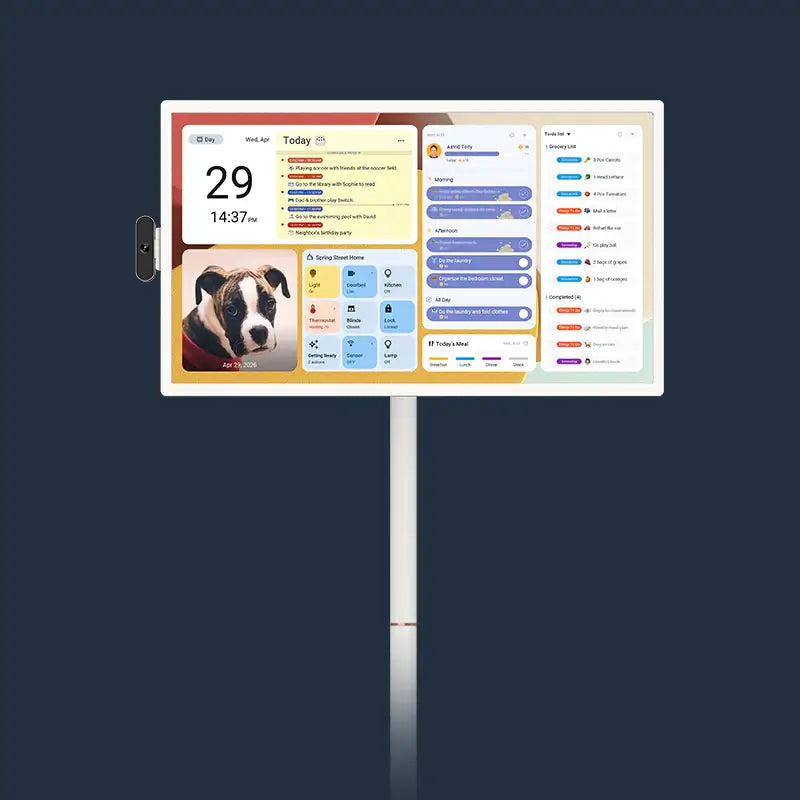
Take the Apolosign 27" 4K Digital Calendar, a compelling solution for families attempting to centralize their digital lives.
Display and Design That Fits the Home
Unlike a tablet propped up on a counter, the Apolosign is designed to be a permanent fixture. It features a 27-inch 4K ultra-clear display. In our assessment, the standout feature is the anti-glare matte finish. In a bright kitchen or living room with overhead lighting, standard glossy screens often become mirrors; the matte finish on the Apolosign ensures the schedule is legible from across the room without eye strain.
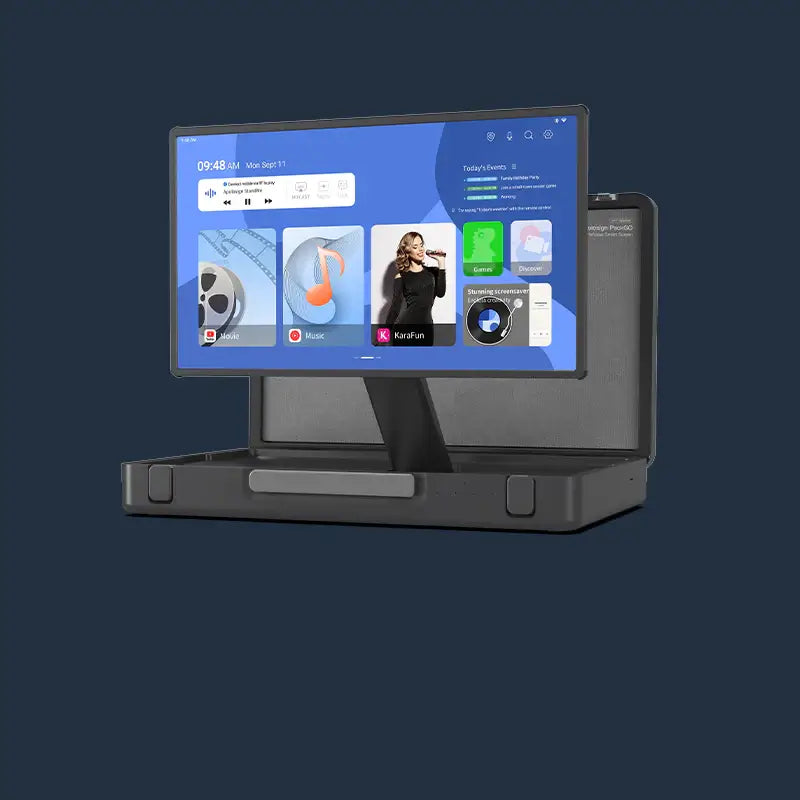
The device operates on a Dual Mode interface, allowing users to switch seamlessly between Calendar Mode (for distraction-free organization) and Android Dashboard Mode. It supports a VESA mount (100 x 100 mm), meaning it can be installed on the wall like a piece of art, or used with a stand.
Solving the Syncing Problem
The primary failure point of many smart displays is limited compatibility. The Apolosign addresses this by supporting auto-sync with major platforms including Google Calendar, Apple Calendar, Outlook, Yahoo Calendar, and Cozi.
This is critical for the "Master View" strategy mentioned earlier. You do not need to manually input data into the device; it pulls directly from the accounts you already use. It supports multi-calendar sync, so you can overlay the "Work," "Kids," and "Meal Plan" calendars on a single Immersive Calendar View.

Productivity and Customization
The hardware is backed by an RK3576 octa-core processor and 4 GB of RAM, which makes the touch interaction responsive—a necessary trait for a device meant to be used quickly while rushing out the door.
For parents teaching children about responsibility, the routine task tracker is a valuable addition. It gamifies chores by assigning points, turning the mundane into a reward system. In Custom Mode (Android Mode), the device functions as an open canvas. You can download Android widgets for weather, stocks, or music, and drag-and-drop them to build a personalized dashboard.
Smart Integration
The Apolosign integrates with Google Assistant via a quad-mic array, allowing for voice control. If you are cooking and need to add "buy milk" to your custom to-do list, you can do so hands-free. It also offers full Google Home integration, letting you control smart lights or view doorbell cameras from the screen.
Notably, there are no subscription fees for the built-in photo frame or calendar functions—a refreshing departure from the industry trend of monthly recurring costs. With Wi-Fi 6 connectivity, the syncing remains stable even in homes with high device density.
How Different Working Moms Protect Their Rhythm
There is no "one size fits all" rhythm. Here is how we have seen different parents utilize these tools:
- The Executive Mom: She relies on the "Focus Mode" of her calendar. Her Apolosign is mounted in the home office. During the day, it displays her Outlook schedule and stock widgets. At 5:00 p.m., she switches it to the Family Calendar view to see the evening’s logistics. She uses the device’s specific "Lists" feature to dump brain clutter—color-coding tasks for "Office" vs. "Home" so they don't overlap mentally.
- The Freelance/Creative Mom: She has an irregular schedule. She uses the Android Dashboard Mode to keep her creative inspiration (Pinterest widgets, Spotify playlists) alongside her deadlines. She utilizes the routine tracker not just for her kids, but for herself—tracking hydration and movement breaks. Because the Apolosign acts as a photo frame with Google Photos, she uses it to display her portfolio work when not actively planning, keeping her inspired. This dual functionality makes it a superior alternative to traditional digital photo frames.
- The Household Manager: In a busy household with three kids, the kitchen is the hub. The 27-inch screen serves as mission control. The auto-rotation feature allows her to switch orientation based on the counter space available. She heavily utilizes the voice control to manage the family's shared grocery list and relies on the multi-user sync to ensure her partner sees that the "Science Fair Project" is due Thursday, not Friday.
Start with One Protected Block This Week
You do not need to overhaul your entire life overnight. Start small. This week, identify one two-hour block of High-Value Time, whether for a critical work project or uninterrupted time with your children. Mark it on your digital calendar, sync it to your devices, and defend it. Once you see the value of protecting that single block, the rest of the rhythm will follow.