



Navigating the alphabet soup of tech specs—HD, FHD, 4K, UHD—can feel like a chore. We’re often told "more is better," but what do those extra pixels actually get you, and when does it all just become expensive marketing? The answer, it turns out, depends entirely on what you're looking at.
What Is a Pixel, the Building Block of Your Screen?
Every image on every digital screen, from a stadium jumbotron to a smartphone, is a grand mosaic. That mosaic is built from millions of tiny, individual tiles. A single tile is called a "pixel," short for "picture element". A pixel is the smallest controllable unit of a digital display, a single dot that can be illuminated to represent a single point of color.
These dots are the fundamental building blocks of everything you see on-screen. An image is formed when thousands or millions of these pixels work together, each assigned a specific color value. The total number of pixels a screen has to work with defines its "resolution." A screen with more pixels has more "tiles" to create its mosaic, which results in the potential for far sharper, clearer, and more detailed images.
How HD, Full HD, and 4K Compare
The terms HD, Full HD, and 4K are simply standardized labels for a specific number of pixels, measured horizontally by vertically. Understanding these counts is the first step to understanding the difference in quality.
HD (High Definition / 720p)
High Definition, or HD, was the first major leap into the digital age for televisions. It is also commonly called 720p, which refers to its vertical resolution of 720 pixel lines.
- Pixel Count: 1280 pixels wide by 720 pixels high.
- Total Pixels: 921,600 (approximately 0.9 megapixels).
This standard, while revolutionary at its inception, is now the baseline for high-definition content. It offered a much cleaner image than the standard-definition (SD) televisions it replaced. Today, its pixel count is relatively low. On any screen larger than a small tablet, a 720p resolution can appear soft, blocky, or "pixelated". It is now typically reserved for the most budget-oriented small screens or low-bandwidth video streams.

Full HD (FHD / 1080p)
Full HD, or FHD, is the dominant, mainstream resolution in the world today. It is also known as 1080p, representing its 1,080 vertical pixel lines.
- Pixel Count: 1920 pixels wide by 1080 pixels high.
- Total Pixels: 2,073,600 (approximately 2.1 million).
The jump to Full HD was significant, offering more than twice the total number of pixels as 720p HD. A screen with 1080p resolution provides a crisp, detailed, and immersive picture that has become the standard for broadcast television, Blu-ray discs, and the majority of streaming services and computer monitors. It hits a "sweet spot" of visual clarity and performance requirements, performing exceptionally well on screens up to about 24 inches.
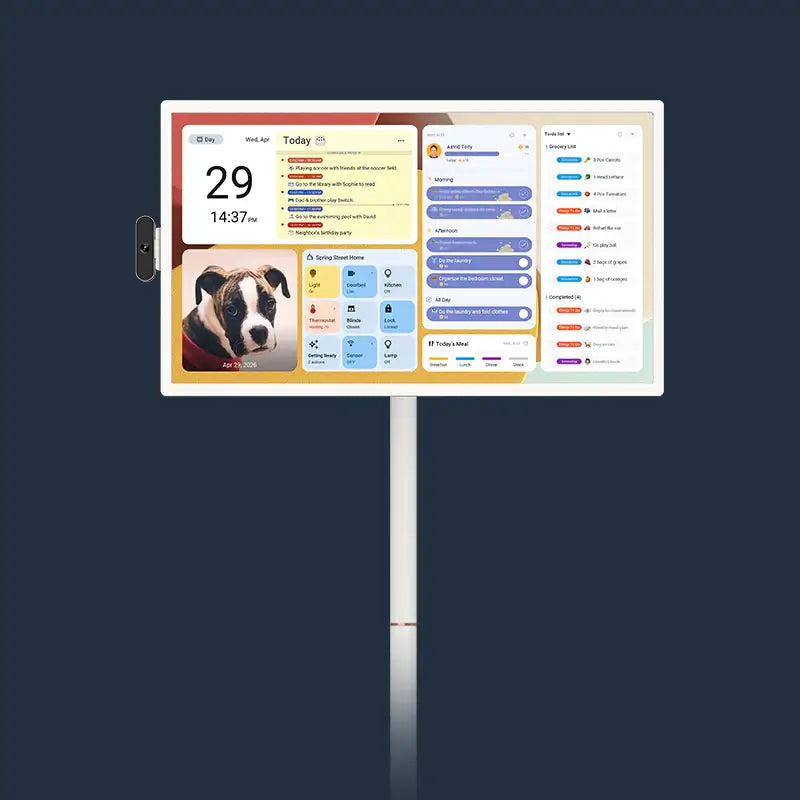
A perfect application of 1080p resolution is found in modern, focused smart hubs like the Apolosign 15.6" Digital Calendar. That device features a 1920x1080 resolution on its 15.6-inch touchscreen display. For a screen of that size, 1080p is not a compromise; it's the optimal choice. It produces a high pixel density, which renders text for daily planners and calendar entries sharp and easy to read. It also provides a beautiful canvas for its Google Photos-integrated photo frame mode. This sharp display is powered by a capable RK3576 octa-core processor and 4GB of RAM, running a licensed Android OS. Its Wi-Fi 6 and Bluetooth 5.4 connectivity allow it to auto-sync with Google Calendar, Apple, and Outlook, all while presenting the information on a clear, anti-glare matte screen.
4K (Ultra HD / UHD / 2160p)
This is where the numbers take an exponential leap. 4K, also known as Ultra HD (UHD) or 2160p, represents the current premium standard for visual clarity.
- Pixel Count: 3840 pixels wide by 2160 pixels high.
- Total Pixels: 8,294,400 (approximately 8.3 million).
It is critical to understand that 4K is not double the resolution of 1080p. It features double the horizontal pixels (1920 x 2 = 3840) and double the vertical pixels (1080 x 2 = 2160). The result is four times the total number of pixels as a Full HD screen.
This 4x multiplier provides an enormous jump in detail, clarity, and image depth. This massive pixel count is the flagship feature of premium hubs, such as the Apolosign 27" 4K Digital Calendar. That device leverages its 3840x2160 resolution as its core strength. On a large 27-inch screen, a 1080p resolution would look visibly pixelated. The 4K standard, with its 8.3 million pixels, is what allows a screen that large to look "ultra-clear" when viewed up close in a home environment. It’s the technology that enables a large-format calendar to also function as a stunning, high-resolution photo frame.
For clarity, the following table summarizes the key differences.
| Standard | Common Nickname(s) | Resolution (W x H) | Total Pixels (Approx.) | Representative Use Case / Product Example |
| HD | 720p, HD Ready | 1280 x 720 | 0.9 Million | Budget small TVs, old laptops |
| Full HD (FHD) | 1080p, Full HD | 1920 x 1080 | 2.1 Million | Mainstream monitors, streaming, Apolosign 15.6" |
| 4K (UHD) | 2160p, Ultra HD | 3840 x 2160 | 8.3 Million | Premium TVs, large monitors, Apolosign 27" |

What Do More Pixels Actually Mean for You?
Having four times the pixels sounds impressive, but what is the real-world, tangible benefit? The answer lies not just in the total pixel count, but in pixel density.
Why Pixel Density Is What You Actually See
Pixel density, or Pixels Per Inch (PPI), is the metric that truly defines sharpness. It measures the number of pixels packed into one square inch of a screen. A high PPI means more pixels are packed into a smaller space. These smaller, more densely packed pixels are harder for the human eye to distinguish individually, which creates "smoother lines and sharper images".
Resolution alone does not tell the whole story. For example, a 5.5-inch smartphone with a 1080p screen has a very high PPI (around 400). A 65-inch television with the same 1080p resolution has a very low PPI (around 34), and its pixels would be easily visible.
This concept is the key to understanding the Apolosign product strategy.
- Apolosign 15.6" (1080p): A 1920x1080 resolution on a 15.6-inch screen yields a pixel density of approximately 141 PPI.
- Apolosign 27" (4K): A 3840x2160 resolution on a 27-inch screen yields a pixel density of approximately 163 PPI.
- Hypothetical 27" (1080p): A 1920x1080 resolution on a 27-inch screen would yield a pixel density of only ~81.5 PPI.
Both Apolosign models have a high pixel density, which is crucial for their function. High PPI is directly linked to "crisp text" and reducing "eye strain" during long work sessions, a vital feature for a device you read every day.
The 4K resolution on the 27-inch model is not a luxury; it's a necessity. User reports and technical comparisons confirm that a 27-inch 1080p monitor, with its low ~81-88 PPI, looks "way blurrier" than a smaller laptop screen and can even be described as "horrible" for text-based work. The 4K resolution of the Apolosign 27" model (163 PPI) is what elevates it to a premium, readable, and comfortable-to-use hub. It avoids the "pixelated" and "fuzzy" picture that a lower resolution would produce at that size.
The Digital Art Gallery in Your Kitchen
What else can one do with 8.3 million pixels? Display photographs. A 4K resolution (3840x2160) is equivalent to an 8.3-megapixel still image. Most modern smartphones capture photos at 12 megapixels or higher. A 1080p screen, with only 2.1 million pixels, is forced to discard over 80% of the detail in a typical smartphone photo.
A 4K display, in contrast, can show a "superb image quality" that is "closer to the real visual atmosphere". While some may argue 4K is "overkill" for a small digital frame, it is absolutely not overkill for a large 27-inch centerpiece.
Both the Apolosign 27" 4K and 15.6" models feature a photo frame mode with Google Photos integration and no subscription required. On the 27-inch 4K model, this feature transforms the device from a utility into a piece of digital art. It can display family photos with the 8-megapixel clarity they deserve, acting as a premium, large-format digital art display that justifies its $799.00 price tag and five-star rating (202+ reviews).

How Screen Size and Resolution Work Together
The value of a high-resolution screen is directly tied to two other factors: its physical size and how far away you are from it. This relationship is perhaps the most misunderstood aspect of display technology.
Why You Can't Compare a Calendar to a TV
There is a common argument, backed by technical analysis, that 4K resolution is "wasteful". Some findings have shown that at a typical living room viewing distance—like 8-10 feet from a 50-inch TV—the human eye simply cannot distinguish the individual pixels. From that far away, a 1080p and a 4K screen can appear identical.
This data is correct, but the conclusion is wrong for a smart hub. A television is a passive, "lean-back" device. A digital calendar is an interactive, "lean-in" hub.
You do not check your 10 AM appointment or add to a grocery list from the sofa. You walk right up to it. You stand a few feet away in the kitchen. You tap the screen to check off a task. The Apolosign 27" model, for example, features a 10-point multi-touch display; its very design implies you will be close to it.
The "diminishing returns" argument is only valid for distant viewing. The recommended minimum viewing distance for a 4K display is 1.5 times the screen's vertical height. For a 27-inch (16:9) screen, that vertical height is about 13.2 inches, placing the "ideal" close-viewing distance at around 20 inches. At this range, and even at a more typical 3-5 feet, the difference between 4K and a lower resolution is stark and obvious. User comparisons of 27-inch monitors confirm that 4K is "noticeably better" and "definitely with text" compared to 1440p or 1080p.
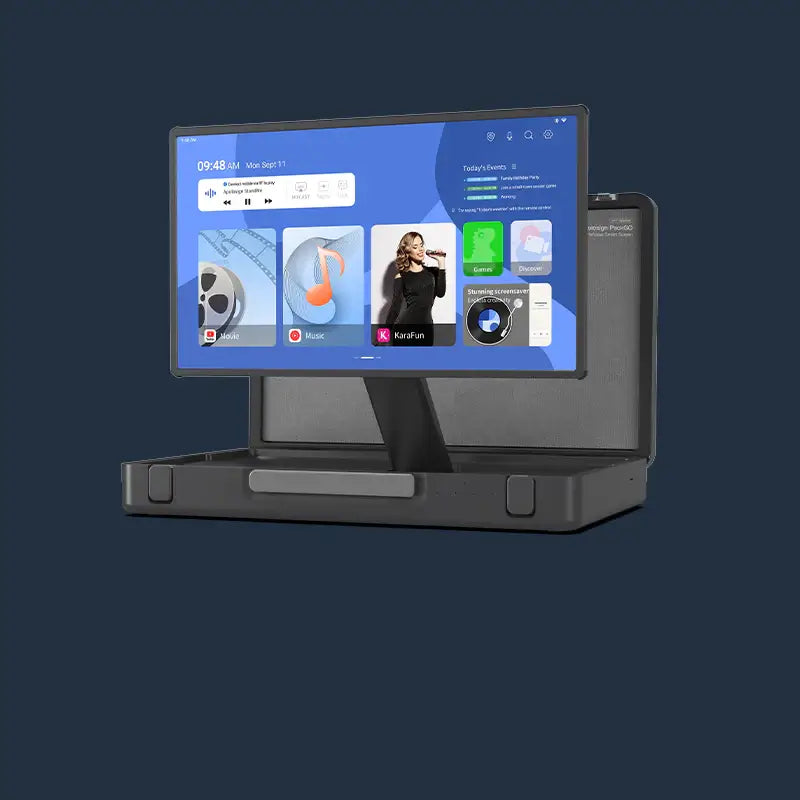
The TV-based comparisons are irrelevant. The Apolosign 27" 4K is designed for a viewing distance where its 8.3 million pixels provide a clear, tangible, and necessary benefit in sharpness. For those interested in larger, entertainment-focused screens, our collection of portable touch TVs offers a different kind of smart display experience.
A Screen Must Work in a Bright Room
There is another physical attribute just as important as resolution: the screen's finish. A digital calendar is not operated in a dark home theater. It is a central hub, placed in the brightest, highest-traffic areas of the home—kitchens and entryways—which are full of windows and overhead lights.
In these bright environments, a standard glossy screen acts like a "distracting" mirror. It reflects your surroundings, creating glare that makes the screen difficult to read and causes significant eye strain. A screen you cannot see is useless, no matter its resolution.
This is why both the Apolosign 27" 4K and 15.6" models are specified with an "anti-glare matte glass finish." This is not a minor spec; it's a core usability feature. An anti-glare coating works by diffusing ambient light rather than reflecting it directly. This diffusion process scatters the light, which minimizes reflections, reduces eye strain, and keeps the calendar's information "comfortable to view even in bright rooms." For a device that serves as an always-on information panel, this anti-glare finish is a practical necessity.
When to Choose Each Resolution
The choice between Full HD and 4K is not just about "good" vs. "best." It's about matching the technology to the task. For video, 4K means a more lifelike picture. For a productivity hub, 4K unlocks a different superpower entirely: information density.
How 4K Lets You See More at Once
4K's high resolution "offers the extra benefit of much more screen space". It provides four times the screen real estate of a 1080p display. On a 4K screen, you can effectively display four 1080p-sized windows at their native resolution, with no scaling required.
This is the true, killer application of 4K in a productivity setting. It allows for the creation of "crisp dashboards" that can "open multiple windows and applications at the same time". Professionals who build dashboards for mounted screens often design them in 4K specifically so they can fit "all the information they want on it" while keeping the font size manageable and sharp.
This benefit is the entire purpose of the Apolosign 27" 4K Digital Calendar's "Dual Mode experience." It's not just for viewing one large calendar. Its 4K resolution is the enabling technology for its "Android Dashboard Mode."
In this mode, a user can create customizable dashboards, adding and arranging multiple widgets. Thanks to the 8.3 million pixels, you can have:
- The "Family Calendar" (auto-synced with Google, Apple, Outlook, Cozi, etc.) in one quadrant.
- The "Routine tasks with points and rewards" for the kids in another.
- "Custom to-do lists" (grocery, shopping) in a third.
- A live video feed from a Google Home-connected doorbell or camera in the fourth.
On a 27-inch 1080p screen, this dashboard would be a blurry, cluttered, unusable mess. The 4K resolution is what delivers the "command center" promise, allowing a family to see everything at a glance, with all elements remaining sharp and legible. It's also equipped with a quad-mic array for "Hey Google" voice control and can be wall-mounted with a standard 100x100mm VESA mount.
Let's Help You Choose Your Hub
The choice is not about which resolution is "better," but which hub is right for your space and purpose.
Scenario 1: The 1080p Focused Hub (Apolosign 15.6")
This device is the ideal solution for a specific, dedicated space. It's perfect for a home office desk, a kitchen counter, or an entryway table.
- Who it's for: The user who needs a smart, connected organizer for a specific area.
- Why 1080p is the right call: At 15.6 inches, 1080p (1920x1080) provides an excellent 141 PPI, which is more than sharp enough for clear text and beautiful photos. It runs the same powerful Android (EDLA Licensed) operating system, has the same robust RK3576 octa-core CPU, 4GB of RAM, and fast Wi-Fi 6 connectivity as its larger sibling. It performs the same core functions: auto-syncs all your family calendars, turns chores into points and rewards with its Routines feature, and links to Google Home for voice control and smart device integration. It's the full-smart-platform in a compact, efficient, and more affordable package.
Scenario 2: The 4K Command Center (Apolosign 27" 4K)
This device is designed to be the single, central, wall-mounted centerpiece for the entire home.
- Who it's for: The user who wants one hub to manage the entire family's schedule and the smart home.
- Why 4K is essential: At 27 inches, 4K (3840x2160) is required for sharp text and images when viewed up close (163 PPI). Its primary benefit is the "Android Dashboard Mode," which uses 8.3 million pixels to display multiple apps and widgets at once (calendar, chores, meals, weather, doorbell camera). This is the hub that truly replaces the physical family command center. Its $799.00 price reflects its role as an all-in-one smart home controller and premium digital display, complete with ongoing OS updates and support.
Resolution Guide: Frequently Asked Questions About Digital Displays
Q1: Can a digital calendar connect to my smart home devices like cameras?
Absolutely. This is a primary function of modern smart hubs. Devices like the Apolosign 15.6" and 27" 4K are designed to work with Google Home. This allows you to not only use voice control ("Hey Google") for tasks and alarms but also to view live feeds from connected smart home devices. You can see who is at the door from your connected doorbell or check on a nursery camera, all directly on the calendar's screen, integrating it into your home security.
Q2: My kitchen is very bright. Will I even be able to read an electronic calendar?
This is a crucial consideration, and the answer depends on two features. First is brightness; both Apolosign models feature a 300-nit display, which is bright for an indoor device. Editor's note: Brightness levels may vary by model, with the 15.6" calendar featuring a 300-nit display while other ApoloSign screens may differ. But more importantly, you need an anti-glare screen. A glossy screen in a bright kitchen will act like a mirror, reflecting windows and lights. Both Apolosign models feature an "anti-glare matte glass finish" specifically to diffuse this light, reduce eye strain, and keep the screen legible and "comfortable to view even in bright rooms".
Q3: What's the best digital planner system: a dedicated device or just an app on my tablet?
This depends on your goal. An app on a personal tablet (like GoodNotes or Samsung Notes) is excellent for personal planning, note-taking, and journaling. However, a dedicated device like an Apolosign calendar serves a communal purpose. It is a "persistent" hub that is always on and always visible to the entire family. No one has to "find the tablet" or ask for a password; the schedule, chores, and grocery lists are public and interactive. It's the modern, intelligent replacement for the paper calendar on the fridge, designed for family coordination.
Q4: Do smart daily planners like this get software updates, or are they obsolete in a year?
This is a key differentiator for premium devices. Low-end, off-brand electronics are often "fire and forget," with no support after purchase. A high-quality smart device, however, is a platform. Both Apolosign models are specified with "Ongoing OS updates and support." This is critical for security, bug fixes, new features, and long-term compatibility with other smart home apps. It means the device you buy (running a licensed Android OS) will continue to get better and more secure over time.
Q5: Will a 4K digital calendar use a massive amount of internet data?
This is a very common and logical question. We associate 4K with high data use because 4K video streaming is extremely data-intensive. A single 4K movie can use 7-16 GB of data per hour. However, a 4K dashboard is completely different. It is not streaming 4K video 24/7. It is downloading very small packets of data: text for your calendar events (kilobytes), API data for weather, and the occasional high-resolution JPEG from Google Photos. Its data usage is minimal and will have no noticeable impact on your home's data cap.
The Final Word on Pixels
Ultimately, the right screen technology is the one that disappears, letting you focus on the task at hand. Whether it's the focused clarity of a 1080p hub or the expansive, all-in-one dashboard of a 4K command center, the goal is the same: to get all those pixels working for you, organizing your life so you can get back to living it.