




Quick Answer
Leaving a television exposed to freezing temperatures invites disaster. Extreme cold causes liquid crystals to freeze, internal components to contract unevenly, and dangerous condensation to form, leading to permanent hardware failure.
Winter transforms a backyard into a frosty escape, perfect for hot cocoa, crackling fire pits, and heavy blankets, but bringing entertainment into that mix requires extreme caution. Most consumer electronics despise the cold. Before dragging a flat-screen onto the patio for a snowy movie night, pause to consider the risks involved.

The Cold: The Hidden Killer of Outdoor Electronics
Most people understand that rain ruins electronics immediately. Water and electricity never mix well. However, temperature drops pose a silent, equally destructive threat. When the thermometer plunges, materials inside a television react in drastically different ways. Plastic casings contract, metal screws tighten, and adhesives lose their grip. Such physical changes create immense stress points across the device. If the contraction happens too quickly or unevenly, screens can crack without a single impact.
Humidity presents another invisible enemy. Cold air holds less moisture, but when you bring a chilled device into a warm house—or turn a frozen TV on—condensation forms instantly on the internal parts. That moisture bridges circuits, causing electrical shorts that can fry the motherboard instantly. Even an outdoor tv specifically rated for weather resistance has a breaking point. Manufacturers build those rugged units with internal heaters, sealed gaskets, and conformal coatings, but standard indoor models lack such defenses. Leaving a regular living room set on the patio overnight in December is essentially gambling with the device's lifespan.
The danger intensifies when the device cycles between hot and cold repeatedly. Daily expansion and contraction weaken solder joints over time. You might not see the failure immediately. Instead, the unit might develop glitchy behavior months later, leaving you wondering what went wrong. A television left out in the cold effectively ages years in a matter of days.
How Sub-Zero Temps Affect LCD/LED Panels
The most vulnerable component of any modern display sits right in the name: Liquid Crystal Display (LCD). We often forget that inside those high-definition screens, a liquid substance actually exists. When temperatures drop significantly, that fluid behaves just like molasses in a freezer. It becomes viscous and sluggish, struggling to move rapidly enough to display a picture. The chemistry simply cannot function properly when frozen.
Here is what happens to the panel specifically:
- Sluggish Response Times: The liquid crystals cannot change orientation quickly. Such delays result in "ghosting," where fast-moving images blur or trail across the screen. An action movie becomes a smear of undefined colors rather than a crisp image.
- Frozen Pixels: In extreme cold, the fluid can actually freeze solid. Once frozen, the crystals may expand and shatter the delicate glass layers sandwiching them. Such damage is irreversible and renders the panel useless.
- Backlight Failure: LED backlights rely on specific voltage levels to function. Cold alters electrical resistance, causing the lights to flicker, dim, or fail completely to ignite. Without the backlight, the image remains invisible.
- Color Shift: As the viscosity changes, the calibration drifts. Colors look washed out, strangely tinted, or overly dark because the crystals are not aligning as intended.
- Layer Delamination: An LCD screen consists of multiple layers glued together. Cold causes these layers to shrink at different rates, leading to separation or bubbling under the glass.
A frozen panel is often a dead panel. Even if the device survives the freeze, the stress of thawing often cracks the glass substrate or destroys the seal.
Operating vs. Storage Temperatures: Reading the Manual Correctly
Some manufacturer lists two separate specifications in the user manual: operating temperature and storage temperature. Ignoring those numbers is the fastest way to void a warranty.
Operating temperature refers to the safe range for turning the device on. For most standard units, the lower limit sits around 50°F (10°C). Attempting to power up the screen below that threshold forces electricity through cold, resistant circuits. Rapid heating occurs, creating thermal shock. Glass creates a particular risk here; heating one section of a cold panel too fast creates tension that snaps the screen instantly.
Storage temperature allows for a wider range. Many devices can safely sit powered off in temperatures approaching 0°F (-18°C), provided no humidity exists. However, just because the manual says the TV can survive storage at freezing temperatures does not mean such conditions are healthy for the unit. The constant thermal cycling of day and night temperatures degrades the components over time.
If you plan to use a movable tv setup where you roll the set out for a party, never turn the power on immediately if the unit sat in a cold garage or shed. Allow the unit to acclimate to the ambient temperature. If bringing the device from a cold exterior to a warm interior, wait at least one hour before hitting the power button. That waiting period allows any potential condensation to evaporate naturally, preventing a short circuit.

The Modern Solution: Moving Beyond Fixed Outdoor TVs
Why struggle with heavy, fixed installations? The outdoor entertainment has evolved. Instead of worrying about weatherproofing a permanent fixture that sits unused for half the year, you can now utilize devices designed specifically for a "grab-and-go" lifestyle.
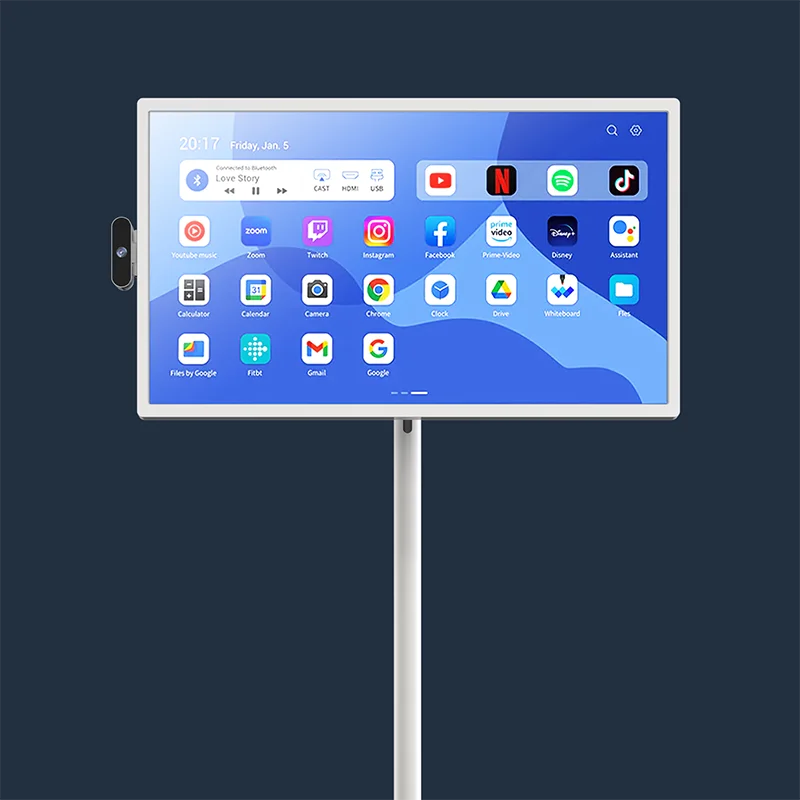
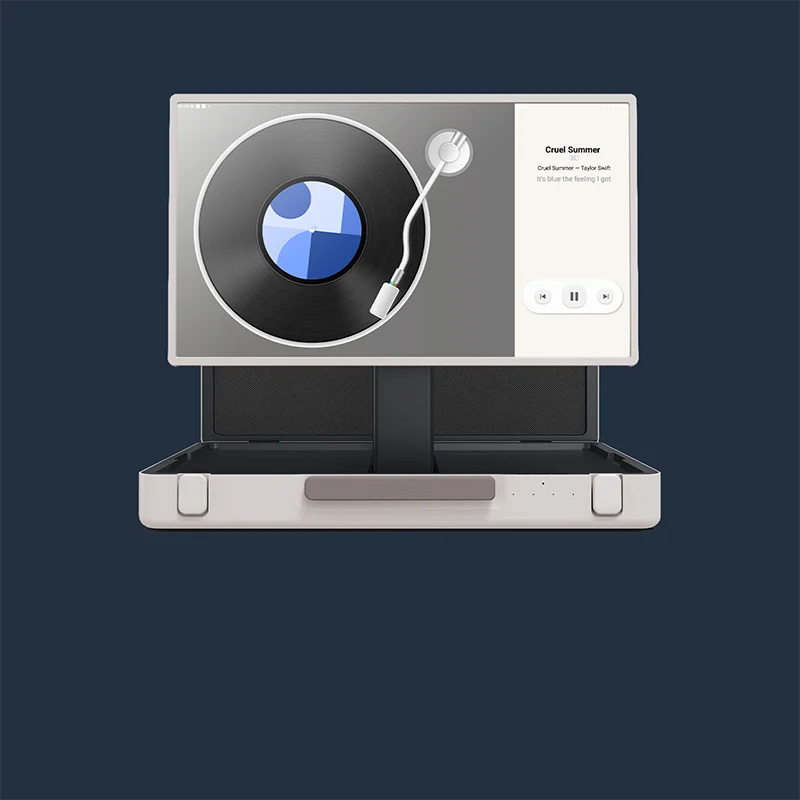
Take the portable tv stand on wheels: Apolosign PackGo 27" Briefcase Portable TV. The design philosophy here changes the game entirely. Rather than a fragile screen you have to baby, the PackGo features a unique briefcase-style body. The 27-inch Full HD 1080p display folds neatly into a durable shell, protecting the screen completely during transport. You simply carry the unit outside when you want entertainment and bring the briefcase inside when the party ends.

Apolosign PackGo 27" Briefcase Portable TV
The PackGo shines in versatility. It runs on an Android operating system, granting full access to the Google Play Store. You can stream movies, check weather apps, or play games without needing a separate streaming stick. Because the unit packs a built-in six-hour rechargeable battery (6800mAh), you are not tethered to a power outlet. You can set the briefcase up near a bonfire, on a camping table, or on a tailgate without hunting for extension cords.
Audio usually suffers on slim TVs, but the PackGo includes a built-in 40W speaker system. Two woofers and two tweeters deliver sound powerful enough to cut through outdoor wind and chatter, offering deep bass and clarity. For those who love gaming, the USB-C output supports powering external devices. You can plug in a Nintendo Switch, and the PackGo's battery will run the console while displaying the game on the big screen.
The screen also features a smart auto-rotation display. If you want to scroll through TikTok or view vertical drone footage, just rotate the screen to portrait mode. The 10-point multi-touch support adds another layer of interaction, functioning like a giant tablet. With HDMI, USB-A, and USB-C ports, plus AirPlay and casting capabilities, connecting any device is effortless. It represents the ultimate portable tv solution—removing the anxiety of leaving expensive gear out in the cold.
Winter Maintenance Tips: How to Protect Your Tech from Frost
If you absolutely must keep a television outside during the colder months, taking proactive measures is non-negotiable. Neglect guarantees failure. Even an outdoor tv built for the elements requires care to survive a harsh winter.
Consider these protective strategies:
- Use a Weatherproof Cover: A simple dust sheet is insufficient. You need a heavy-duty, insulated cover designed to seal out moisture and trap a small amount of heat. Fasten the bottom tightly to prevent snow from blowing up underneath the casing.
- Check the Mounts: Cold makes metal brittle and causes wood to shrink. A mount that felt secure in July might be loose in January. Tighten all bolts on your wall mount or portable tv stand on wheels to prevent the unit from crashing down during a winter storm.
- Manage Cables: Frigid cables crack easily. The insulation around the wire becomes hard and snaps if bent. Avoid moving wires when they are frozen stiff. If you need to adjust connections, warm the cables gently with your hands first.
- External Heat Sources: Some users install minimal heating elements behind the enclosure to keep the ambient temperature above the dew point. Use extreme caution here to avoid fire hazards.
- The "Bring It In" Rule: If the forecast predicts temperatures below the manufacturer's storage limit (often -4°F or -20°C), no cover will save the device. Bring the unit inside immediately.
- Ventilation: Confirm that your cover allows for some airflow to prevent condensation buildup while still blocking snow and rain. Trapped moisture is just as deadly as direct exposure.
Finding the Balance Between Entertainment and Protection
Leaving electronics exposed to freezing elements rarely ends well. Unless you own a ruggedized, weather-rated unit, bringing the gear inside remains the safest play. Smart, portable options offer the freedom to enjoy fresh air entertainment without risking hardware failure. Keep the screen warm, keep the moisture out, and the device will last through many seasons to come.


