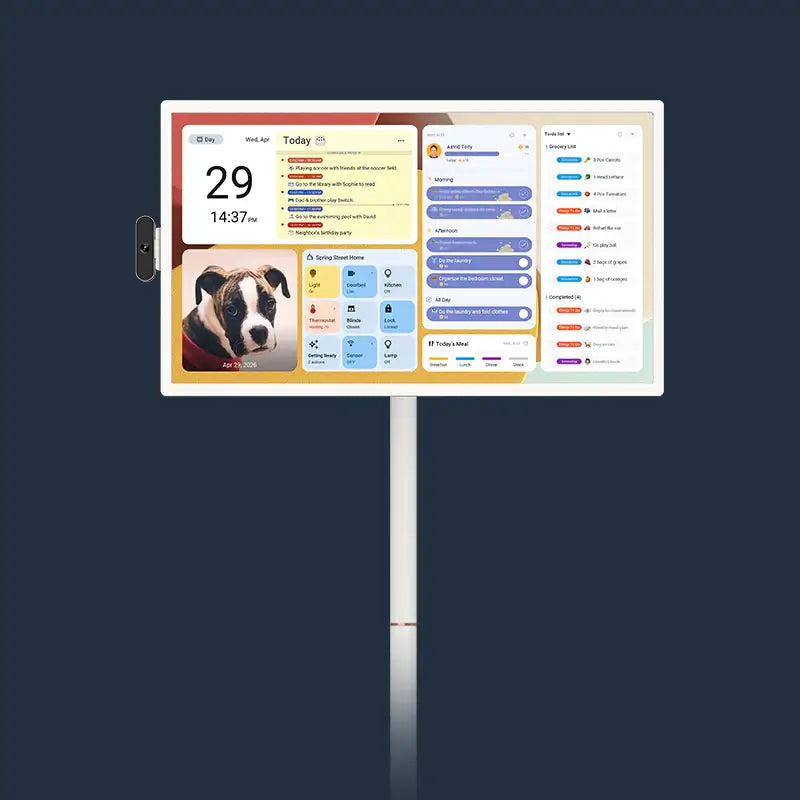
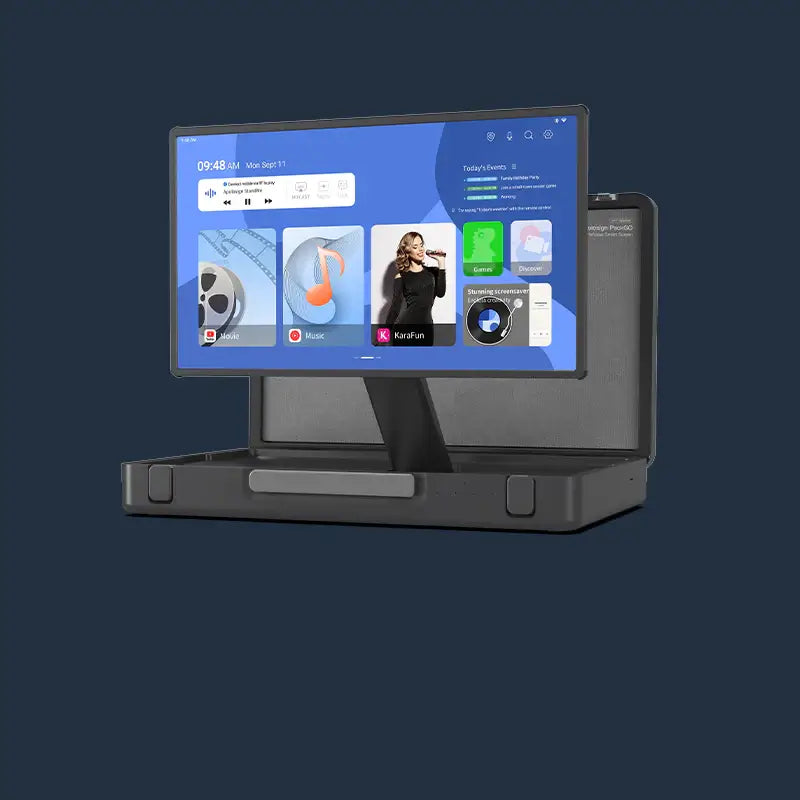




Family calendar sync on a shared wall display cuts the daily coordination friction that app-based solutions cannot fully address.
When every family member sees the same schedule without picking up a phone, missed appointments and repeated questions become less frequent.
Why Phone Calendars Fall Short for Busy Families
Phone calendars handle one person's schedule well but break down the moment a household needs a shared view. Two separate problems drive that breakdown: no one sees the same information at the same time, and the person managing everyone else's schedule carries the full retrieval burden alone.
The Problem with Separate Private Screens
Each family member carries a separate device with a separate calendar view, so no one sees the same information at the same time. One person ends up tracking everyone else's schedule and sending reminders that get buried in notification overload. Research published in the Journal of Marriage and Family found that in most U.S. households, women manage approximately 71% of family planning, organizing, and scheduling tasks, which means that coordination work concentrates on one person by default, regardless of how many digital tools the household has.
Why Phone Check-Ins Add to Your Mental Load
Checking a phone calendar requires unlocking the screen, finding the app, and navigating to the right view. Each step adds mental effort to a day already full of decisions. Information that requires active effort to retrieve creates more mental processing demand than information that is simply visible. Multiply that across dozens of daily check-ins, and the effort adds up into fatigue for whoever manages the household schedule.

How Cross-Platform Calendar Sync Works for Modern Households
Most families run a mix of Google, Apple, and Outlook accounts across different devices. An effective family calendar sync needs to connect all three without leaving gaps or requiring manual data entry.
Google Calendar, iCloud, Outlook, and Yahoo all support a standard calendar link format (iCal), which lets a shared display pull events from multiple accounts simultaneously. How current the wall display stays depends on which sync method each account uses:
- Google Calendar connects via direct account sign-in and updates in near real time. It is also the only external calendar that supports two-way sync with the Apolosign Calendar.
- iCloud and Outlook connect via iCal URL and carry an inherent refresh delay set by the external platform. When plans change and an immediate update is needed, a manual refresh is available through the Apolosign mobile app.
- School activity feeds and sports schedules also distribute as iCal links and connect through the same URL method, slotting into the shared display without extra steps.
One practical note on initial setup: generating an iCloud URL sometimes requires a computer rather than a mobile device. Outlook's iCal link is only accessible through a desktop browser, not the Outlook mobile app. Testing each connection during the first session catches these requirements before the display goes live.
What a Wall Display Does That a Phone Calendar Cannot
A phone requires a deliberate action to check. A wall display works passively, which changes how the entire family interacts with the shared schedule throughout the day.
Passive Visibility vs. Active Retrieval
Wall-mounted displays placed in kitchens or hallways make the family schedule part of the background. Children absorb upcoming events while walking through the room, which reduces repeated questions like "when is soccer practice?" or "what's for dinner tonight?" Adults get a status check during routine tasks without stopping to reach for a phone. Unlike a paper fridge calendar, a digital wall calendar updates automatically. There is no handwriting to decipher, no outdated entry from last week, and no missed update when plans change at 9 PM.
Why Children Follow Visible Shared Schedules
Children respond more reliably to schedules displayed in a shared space than to private phone alerts. When a chore list is posted in the kitchen and color-coded per child, kids check it without waiting for a prompt. Visual task tracking with a reward system adds motivation for younger children. For parents functioning as the household's primary digital family planner, this shift from constant reminding to a visible shared structure reduces the daily back-and-forth without adding extra effort on the parent's side.
How to Keep the Shared Calendar Private When Needed
A visible schedule is useful for the household but not always appropriate for every visitor. A one-swipe privacy cover overlays a photo screensaver over the full calendar instantly, with no subscription required. The feature activates with a single swipe and covers the display in seconds, then clears just as quickly when guests leave.
Watch: Privacy Mode Setup Guide
How to Build a Family Calendar Sync Routine That Sticks
A functional setup takes most families just a few minutes. Keeping it useful long-term requires one short weekly habit, not a time-consuming overhaul.
First-Week Setup Steps
Assign a distinct color code per family member during initial configuration. Connect each person's primary calendar, Google, iCloud, or Outlook, to the shared display in the same session so no account is missed at the start. Place the display at eye level in the kitchen or main hallway where foot traffic is highest during the morning routine.
👇Watch: Digital Calendar Wall Installation Guide
The Weekly Reset Habit That Prevents Calendar Drift
Run a 10-minute review at the display each Sunday. Every family member adds upcoming events, updates chore assignments, and confirms the week's priorities in one shared session. This prevents the gradual drift that causes synced calendar systems to fall out of use after the first month, and consistent weekly resets turn a new tool into an automatic household habit.
Does a Subscription-Based Digital Calendar Save Money Over Three Years?
Subscription and no-subscription digital calendars both sync across platforms. The real difference appears in which features stay locked behind a paywall and what the total cost looks like after three years of use.
|
Feature |
Subscription Model |
No-Subscription Model |
|
Calendar sync (Google, Apple, Outlook) |
Included |
Included |
|
Chore charts and daily routines |
Requires extra fee |
Included |
|
Reward system for kids |
Requires extra fee |
Included |
|
Photo screensaver |
Requires extra fee |
Included |
|
Privacy mode |
Requires extra fee |
Included |
|
3-year platform cost |
$140–$260+ |
$0 after purchase |
|
Feature upgrades |
May require higher tier |
Free |
Annual subscription fees in this category typically range from $47 to $86 per year, reaching $140 to $260 or more over three years. No-subscription models lock in the full feature set at the point of purchase and remove the ongoing cost of tracking another recurring charge.

For families already managing multiple streaming services and tight monthly budgets, a one-time purchase with zero recurring fees removes one more line item and one more renewal decision. The Apolosign Digital Calendar, available in 15.6", 21.5", 27", and 27" 4K, includes calendar sync, chore charts, reward systems, and photo screensaver with no ongoing fees. The 15.6", 21.5", and 27" models are each available in four finishes: Teak Yellow, Spruce Grey, Black, and White. The 27" 4K model is available in Dark Oak.

Start Your Family Calendar Sync System Today
Family calendar sync on a visible wall display removes the daily coordination friction that concentrates on one person in most households. Cross-platform sync keeps Google, Apple, and Outlook current in one place. Passive visibility cuts repeated questions without anyone picking up a phone. A weekly reset keeps the system accurate after the first month, turning a new tool into a household habit. A no-subscription model removes ongoing costs and keeps every feature accessible from day one. Apolosign digital calendars are built around exactly this setup: one display, every calendar, no recurring fees.

FAQs About Family Calendar Sync and Digital Calendars
Q1. How Do I Sync Google Calendar to a Digital Wall Display?
Connect your Google account in the display's calendar settings using direct account authorization. Changes made on any phone or computer then sync to the wall display in near real time. Most setups complete in under 10 minutes and do not require additional software or a paid subscription.
Q2. How Many Family Members Can Share One Digital Calendar Display?
Multiple family members can connect their individual calendar accounts to one shared display at the same time. Each person's events appear in a separate color, so schedules stay readable even when several accounts are active. Most digital calendar displays support multiple linked accounts simultaneously. The exact number of members per shared group varies by platform.
Q3. What Size Digital Wall Calendar Works Best for a Family Kitchen?
A 21.5-inch display suits most kitchens. A 15.6-inch model with a desktop stand works for counter placement. A 27-inch screen fits open-plan living areas or rooms where the display needs to be visible from a distance.
Q4. Do Digital Wall Calendars Support Voice Control?
Some models, such as Apolosign digital calendars, include a built-in AI voice assistant that lets you set alarms, check the weather, and control smart home devices by voice, without needing a separate smart speaker.
Q5. Can You Install Additional Apps on a Digital Wall Calendar?
Some digital wall calendars like Apolosign digital calendars run Android OS and support Google Play downloads, letting you add apps for meal planning, music, weather, and smart home control directly on the display.