



The frantic search for lost keys, the pang of a missed appointment, the endless pile of school papers; these are the frictions of a busy family. The stress of a disorganized home can feel overwhelming. A household’s nerve center should be a source of calm and serenity, not a contributor to the chaos.
What Is a Family Command Center in 2025?
For decades, the family command center has been "mission control" for the home. Traditionally, it was a physical, analog space on a kitchen wall or in a mudroom. It was a collection of parts: a whiteboard calendar, a corkboard for reminders, wire baskets for mail, and printed chore charts. The goal was centralized organization.
The reality, however, often falls short. These analog systems are "static". They are famously "difficult to maintain". The whiteboard calendar gets "clunky and impossible to erase". The pristine Pottery Barn system seen in catalogs quickly becomes an "ugly" mess of paper clutter, dried-out markers, and forgotten notes in real life. It becomes a monument to tasks, not a tool for serenity.
In 2025, the concept of a digital family command center has evolved from a collection of parts to a single, integrated platform. It's a "virtual hub" that consolidates all those scattered components into one clean, interactive, and always-current display.
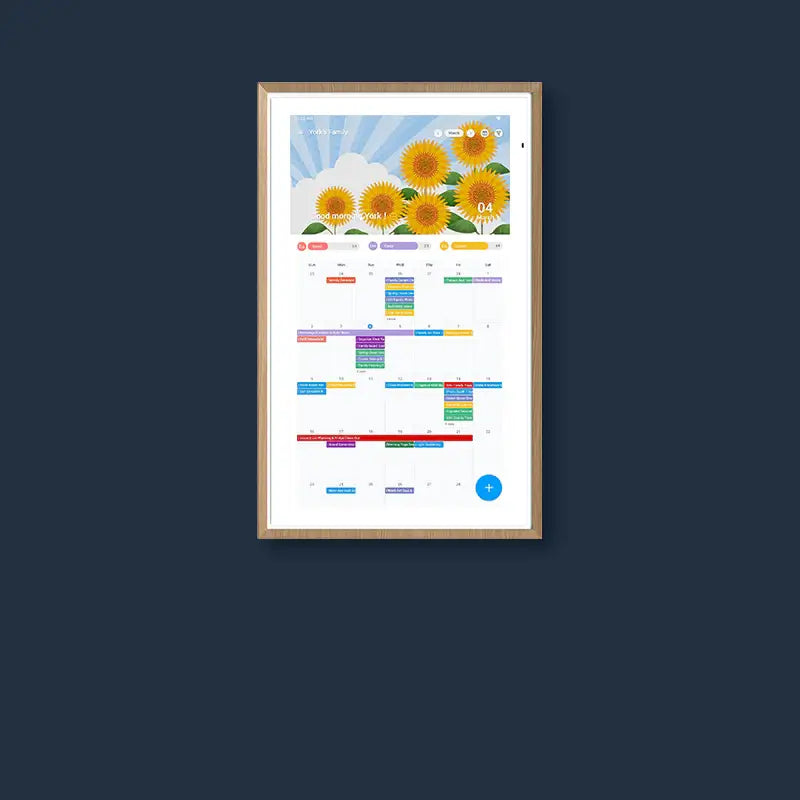
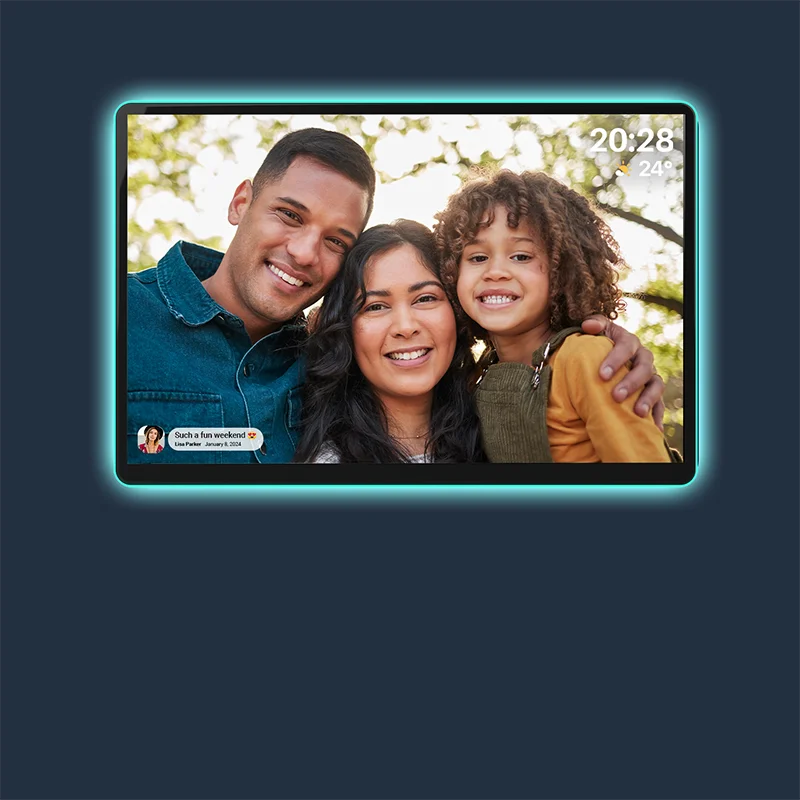
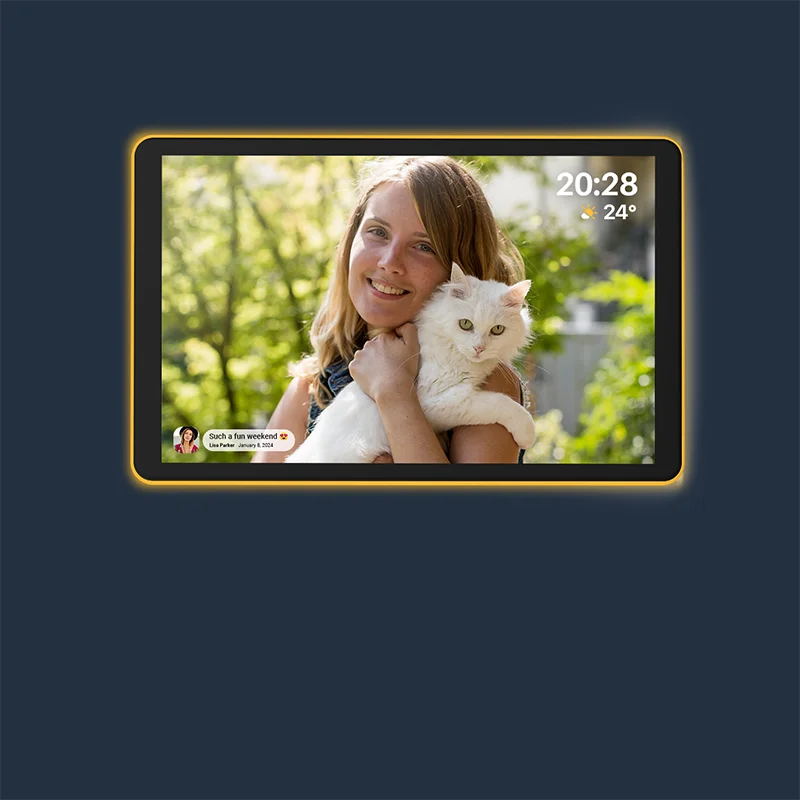
This new standard is embodied in devices like the Apolosign 27" 4K. It directly solves the core problems of the analog world. The "ugly" clutter is replaced with a sleek, 27-inch 4K ultra-clear display. The "clunky" whiteboard is replaced with a screen that features an anti-glare matte finish, which is "comfortable for the eyes even in bright rooms." It functions as beautiful wall art or a family photo frame, not just a piece of tech, finally allowing the home's nerve center to look as calm as it helps you feel.

Why a Digital Wall Calendar Is Becoming the Heart of the Command Center
The calendar has always been the "focus point" of any command center. All other tasks, like meals, chores, and appointments, revolve around the family schedule. The biggest failure of the analog system is that the burden of maintaining that schedule, the "mental load," almost always falls on one person. That person is responsible for manually updating the whiteboard, reminding everyone of their commitments, and managing the chaos.
A digital family calendar fundamentally changes this dynamic. It’s not just a display; it's an active participant in organizing the family. It transforms the command center from a static wall of information into the active heart of the home.
- It’s the Single Source of Truth: A paper calendar is a passive object. A digital wall calendar is an active "virtual hub". When connected to the cloud, it syncs everyone’s schedules in "real time". When someone adds a dentist appointment from their phone at the office, it appears "instantly" on the wall at home. Everyone sees the same, correct information, which eliminates mix-ups.
- It Shares the Mental Load: The "mental load" of household management is a significant source of stress. A digital hub makes organization a "shared responsibility". It fosters "independence"; kids and spouses can check the central hub for themselves instead of asking, "What's going on today?"
- It’s an Active Communicator: The system "enhances how families communicate". It can display reminders for tasks or events, which cuts down on the need for "constant phone calls or texts". It becomes the central point for delegation and teamwork.
To serve as this true heart, a device must connect to everyone. The Apolosign platform excels here. Its Family Calendar auto-syncs with major platforms that families already use, including Google Calendar, Apple Calendar, Outlook, Yahoo Calendar, and Cozi. For modern families who mix Apple phones, Google work accounts, and Android devices, this "multi-calendar sync" is the essential feature that brings every schedule into one unified, accessible view. While native auto-sync is confirmed for major platforms like Google, Apple, and Outlook, compatibility with other services like Cozi may be achieved through their respective Android applications.
From Analog to Digital: How Traditional Command Centers Translate to a Wall Screen
Moving to a digital display does not mean giving up the functions you rely on. It means upgrading them. The clutter of analog parts, such as the chalkboard, the paper trays, and the printed chore charts, can be translated directly into a more powerful, consolidated digital format.
A simple calendar app on a small tablet, however, cannot replace the function of an entire command center wall. You need a platform designed for this specific purpose. The key is a system that can manage both the big picture (the calendar) and the small details (the lists, notes, and apps) simultaneously.
This is where the Apolosign 27" 4K introduces its most powerful concept: the Dual-Mode interface. This exclusive design is the engine that allows for a true translation of an analog command center.
- Focus Mode (Calendar Mode): This is the direct replacement for your large wall calendar. It’s the Immersive Calendar View designed purely for "focus and family organization." You can see the full month, week, or day at a glance.
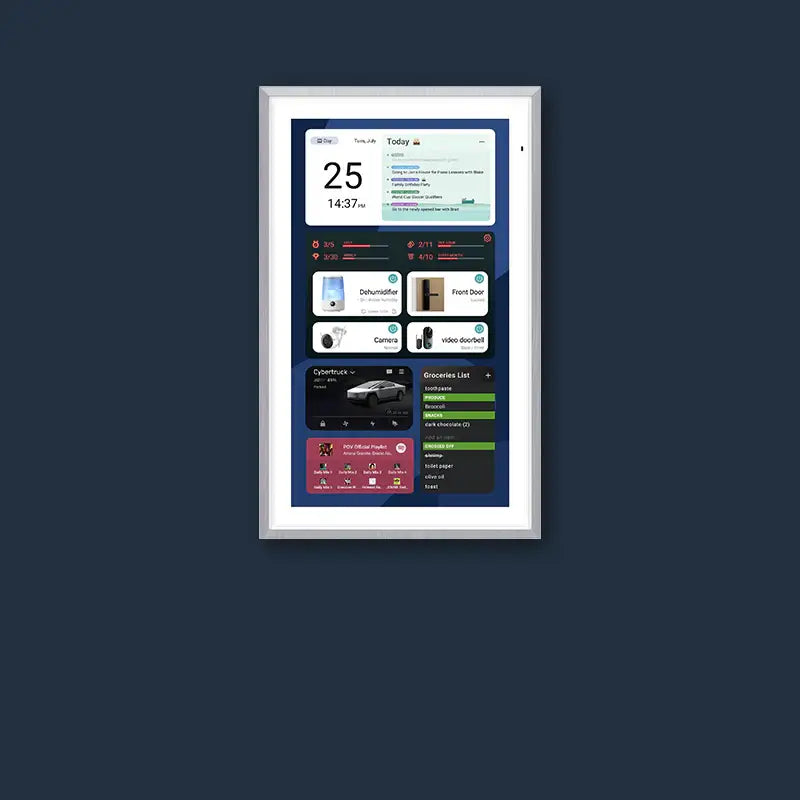
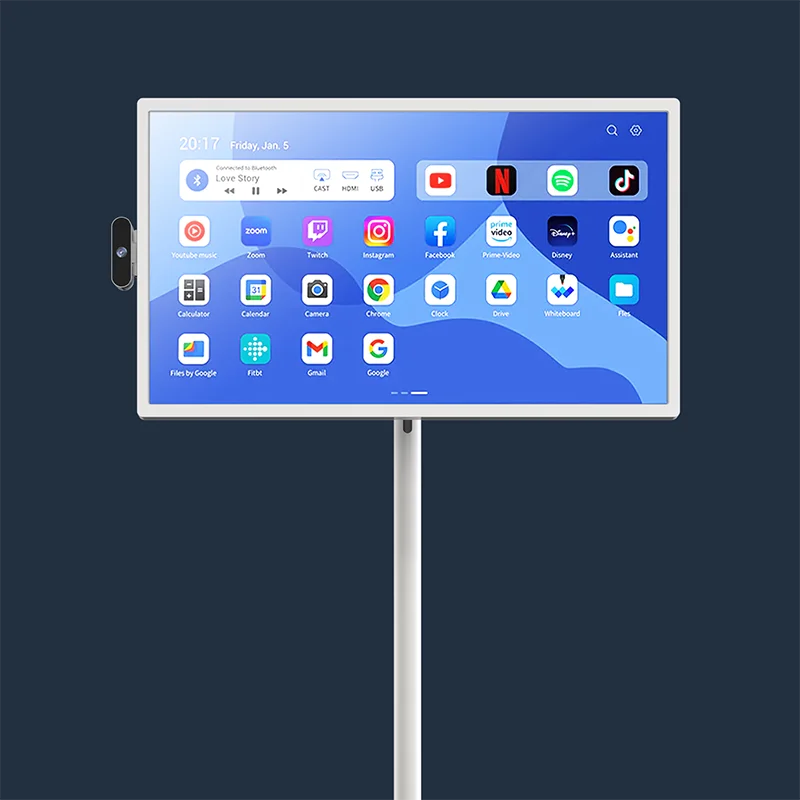
- Custom Mode (Android Mode): This is the replacement for everything else. It’s a fully Customizable Android Dashboard. This is where you put your "digital" corkboard (a notes widget), your "digital" meal planner (an app like AnyList), and your "digital" chore chart (a task-tracking widget).
And with the DIY widget functionality of the Apolosign 27" 4K Digital Calendar, you can customize your dashboard with widgets for calendars, to-do lists, chore charts, weather updates, and meal planners. This flexibility lets you design a truly personalized command center that fits your family’s needs.

Classic Digital Layout #1: Kitchen Wall Calendar + Meal Planner
The kitchen is often the family’s “command center,” where daily routines converge: planning dinner, managing kids’ homework, coordinating family activities, and handling shopping lists and to-do items. Traditional paper calendars or printed lists are easy to misplace and quickly become chaotic, leaving chores and meal planning dependent on verbal reminders—leading to repeated instructions and minor frustrations. One of the most common pain points is simple yet persistent: “What’s for dinner tonight?”
The Apolosign Digital Calendar leverages its Custom Mode (Android Mode) and widget dashboard to bring calendars, meal planning, and to-do lists together on one screen. One section of the display shows an immersive calendar view, providing a clear overview of the day or week. Another section features meal planning and shopping list widgets, so every family member can instantly see dinner menus, ingredients, and pending tasks. Lists can be updated in real time by anyone in the household, empowering children to take initiative and fostering responsibility and time management skills.
With this setup, the kitchen transforms from a clutter-prone area into an efficient, interactive family hub. Apolosign’s built-in meal planning and task management tools solve common pain points like “what’s for dinner” and “who’s doing chores” while keeping family life visible and organized. The flexible widget layout can be adjusted to suit any household routine, creating a truly personalized and functional family command center.
Classic Digital Layout #2: Entryway Drop Zone with Keys, Mail, and a Today View
The Archetype: The "entryway drop zone" is the "mission control" for everything entering and leaving the house. It's the landing strip for keys, bags, and the dreaded pile of mail. The analog problem: this area quickly becomes a "black hole" for important papers. The function of this space is triage and glanceability.
The Digital Recreation: This layout is not about seeing the entire month. It’s about seeing right now. The Apolosign 27" 4K is set to its Immersive Calendar View in "Agenda" or "Today" mode. This gives everyone a clear, large-font view of the day's appointments and tasks as they walk out the door, replacing the chaos of last-minute sticky notes.
This layout's location right by the front door makes it the perfect place to integrate the "smart home" aspect. The Apolosign features Full Google Home integration. As a family member glances at their schedule, they can also use the same screen to "monitor and control doorbells, cameras, and smart devices". It’s a single, secure hub to check the smart lock, view the doorbell camera, or turn on the lights before heading out.
Classic Digital Layout #3: Hallway or Mudroom Command Rail for Small Spaces
The Archetype: The mudroom, back hallway, or laundry area is the high-traffic "catchall area" for the family's gear. It's where backpacks are dropped, shoes are kicked off, and chore charts are (supposedly) checked. The analog problem: The static, "printable chore chart" is boring, easy to ignore, and offers no real incentive, leading to parental nagging.
The Digital Recreation: This layout transforms household responsibilities from a static list into an interactive, gamified system. This is the premier showcase for the Apolosign’s Routine task tracker with points.
This built-in feature "turns chores into rewards and helps build good habits." Parents can create routines (like "Get Ready for School" or "After-Soccer Cooldown") and assign tasks. Kids can check off items on the large, touch-screen display, earning digital points for completion.
The power lies in linking the calendar to the tasks. A "Soccer Practice" event on the calendar is paired with a routine task to "Pack soccer bag." This provides clear, visual reminders and positive reinforcement without the parental nagging. In addition, the built-in points rewards system turns these tasks into fun and engaging activities. Kids can earn points for completing chores, which they can later exchange for rewards, helping them develop time management habits and a sense of responsibility. For families with children, this feature alone can qualify it as the best digital family command center.
Classic Digital Layout #4: Home Office + Family Command Center Hybrid
The Apolosign Digital Calendar comes with dual modes, designed to help busy households manage overlapping work and family schedules in one place. This hybrid setup is ideal for parents balancing remote work, children’s activities, and household tasks.
-
Calendar Mode – Focused Work, Minimal Distractions
Immersive Calendar Mode provides a clear, distraction-free view of both work and family events, helping users efficiently manage their tasks. Family members’ schedules and completed chores can also be displayed, ensuring nothing important is overlooked. -
Android Mode – Customization & Entertainment
Android Mode offers a fully customizable dashboard where users can add widgets, view meal plans or family to-do lists, and access streaming content or photo albums. Calendar information remains visible, keeping everyone informed even during leisure or interactive activities.
Seamless Switching & Smart Integration
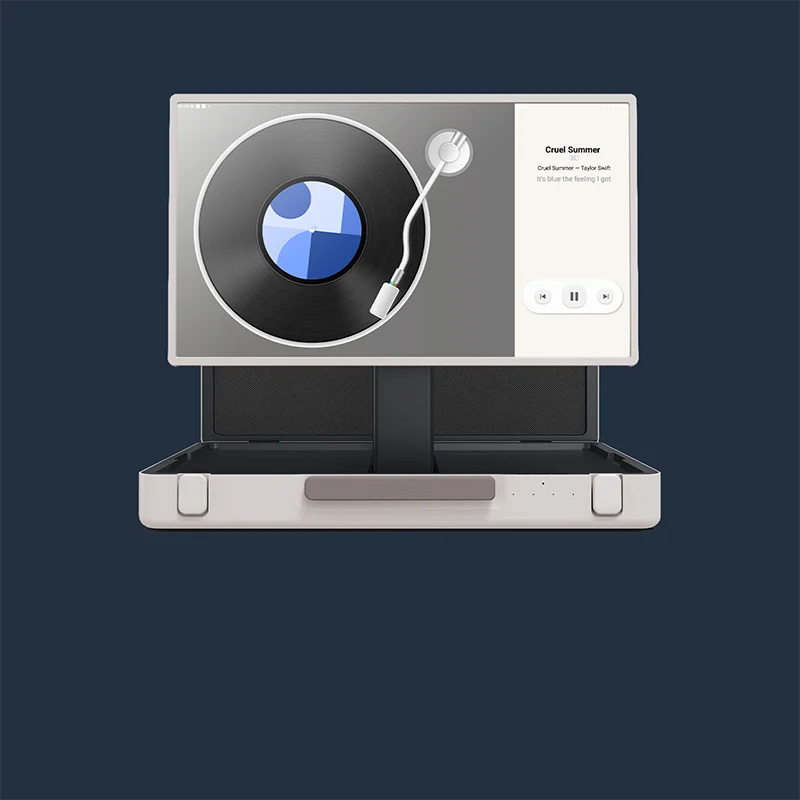
With a simple tap, users can switch between Calendar Mode and Android Mode, helping establish mental boundaries between work and home life. After work hours, the device can automatically display selected Google Photos, transforming the office screen into an elegant, subscription-free digital photo frame, restoring a warm, shared atmosphere to the home.
Step-by-Step: Rebuilding Your Favorite Layout on a Digital Wall Calendar Screen
Unlike DIY solutions that require technical skills, a purpose-built digital family calendar like the Apolosign is designed for a simple, "out-of-the-box" setup. You can have your new command center running in minutes.
Step 1: Connect Your Core (Syncing Calendars)
Once the device is mounted and connected to Wi-Fi, the setup wizard will walk you through the most important step: linking your calendars. You can securely log in to your Google Calendar, Apple Calendar, Outlook, or Cozi accounts. The device's multi-calendar sync will pull all of them into one, unified "Family Calendar" view.
Step 2: Build Your Dashboard (Customizing Your View)
After switching to Custom Mode (Android Mode), you can use the DIY dashboard feature to freely add and manage widgets, creating a digital control center tailored to your family.
In a kitchen setup, you might add Meal Planner and Shopping List widgets for quick access to daily menus and ingredients; in an entryway layout, you could include Weather and Today’s Tasks widgets, helping family members see the day’s schedule at a glance before heading out.
It’s important to note that content in the To-Do and Meal Planner sections must first be managed within their respective pages. Only then can you manually add them to the dashboard widgets for main-screen display. This design ensures flexibility while making the dashboard truly customizable to your family’s needs.
Step 3: Engage Your Family (Activating Chores & Lists)
Use the built-in daily task tracker on the Apolosign Digital Calendar to create chores or to-do lists, such as “Shopping” or “Today’s Tasks.” Items added in the To-Do page are managed within that interface, while key tasks can also be placed on your custom DIY dashboard as widgets for quick reference on the main screen. This approach allows family members to see their responsibilities clearly, stay on top of household duties, and develop good time-management habits.
Step 4: Activate Your Smart Hub (Voice & Home)
By connecting the Apolosign Digital Calendar with smart devices like Google Home, family members can view and control their smart home system directly from one screen. For example, they can check the status of smart locks, view doorbell camera footage, or manage lights and thermostats. This allows busy households to quickly stay on top of home activity, providing a convenient and secure way to manage the household.
Step 5: Enjoy the Long-Term Value
Your command center is now set up and will get better over time with Ongoing OS updates. Best of all, the core functions that keep your family organized—the calendar syncing and the photo frame—have no subscription fees, a clear advantage over other systems.
A family command center isn't ultimately about the hooks, bins, or charts. It's about the feeling of a household in sync. A true digital family command center exchanges the daily stress of managing chaos for the "clarity at a glance" and "peaceful" feeling that comes from a single, shared, and truly smart hub.


