





Black Friday portable TV deals can be useful when the screen fits the way your home actually works. Start with the room, how often the screen will move, and the features you will use each week. Then compare the full cost and the offer terms. A large discount is only a good deal if the TV still solves your everyday problem after the sale ends.
Start With the Room Where the Screen Will Work Hardest
The right portable TV should work in its busiest room first, not only in the spot that looks best in a product photo. Picture the screen during a normal week. A kitchen viewer may need clear sightlines from the counter. A bedroom screen may need a smaller footprint. A shared living room may need enough space for several people to watch comfortably.

Question 1: Where will this screen do its hardest job?
Name one main job before you compare offers. It might be a family movie screen, a kitchen recipe display, a workout screen, or a second work display. That answer helps you judge size, placement, and connection needs without paying for features you will not use.
Question 2: Can the room handle the screen where you plan to place it?
Measure the open floor area, the route into the room, and the distance from the usual seat. Check where sunlight hits at the time you plan to watch. Also look for outlets and nearby furniture that could block a stand or make the path awkward. A sale price does not fix a screen that is too large for its parking spot or too small for its viewers.
Write these details down before opening deal tabs:
- Main room and first use
- Viewing distance and number of usual viewers
- Clear floor space for the stand and wheels
- Bright windows, lamps, and glare at viewing time
- Outlet location if the battery needs charging
This short room check makes the next decision easier. Once you know where the TV will live most of the time, you can decide how much mobility matters.

Check Whether the Screen Needs to Move Often
True portability means the screen can move without turning every move into a chore. A screen that changes rooms once a month has different needs from one that rolls from a home office to dinner prep and then to movie night.
Question 3: How often will you move it, and who will move it?
Think about the whole trip, not only the destination. Check thresholds, rugs, narrow doorways, pets, and children who may be nearby. A stable base, easy-to-reach controls, and a route with room to turn matter more when the screen moves often.
For occasional moves, a compact design may be enough. For daily moves, put stability and easy steering ahead of a dramatic sale percentage. You should also check whether the TV can stay plugged in at each common stop or whether battery use is part of the plan.
Question 4: Will the battery claim match your real use?
Battery time changes with brightness, volume, wireless streaming, and the content you play. Treat a stated runtime as a starting point, then read the test conditions. A battery can be helpful for a patio, a room without a convenient outlet, or a short move between spaces. It is less useful if you always watch beside a wall outlet.
Ask whether the listing explains the conditions behind its battery number. A clear claim is easier to judge than a large number with no context.

Compare the Features You Will Use Every Week
The best portable TV deal is not the one with the longest feature list. It is the offer that supports the apps, devices, picture, and controls your household uses repeatedly. Compare these needs before you compare badges that say “limited time.”
Apps and Device Connections
Question 5: Can it connect to the services and devices you already use?
List the streaming apps, game console, laptop, cable box, or sound system you use most. Then check the exact model listing for the operating system, app support, wireless connection, and ports you need. A port can matter more than a discount if you plan to connect a console or laptop every week.
Do not assume two similar-looking models include the same connections. Black Friday listings can feature a specific model or a retailer-only version. Compare the full model number with the maker’s product page, then read the specifications line by line. This is one of the simplest ways to make a fair portable TV deal comparison.
Screen View and Controls
Question 6: Will the screen be comfortable and simple for the people using it?
Check the picture settings, brightness information, screen position, remote, touch controls, and sound options that affect your normal routine. A parent following a recipe, a child choosing a show, and a grandparent joining a video call may all need a different kind of control.
If possible, read the return policy before you order so you have a clear plan if the screen feels wrong in the room. For a shared screen, simple controls and a stable viewing position often matter as much as a higher-resolution label.
Look Past the Sale Price
The checkout price is only one part of the value. A stronger deal is the model that meets your needs without forcing extra purchases, hard-to-use workarounds, or an early replacement.
Compare the offers in one small table before you choose. Use the same fields for every listing so a bold discount does not hide a missing feature.
| Check | What to compare | Why it matters |
|---|---|---|
| Exact model | Full model number and version | Helps you compare the same product, not only a similar name |
| Today's price | Final price before tax and shipping | Shows what you will actually pay |
| Everyday setup | Stand, battery, connections, and controls | Reveals whether it fits your weekly use |
| Included items | Remote, cables, stand, or other stated accessories | Prevents surprise add-on costs |
| Support terms | Warranty, returns, and delivery conditions | Helps you plan for a problem after checkout |
Question 7: What will this screen cost after the sale is over?
Add the delivery charge, required accessories, and any service you would need to use it the way you intend. Check whether the offer requires a membership, a bundle, a financing plan, or a special payment method. If a feature matters to you, make sure it is included in the price you see today rather than added later.
The same logic applies to the “was” price. A sale badge tells you the seller’s comparison price, not whether this is the best fit for your home. Look at the exact model, the current total, and the features you will use before deciding that the deal is worth it.
Read the Offer Terms Before Checkout
Offer terms can turn a tempting price into a different purchase than you expected. Read them before you enter payment details, especially when a promotion has a short window or limited stock.
Check these details in the listing and at checkout:
- Start and end time, including the time zone when one is shown
- Stock limits, color or model limits, and bundle requirements
- Shipping cost, delivery estimate, and delivery area
- Return window, return shipping cost, and restocking terms
- Warranty coverage and who handles support
- Price-match, price-adjustment, or cancellation rules
Save a screenshot of the final offer page and your order confirmation. That record is useful if the price, delivery date, or included items later look different from what you expected. It also gives you a calmer way to shop when a countdown clock is pushing for a fast decision.
Use a Seven-Question Final Checklist
Use these seven questions as a last screen before checkout. If you cannot answer one from the offer page, pause and ask the seller or look for a clearer listing.
- Which room and job will this screen handle most often?
- Does the planned spot have enough space, a clear route, and manageable glare?
- How often will it move, and is the base practical for that route?
- Does the battery claim state conditions that resemble my use?
- Does the exact model support my apps, devices, and needed ports?
- Will the display, sound, and controls work for the people who will use it?
- What is the final cost, and what do the return and offer terms say?
This checklist keeps Black Friday portable TV deals in their proper place: as offers to evaluate, not reasons to rush. For a broader look at features worth comparing, see our portable TV feature overview.
Make the Sale Fit Your Home
The best Black Friday purchase is the screen you can picture using on an ordinary Tuesday. Choose the offer that fits your room, movement routine, and weekly devices, then confirm the total cost and return terms. When those answers are clear, you can buy with confidence instead of chasing the biggest percentage on the page. Apolosign Portable TVs give families one flexible screen for streaming, shared viewing, and everyday routines in different rooms. Explore the lineup to find the size and setup that fit your home.
Black Friday Portable TV FAQs
Q1: Are Black Friday portable TV deals usually worth it?
They can be worth it when the exact model suits your room and routine at a price you are comfortable paying. Compare the full model number, final checkout total, and return terms. A large discount alone does not show whether the screen is a strong match for your household.
Q2: Should I wait for Cyber Monday to buy a portable TV?
Not always. Buy during Black Friday if the exact model meets your checklist and the return terms work for you. Wait if important details are missing or you are comparing several models. A later sale is less helpful than a clear offer on the screen you actually need.
Q3: What portable TV size works for a small room?
A smaller room usually needs a screen that leaves a safe, workable path around the stand and remains comfortable from the usual seat. Measure the spot and viewing distance first. The right size depends on the room layout and whether one person or a group will watch.
Q4: Do portable TVs need Wi-Fi for every use?
No. Wi-Fi is generally needed for online streaming and wireless features, while a wired connection may work for a laptop, console, or other device when the TV supports the right port. Check the exact model’s ports and connection options before you buy.
Q5: Can Apolosign portable TVs sync schedules?
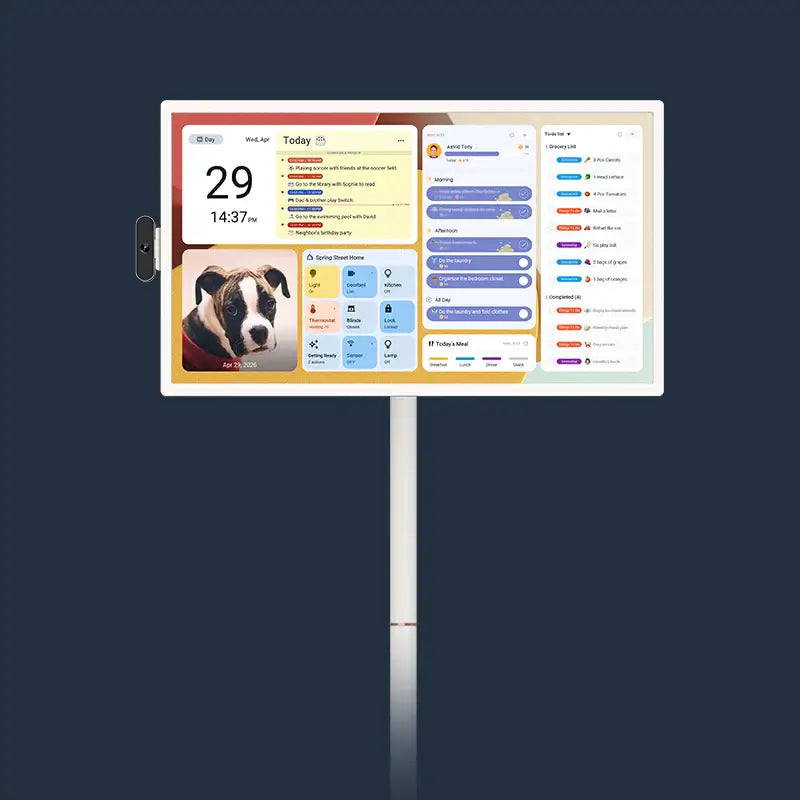
Yes. Apolosign portable TVs come preloaded with the Apolosign Calendar app. It delivers the same core features as our standalone Apolosign digital calendar, including schedule sync, reward points, and meal planning — all with no subscription fees. In short, one Apolosign portable TV works as both a rolling portable television and a full-featured digital calendar.
Q6: What proof should I save after buying a portable TV on sale?
Save the order confirmation, final offer page, model number, delivery estimate, and return policy. These records make it easier to confirm what was included and to request help if the delivered item, price, or timing does not match the order.