


Remote work frequently devolves into a chaotic blur of notifications, unfinished tasks, and vague boundaries between professional duties and personal life. Gifting a tool that physically separates planning from execution offers a profound upgrade to mental clarity. A dedicated display for time management transforms a cluttered workspace into a sanctuary of productivity, offering peace of mind that software alerts simply cannot match.
The "Heads-Up" Schedule: Why a Dedicated Digital Calendar Beats a Browser Tab
Most remote workers exist in a state of "tab fatigue." We constantly toggle between email, project management tools, and communication platforms. Buried somewhere in that browser stack lies the calendar. Every time a user minimizes a window to check a meeting time, focus breaks. That micro-interruption costs minutes of recovery time to get back into a deep work flow.
A desk digital calendar solves the problem through permanence. The schedule remains visible, immutable, and distinct from the chaos of the laptop screen. It functions as a "heads-up display" for life.
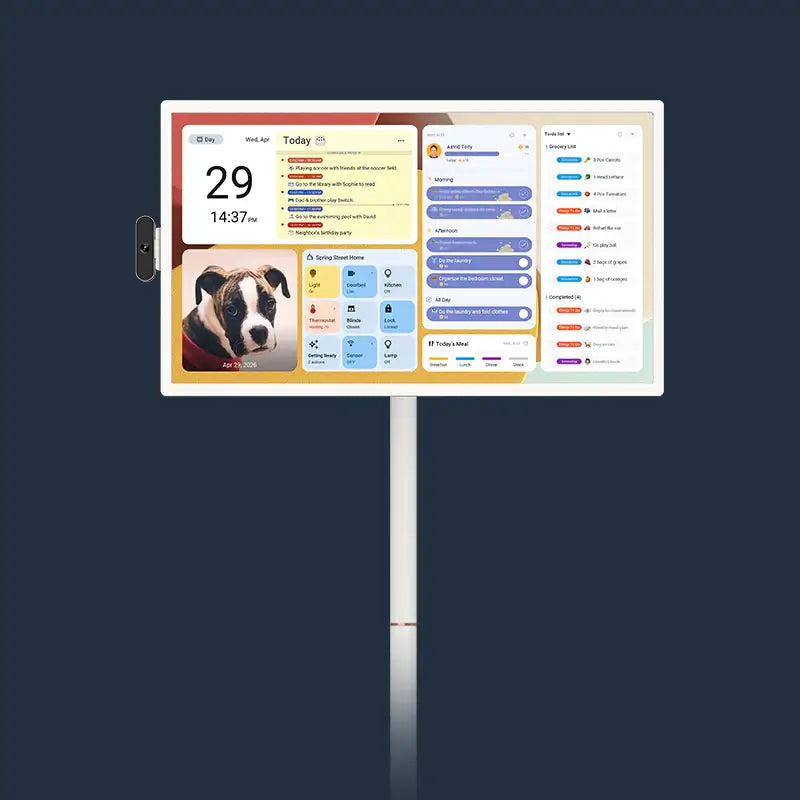
For the visual clarity required in a home office, the Apolosign 27" 4K Digital Calendar stands out as a premier choice. Its massive 27-inch ultra-clear display offers a 3840 × 2160 resolution, delivering crisp text that remains readable from across the room. Unlike standard glossy monitors that reflect overhead lights, the Apolosign features an anti-glare matte finish. Such design consideration guarantees that checking the schedule stays comfortable for the eyes, even in bright, sunlit home offices. To see how this model stacks up against others, you can explore a detailed comparison of top digital family calendars.
Visualizing the day on a dedicated screen changes the relationship with time. It moves the schedule from "something I have to go find" to "something that guides me."
Works With Their Stack: Syncing Outlook, Teams, and Google
A pretty screen provides zero value if it fails to display the correct information. The modern professional often juggles a corporate Outlook calendar, a personal Google Calendar, and perhaps a shared family schedule on Apple or Cozi.
The true power of a digital calendar lies in aggregation. A top-tier device must pull from every source to create a single source of truth. The Apolosign system excels here, offering auto-sync capabilities with major platforms including:
- Google Calendar
- Apple Calendar
- Outlook
- Yahoo Calendar
- Cozi
Such seamless integration guarantees that when a meeting gets added to Outlook via a work laptop, the change appears instantly on the wall or desk unit. The device keeps schedules up to date and accessible across all devices.
For households with multiple busy adults, the multi-calendar sync feature proves essential. One can overlay a partner’s travel schedule with a child’s soccer practice and a critical work deadline. Seeing these conflicts in advance allows for proactive adjustment rather than reactive panic. With Wi-Fi 6 connectivity, updates happen in near real-time, preventing the dreaded "I didn't know you had a meeting then" argument.

The "Meeting in Progress" Sign: Using the Screen as a Do-Not-Disturb Signal
Working from home often means sharing space with spouses, roommates, or children. Interruptions are the enemy of productivity. A standard laptop screen offers no cues to the outside world about the user's current status.
A large smart screen for home acts as a brilliant, passive signal. When mounted on the wall or placed prominently on a desk using the VESA 100 × 100 mm mount, the display communicates status effectively.
How to utilize the screen as a signal:
- The Red Block: When the calendar shows a solid block of color for a meeting, family members can see from the doorway that entry is prohibited.
- Voice Control: Utilizing Google Assistant integration allows the user to quickly add a "Focus Time" block hands-free, signaling to the household that deep work has started.
- Smart Home Control: Through Full Google Home integration, the user can even check who rang the doorbell via the screen without leaving their chair, maintaining workflow continuity.
The Apolosign 27" operates on a robust RK3576 octa-core processor with 4 GB of RAM, guaranteeing that switching between these views happens instantly. High responsiveness with touch interaction means the user can tap a notification away and return to work immediately.
Time Blocking Visualized: Structuring the Day on a Big Screen
Productivity experts often cite time blocking as the most effective method for managing heavy workloads. However, time blocking on a small phone screen feels cramped and ineffective. The blocks look like thin slivers, failing to convey the weight of the task.
With a 27-inch 4K canvas, time blocking becomes an immersive experience. The work planner capabilities of the Apolosign allow users to visualize their day in the "Immersive Calendar View."
Why Size Matters for Planning:
- Color Coding: Assign distinct colors to "Deep Work," "Meetings," and "Admin." On a high-contrast 1000:1 ratio screen, the balance of the day becomes immediately apparent. If the screen looks too blue (too many meetings), the user knows to block out time for execution.
- Dual-Mode Experience: The device features a specialized Focus Mode (Calendar Mode) specifically designed for chore planning and multi-calendar views. It strips away distractions, presenting only the timeline.
- Detail at a Glance: The 16:9 aspect ratio allows the user to see not just the event title, but the location and notes, without needing to click or tap.
For parents, the Routine Task Tracker turns the device into the best planner for working moms. One can set up routines with point-based rewards. The system helps build good habits for children while keeping the parent organized. Seeing the "Homework" block turn into a "Free Time" block offers a visual dopamine hit that paper planners cannot replicate.

Decluttering the Workspace: Replacing Paper Planners and Sticky Notes
Walk into the average home office, and you will likely find a graveyard of Post-it notes. While physical writing feels good, paper notes lack searchability, alarms, and recurrence. They also create visual noise that contributes to stress.
A digital family command center consolidates these scraps of paper into one sleek interface. The Apolosign offers a "Custom Mode" (Android Dashboard) that goes beyond simple calendaring. Because the device runs on an EDLA-licensed Android operating system, it supports full widget customization. You can explore different family command center layouts to find the perfect setup for your home's unique needs.
For a variety of workspace needs, Apolosign offers multiple sizes of its digital calendars. The flagship 27" model provides the most expansive view, while the 21.5" model strikes a great balance for those who need something slightly more compact but still large enough to visualize an entire day's schedule. For smaller spaces, the 15.6" Digital Calendar offers a perfect fit, maintaining all the powerful features of its larger counterparts in a more portable design.
The Digital Desk Cleanup:
- Replace the Sticky Note: Use custom to-do lists to create grocery, shopping, or wish lists. Color-code them via the mobile app, and they appear on the big screen instantly.
- Replace the Weather Station: Instead of a separate thermometer or checking a phone, add a weather widget directly to the dashboard.
- Replace the Stock Ticker: For finance professionals, dragging a stock widget onto the layout keeps market data visible without occupying a PC monitor.
The Dashboard personalization allows users to drag, add, or rearrange widgets to build an ideal home hub. With 64 GB of ROM, there is ample space to download necessary apps to tailor the experience.
The Gift of Wellness: Reminders to Breathe, Stretch, and Clock Out
The most dangerous aspect of WFH is the lack of a commute. Without that physical separation, the workday bleeds into the evening. Burnout follows shortly after.
A high-quality digital calendar serves as a wellness tool. The user can program "Stretch" or "Water Break" reminders that pop up visually. Unlike a slack notification which induces anxiety, a gentle prompt on a separate screen invites a pause.
Transitioning from Office to Home:
When the workday ends, the device should not look like a spreadsheet. The Apolosign works as a stunning digital photo frame using Google Photos, with no subscription required.
- 5:00 PM: The workday alarms cease.
- 5:01 PM: The screen transitions from the Outlook calendar to a slideshow of family vacations or art.
- The Effect: The change in visual stimulus signals the brain that "work mode" has ended.
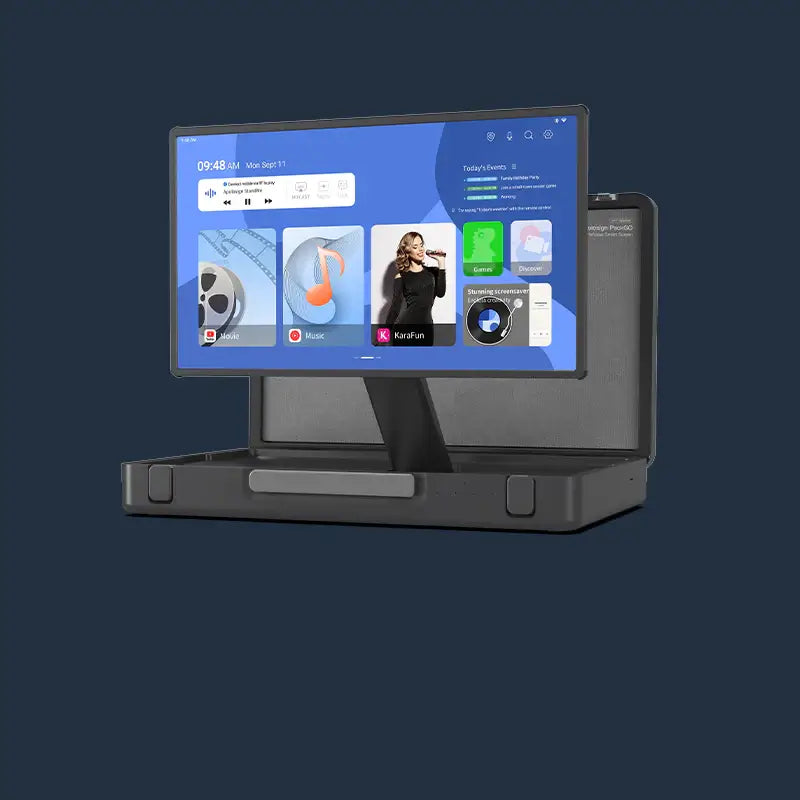
The audio capabilities, featuring 2 × 3 W speakers, allow the device to play calming background music or white noise during the day, and then switch to a favorite podcast via Spotify (downloadable via Android apps) while cooking dinner. Note: Some specifications for the 27-inch model indicate dual 4-watt speakers for an even richer audio experience.
The Gift of a Balanced Schedule
Choosing the Apolosign Digital Calendar offers more than just hardware; the devices provide control over time. For Christmas 2025, gifting organization creates lasting peace. The combination of ongoing OS updates, seamless syncing, and a subscription-free model presents a high-value investment for any remote worker. It serves not merely as a screen, but as a dedicated partner in navigating the complexities of modern life.
For those looking to secure such a comprehensive upgrade for a loved one, a special Christmas promotion is currently active. Shoppers receive 10% off site-wide. The discount applies automatically at checkout, no code needed. However, urgency is required; the offer expires strictly on December 25th at 23:59.