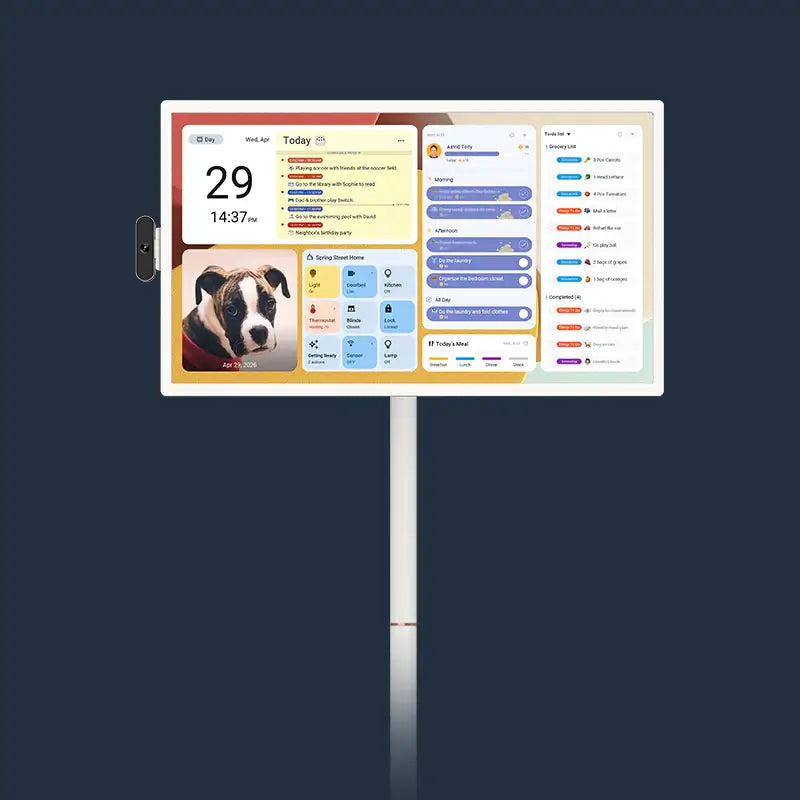
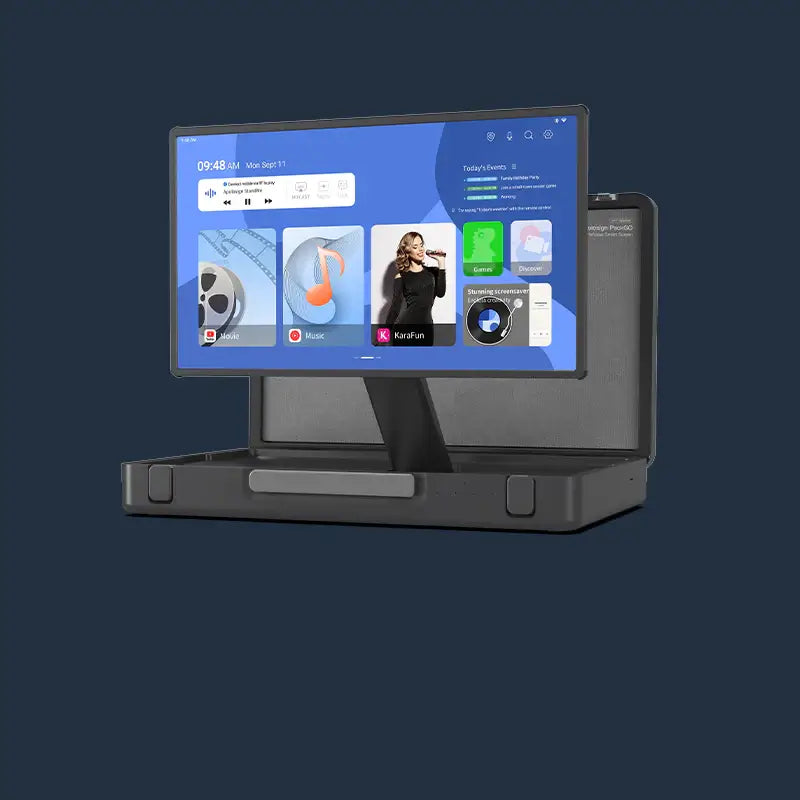



Juggling two kids, a new puppy, endless activities, and household chores? Keesha Kaylee, a popular YouTube family vlogger with 488,000 subscribers, recently shared her family’s secret weapon for going from “chaos” to “order” – the apolosign Digital Calendar.
As the world’s first dual-system smart calendar, this device makes family management easier than ever. From schedule syncing and chore reward systems to full customization and a digital photo frame, here’s her honest, unfiltered experience.
Meet Keesha Kaylee: A Trusted Parenting Voice with 488K Subscribers
If you follow family lifestyle content on YouTube, you’ve likely come across Keesha Kaylee. With 488,000 subscribers and over 1,600 videos, she has built a loyal following by documenting her family’s everyday life – raising two daughters, family trips, daily routines, and the real, unfiltered moments of motherhood.
Keesha’s style is genuine and relatable. She doesn’t pretend to be a “perfect mom,” which is exactly why her audience – mostly fellow parents – trusts her recommendations. In her latest video, she shares something that has genuinely transformed how she manages her household: the apolosign Digital Calendar.
The World’s First Dual-System Calendar
One of the apolosign Digital Calendar’s biggest highlights is its world-first dual-system design. Keesha introduces this feature early in her video:
“The apolosign Digital Calendar offers two system options – Android Mode and Immersive Calendar Mode. Whether you use an iPhone or an Android phone, you can download the ‘apolosign app’ on your phone and sync your digital calendar schedules directly to the device, enabling remote management and real-time updates.” Research suggests that interactive digital calendars provide essential cognitive support for managing complex daily tasks.
One Screen, Every Family Member’s Schedule
Keesha walks viewers through the schedule management features in detail. She admits that she had to manually add her daughters’ class schedules and school calendars – which shows just how deeply she’s integrated the device into daily life.
“Today’s activities – just some of them,” she says, pointing to the screen. “Jeremy has an appointment this morning. I have work time for real estate photos. Jolie has tumbling today. Gia has tumbling too. This is our family’s color-coded calendar. We can see everything right here.”
She also notes that apolosign can sync with personal calendars on your phone, though she and her husband choose to keep theirs separate for now. “I prefer to add things manually,” she explains. “But I love the flexibility. If you have calendars on your phone and you want to import them, it syncs right here.”
This flexible approach – supporting both manual entry and automatic sync – lets families customize how they use the device without losing important details or sacrificing privacy.

Chore Reward System: Motivating Kids to Take Responsibility
While schedule syncing is the foundation, the chore reward system is what truly excites Keesha.
“Sometimes the girls forget to do their basic chores,” she says. “So we add those in.”
She gives examples: feeding the cat (their cat’s name is Harry Potter) and picking up clothes from the bedroom floor. These tasks go straight into the apolosign to-do list.
But what makes chores actually fun for kids is the reward system. “The girls get excited to finish their chores – not because they love doing them, but because we’ve set up this reward system,” Keesha says with a smile. According to the CDC, rewards can encourage good behaviors and help children establish positive lifelong habits.
| Reward | Coins Needed | Description |
| 30 Minutes “Puppy 101” | 50 coins | Dedicated playtime with the new puppy |
| Donut | 35 coins | A sweet treat |
| Extra iPad Time | Custom | Screen time incentive |
| A on a Test | Custom | Educational motivation |
Full Customization: Making the Calendar Feel Like Home
Beyond functionality, Keesha loves how customizable the apolosign Digital Calendar is. She demonstrates how to switch between modes, rename widgets, and add emojis. “You can switch them, decide what to call them – just like you would on any device,” she explains. “You can even add different emojis.”
She renames one module “TV Shows” and adds a matching emoji. This level of freedom lets every family create a calendar that reflects their own style and habits. But the feature that excites her most is the digital photo frame.
“I’m going to go in and pick a new custom screen photo – I love this because you can personalize it,” she says. “It looks like a piece of art on your wall, depending on where you place it in your home.”
Keesha’s Honest Take: A More Organized, Peaceful Life
At the end of her video, Keesha sums up her experience with apolosign: “I really love this digital calendar for me and my family. It truly makes our lives more organized, it’s super easy to use, and I get access to a feature-rich digital calendar.”
Her tone is genuine and grateful. As a creator with 488,000 subscribers, her life is constantly being documented and watched. Sharing her apolosign experience isn’t just a partnership – it’s her way of telling fellow parents who are also struggling with chaos: you can get organized, and the right tool makes all the difference.
The Ultimate Smart Calendar for Busy Families
From Keesha’s video, here are the key strengths of the 15.6-inch Digital Calendar:
- World’s first dual-system design – Choose between Calendar Mode and Immersive Calendar Mode based on your family’s needs.
- Mobile app remote sync – Download the “apolosign app” on iPhone or Android to sync your personal calendars to the device.
- Chore reward system – Motivate kids to complete chores and school tasks while building responsibility and time management skills.
- Fully customizable – Rename modules, add emojis, and personalize every detail
- Digital photo frame – Display family photos and turn the device into a beautiful piece of home decor.
- Family-wide visibility – Everyone sees the same screen, keeping the whole family aligned. Studies show that predictable daily routines promote time management skills that benefit children throughout adulthood.
Conclusion: Why 488K Subscribers Trust This Solution
If you’re like Keesha Kaylee – struggling with a chaotic family schedule, kids who need a little extra motivation, and a home that could use more organization – the apolosign Digital Calendar is worth checking out. As the world’s first dual-system smart calendar, it might just be the family management tool you’ve been looking for.
This trusted mom vlogger with 488,000 subscribers has shown us, with her real-life experience and honest feedback, how apolosign can help a family go from chaos to clarity. Whether you’re a parent or simply someone who values organization, her recommendation is one worth taking seriously.
*This article is based on Keesha Kaylee’s original video (YouTube channel: Keesha Kaylee, 488K subscribers, 1,600+ videos). For more details, visit her channel to watch the full review.*