


Do you remember the old days? A paper grid hung on the refrigerator door. It held every soccer practice, dentist appointment, and dinner party. Life felt simpler then. But times changed.
Smartphones arrived and everything shifted. Dad put his schedule in Outlook. Mom put hers in Google Calendar. The school sent PDFs via email. Suddenly, the family schedule lived in three or four different places. It hid behind lock screens and passwords.
Chaos followed. Parents started asking the same questions every day. "What time is practice?" "Did you RSVP to the party?" The mental load became too heavy. We lost our shared view of the week. To fix the problem, families started looking for a digital calendar planner that lives in the real world, not just on a phone.
Two main options exist today. You can prop a tablet up on the counter, or you can mount a large screen on the wall. Which one actually solves the chaos?
When the Tablet Moves, the System Breaks
Most people start with a tablet. You might have an old iPad in a drawer. It seems like a free solution. You buy a stand, put the device on the kitchen island, and load a calendar app.
Tablets are amazing personal devices. Engineers designed them to be held in your hands. But that strength is also a weakness for a shared family hub. Because the device is portable, it wanders away.
Imagine the scene. You need to check the schedule for tomorrow. You look at the counter. The tablet is gone. Your youngest child took it to the couch to play a game. Or maybe your partner took it to the bedroom to read the news.
A digital family command center must be permanent. It cannot move. If the device wanders, the trust in the system disappears. When you have to hunt for the calendar, you stop using it.
Why a Glossy Screen Struggles in the Kitchen
Kitchens are bright places. You have overhead recessed lights. You have under-cabinet LEDs. You have big windows letting in sunlight.
Standard tablets use glossy glass screens. Manufacturers design them to make movies look vibrant. But in a kitchen, that glass acts like a mirror. When you glance at the counter to see your next meeting, you might just see a reflection of the window.
To read the text, you have to stop chopping vegetables. You have to walk over and adjust the angle. Such friction ruins the experience. You want to absorb information instantly, without effort.
How the Wall-Mounted Display Changes the Game
A digital wall calendar solves the physical problems instantly. It hangs on the wall like a clock or a piece of art. It never moves. It never gets lost in the sofa cushions.
The size difference changes everything. A standard tablet screen is about 10 or 11 inches. That works for reading a book. It fails for showing a full monthly schedule for a family of four.
On a small screen, the text gets tiny. You have to tap on a day to see what is happening. That requires active effort.
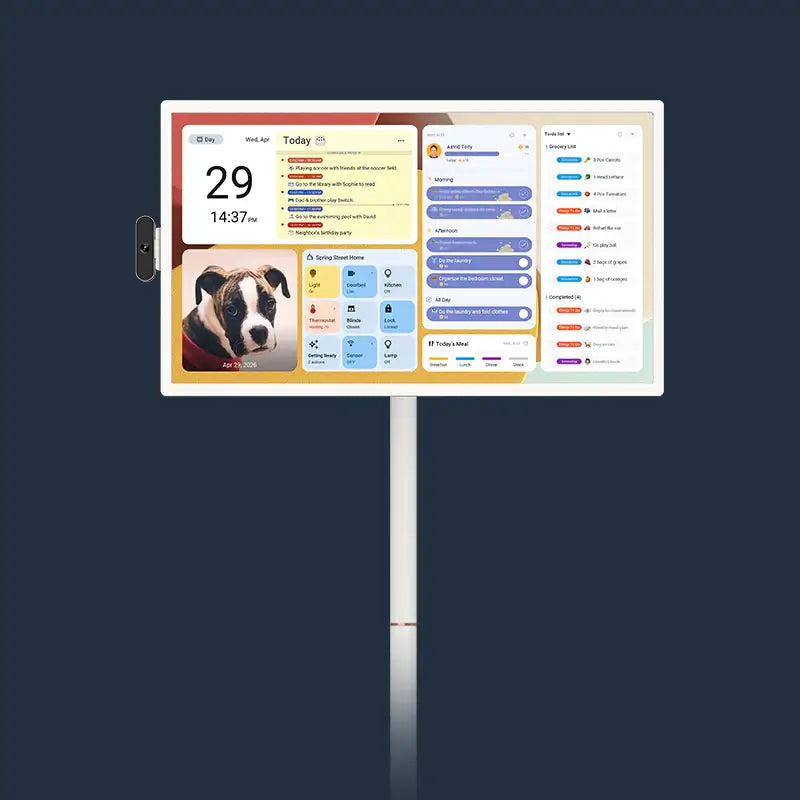
Compare that to a 27-inch screen. The Apolosign 27" Digital Calendar offers a canvas nearly four times larger than a tablet. You can keep the full monthly view visible while still leaving room for daily details.

In a kitchen, the real win is workflow. Meal planning stops being a note buried in someone’s phone. The dinner plan can stay on-screen next to the family calendar, so “what’s for dinner?” doesn’t restart every afternoon.
Google Assistant makes that plan usable in real time. While you’re cooking, you can add items to the grocery list by voice instead of touching a screen with wet hands. The list updates instantly and stays visible for everyone, which means the next person who walks through the kitchen can grab what’s missing without asking.
The text is large. You can read it from the breakfast table. You can check the schedule while loading the dishwasher. The information becomes ambient. It stays in the room and does its job.
What You Get With the Apolosign Hardware
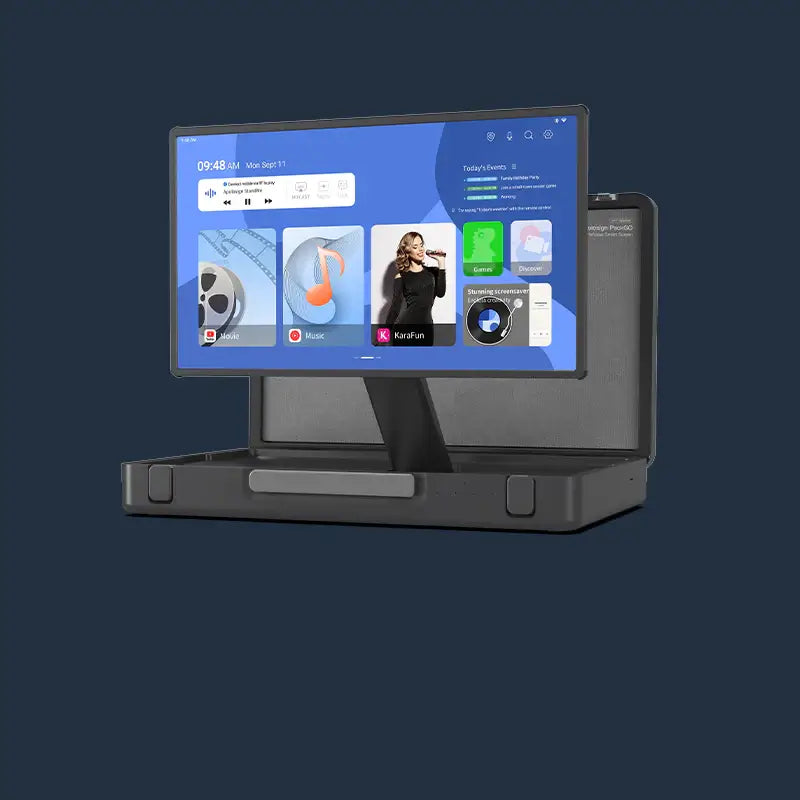
Let us look closer at the machine itself. The Apolosign 27" Digital Calendar runs on an Android EDLA operating system. That means it is a fully certified Android device with the Google Play Store. You are not stuck with just one calendar app. You can download Spotify for music. You can get Allrecipes for cooking.
The screen matters most. The standard model comes with a 1920 x 1080 resolution. But the magic lies in the finish. Apolosign uses an anti-glare matte coating.
That matte finish diffuses light. It stops the mirror effect. Even if a sunbeam hits the screen, you can still read your schedule clearly.
For families who want even sharper visuals, the Apolosign 27" 4K Digital Calendar bumps the resolution up to 3840 x 2160. If you plan to use the device as a digital photo frame when you are not planning, the 4K model renders photos with incredible detail.
Both units pack serious power inside. They use an RK3576 octa-core processor and 4GB of RAM. That power guarantees smooth scrolling. You will not see the lag that slows down cheaper smart displays.
How the Software Brings Everyone Together
Hardware is only half the battle. The software must bring order to the data.
A digital family calendar wall acts as a "source of truth." It syncs with the calendars you already use. It pulls data from Google Calendar, Outlook, Apple iCloud, and Cozi.
The sync works both ways. If dad adds a soccer game on his phone at work, it appears on the wall at home. If mom adds a dinner date on the wall, it pops up on dad’s phone. That connection builds trust. Everyone stays on the same page.
But family life involves more than just dates. It involves chores.
Getting kids to help around the house is tough. Paper chore charts get ignored. The Apolosign system includes a gamified chore chart. Parents assign tasks like "Walk the Dog" or "Clear the Table."
When a child finishes a task, they tap the screen. The system awards points. The points accumulate in a digital bank. You can set rewards, like "Pizza Night" for 50 points. The best part? Apolosign includes these features for free. Many competitors charge a monthly subscription for the same tools.

How to Handle the Power Cord
One big worry prevents people from buying a wall display. They hate the idea of a black power cord dangling down a white wall.
You have a few ways to fix the issue.
- Recessed Outlet: An electrician can install a plug behind the screen. The cord stays hidden completely.
- Cord Raceways: You can buy plastic covers that stick to the wall. You paint them to match your paint color.
- Furniture Placement: Hang the digital wall calendar above a sideboard or coffee station. The cord drops straight down behind an espresso machine or vase.
The Apolosign unit supports the VESA 100x100mm standard. That means you can use any standard wall mount. But the box includes a flush mount designed to keep the screen tight against the wall. It looks like a picture frame, not a computer monitor.
When You Should Choose the Wall Display
Think about your morning routine. It is 7:15 AM. You are packing lunches. The kids are hunting for backpacks.
If you use a tablet, the screen is likely dark or asleep. You have to walk over and wake it up. You have to unlock it.
If you use a wall display, the schedule glows softly in the background. Your daughter looks up while eating cereal. She sees "GYM - BRING SNEAKERS" in big letters. She runs to get her shoes. No one had to ask. No one had to nag.
That creates a calmer home.
Or consider the daily “what’s for dinner?” loop. On a tablet, the meal plan usually hides inside an app and disappears the moment someone picks the device up.
On a wall display, the dinner plan can sit next to the calendar where everyone sees it. And when you notice a missing ingredient mid-cooking, you can say, “Hey Google, add tortillas,” and the grocery list updates right away—no stopping, no typing, no forgetting later.
How the Cost Compares Over Time
A tablet seems cheaper at first. But is it?
A basic iPad costs around $300. A decent stand costs $30. But tablets have batteries. Those batteries degrade. Leaving a tablet plugged in 24/7 often ruins the battery within two years.
The Apolosign display plugs directly into the wall. It has no battery to swell or fail. It is an appliance, built to last for many years.
Also, consider the subscription fees. Some charge $15 a month for their software. Over five years, that adds $900 to the price. The Apolosign comes with the core features for free. You pay once for the hardware. You own the system.
So, Which One Wins?
The countertop tablet acts as a bridge. It helps you test digital organization. But it remains a personal device trying to do a group job. It fights for counter space. It reflects glare. It walks away.
The wall-mounted display is the destination. It restores the "hearth" to the kitchen. It provides a single view that stays visible and beautiful.
For a family drowning in appointments and to-do lists, the Apolosign Digital Calendar offer a lifeline. It is big enough to be useful. It is smart enough to be helpful. It is open enough to fit your life.
If you want to reclaim your time, get the schedule off your phone and put it on the wall.