



Managing a modern household often feels like running a logistics company without a proper operating system. Schedules clash, tasks slip through cracks, and paper notes vanish into the void. A digital wall calendar offers the solution, transforming scattered chaos into a streamlined visual interface.
Tip 1: Location is Everything – Why the Kitchen is Your Best "Command Center"
Real estate agents always preach about location, and the same logic applies to your digital family calendar. Placing the device in a low-traffic area guarantees failure. If family members must walk down a hallway or enter a specific office to see the schedule, they will ignore the schedule.
The kitchen serves as the natural heartbeat of the home. Everyone visits the refrigerator or the coffee pot. Therefore, mounting your command center here guarantees high visibility. It becomes an unavoidable information radiator. When you pour your morning coffee, the day's agenda appears right in front of your eyes.
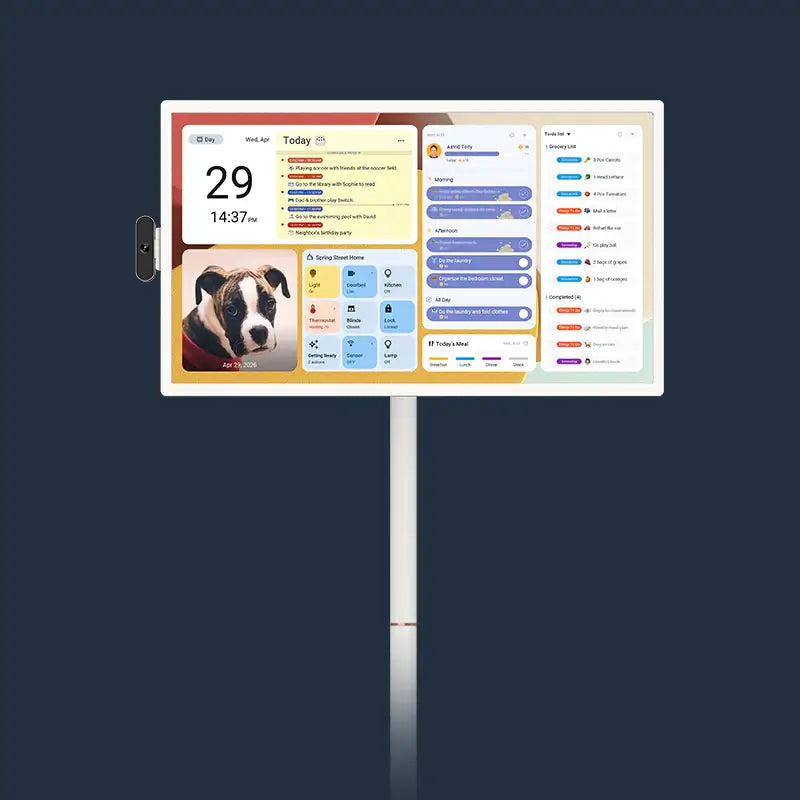
Integrating hardware like the Apolosign 15.6" Digital Calendar into the kitchen environment works seamlessly because of its versatile design. With a standard VESA mount (100mm*100mm), the screen attaches securely to a wall or sits on a counter, blending into the room's flow. The 15.6-inch display offers the perfect balance: large enough to read from across the room but not so massive that it dominates the décor.

Think of the device as a communal dashboard. When the calendar lives in the kitchen, updating the grocery list becomes a reflex rather than a chore. As soon as you run out of milk, you tap the screen. Organization requires removing friction, and positioning the hub where life actually happens removes the friction of engagement.
Tip 2: Visual Shortcuts – Master Color Coding for Instant Clarity
Reading text requires cognitive effort. Recognizing color happens instantly. To create a truly efficient digital family command center, you must leverage the brain's ability to process visual cues faster than written words.
Assign a specific, permanent color to every member of the household. Perhaps Dad gets blue, Mom gets green, and the kids get orange and purple. When glancing at the monthly view, you do not need to read "Soccer Practice" to know who needs to go; the orange block tells the story immediately.
The Apolosign device excels here due to its high-quality display specifications. The 1920×1080px (1080p) resolution on an LCD 10-point touchscreen means colors render with sharpness and distinction. With a brightness of 300 nits and a contrast ratio of 1000:1, the color-coded blocks remain distinct even in a sunlit kitchen.
Beyond individual people, consider color-coding categories. Use red for urgent medical appointments or rigid deadlines. Use yellow for tentative plans. Such a system allows anyone to assess the week's density in seconds. If the screen looks overwhelmingly red and blue, the family knows a busy week lies ahead. Visual clarity prevents scheduling conflicts before they occur, as the brain spots overlapping colors far easier than overlapping text entries.

Tip 3: The Unified View – Syncing Work & Personal Calendars Without the Mess
A common failure point in home organization involves the separation of church and state, or in that case, work and home. Parents often maintain a Outlook calendar for corporate meetings and a Google calendar for personal events. Disaster strikes when these two worlds fail to speak to one another.
A robust digital wall calendar functions as the great unifier. It must ingest data from multiple sources and present a single truth. You cannot be at a parent-teacher conference if you have a board meeting at the same time, and seeing both commitments on one screen prevents the double-booking nightmare.
The Apolosign system handles that complexity through its Auto-Syncing capabilities. It pulls from Apple, Google, Outlook, and other major platforms effortlessly. The device operates on a Dual-System Mode, specifically the "Focus (Calendar Mode)," which supports multi-calendar sync.
Centralizing data does not require you to share sensitive work details with the whole family. Most calendar systems allow you to sync "busy" blocks without revealing the specific agenda items. The family sees that Mom is unavailable from 2:00 PM to 4:00 PM, but they do not need to know she is meeting with the finance department. That unification creates a realistic view of available time, preventing the stress of overcommitment.
Tip 4: No Email? No Problem – Local Profiles for Kids and Grandparents
Digital systems often leave out the youngest and oldest family members. A five-year-old does not have an email address to sync, and a visiting grandparent might not use a smartphone. A true family command center must include everyone, regardless of their tech status.
You need a system that supports local profiles—users who exist only on the device itself. That inclusion empowers children to interact with the family schedule and take ownership of their responsibilities.
Gamification serves as a powerful tool here. The Apolosign offers a feature called "Routine Tasks with Points." It turns mundane chores into a game. Parents can set daily tasks—like brushing teeth, making the bed, or feeding the dog. When the child completes the task, they tap the screen to earn points. Over time, points accumulate toward a real-world reward.
Such interaction builds habits. The child checks the screen not because they have to, but because they want to see their progress. The device transforms from a boring list of obligations into an engaging scoreboard. Even without a synchronized cloud account, the child remains an active participant in the household's digital ecosystem.
Tip 5: Remote Control – Managing Your Household from Anywhere via App
A command center on the wall provides immense value, but life happens outside the home. You schedule the dentist appointment while standing at the receptionist's desk. You agree to a playdate while picking kids up from school. If that information waits until you get home to enter the system, you will likely forget it.
The solution involves a bidirectional flow of information. Your wall unit must talk to your phone, and your phone must talk to the wall unit.
With the Apolosign, mobile app sync ensures the calendar remains manageable from anywhere. When you add the soccer game to the app while at the field, it instantly appears on the 15.6-inch screen back home. The rest of the family sees the update in real-time.
That remote capability extends to task management. If a partner notices they are out of eggs while at work, they can add it to the list via the app. The other partner, standing in the kitchen, sees the item pop up on the "Custom To-Do Lists" widget. The ability to color-code grocery, shopping, and wish lists adds another layer of organization. Such connectivity means the command center effectively extends its reach to wherever a family member stands.
Tip 6: Never Be Late – Smart Traffic Alerts & Commute Estimates
Knowing when an event starts is only half the battle. Knowing when to leave constitutes the other half. A standard paper calendar tells you dinner is at 6:00 PM. A digital family command center tells you that traffic is heavy, so you must leave at 5:15 PM.
To achieve that level of intelligence, your device needs to support third-party applications. That is where an open operating system becomes a critical asset.
The Apolosign runs on an Android EDLA Licensed operating system. In its "Custom (Android Mode)," you can freely download apps. Installing navigation tools like Waze or Google Maps allows you to check commute times directly on the wall before grabbing your keys.
The device boasts a powerful RK3576 Octa-core processor and 4GB of RAM, enabling these applications to run smoothly without lag. You can even keep a traffic widget active on the dashboard. Glancing at the screen and seeing a red traffic line saves you from the stress of a rushed departure. The command center moves beyond listing events; it actively assists in the logistics of executing the schedule.
Tip 7: The Morning Briefing – Integrating Weather Forecasts & Daily To-Dos
Mornings set the tone for the entire day. A chaotic morning leads to a chaotic day. A structured morning leads to success. Your digital wall calendar should facilitate a "morning briefing" ritual, providing all necessary information in one glance.
Configure the dashboard to display the essential triad: Schedule, Weather, and Top Tasks. Knowing it will rain determines whether the kids need raincoats. Knowing the first meeting starts at 8:00 AM determines when breakfast must end.
The Apolosign allows for Customizable Dashboards where you can arrange widgets for calendar, chores, meals, and weather side-by-side. The 16:9 aspect ratio provides ample width to display these widgets without clutter.
Furthermore, Voice Control elevates the morning routine. Because the device supports "Hey Google" and Gemini AI chat, you can ask, "Hey Google, what is on my calendar today?" while buttering toast. Integrating seamlessly with Google Home, the device can even trigger morning automation routines—turning on lights or adjusting the thermostat—while reading out the day's agenda. The technology serves the user, allowing for multitasking during the morning rush.
Tip 8: The "Sunday Reset" – A Weekly Ritual for Family Alignment
Hardware alone does not organize a family; habits do. The most powerful habit you can pair with a digital family command center is the "Sunday Reset."
Gather the family for ten minutes every Sunday evening. Stand before the digital wall calendar. Review the upcoming week together. Who needs the car on Tuesday? Who has a late meeting on Thursday?
During that time, the Apolosign serves as the focal point. Its large screen acts as a shared whiteboard. If you spot a conflict, drag and drop the event to a new slot right then and there.
When the planning session concludes, the device transitions back to a passive, aesthetic role. The "Live Screensaver" or "Memory Display" features allow the screen to cycle through family photos from Google Photos (no subscription required). It turns the command center into a digital photo frame, displaying loved ones and happy memories. That soft transition prevents the device from feeling like a cold corporate tool. It reminds the family that the goal of organization is to create more time for the moments displayed in those photos.
Tip 9: Dynamic Planning – Leveraging Portability for Family Meetings
While the wall is the permanent home, sometimes planning requires a closer look. A rigid system that stays bolted to the drywall limits interaction. There are times when you need to bring the calendar to the table.
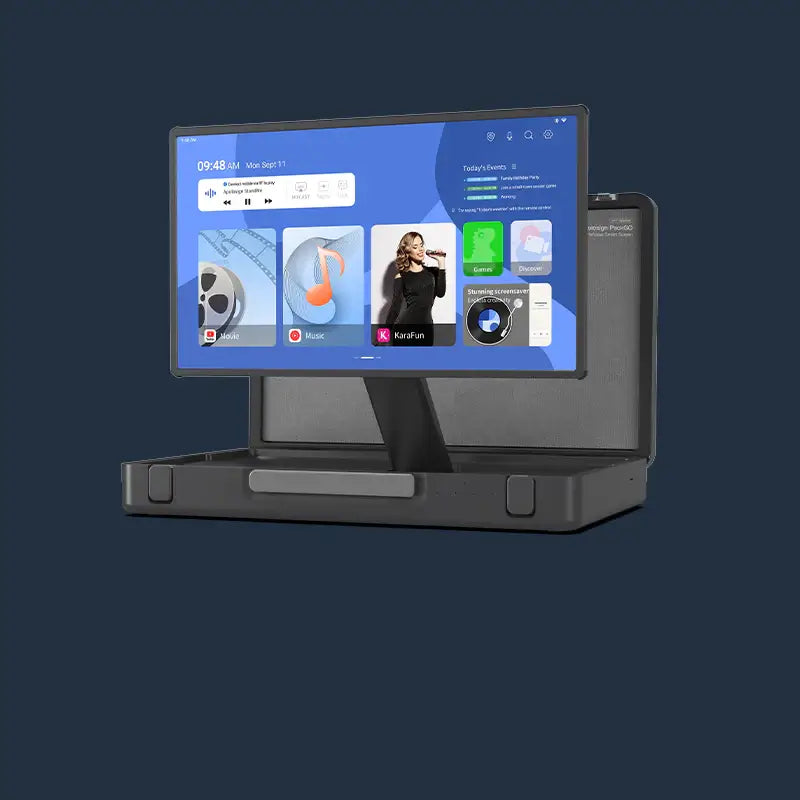
Select a device that offers flexibility. Although the Apolosign supports a standard VESA mount, its tablet-like form factor with a 15.6-inch screen allows for versatile use. The 10-point touchscreen invites collaboration.
Consider the privacy aspect as well. A family command center displays sensitive data—medical appointments, locations of children, and financial reminders. When guests arrive for a dinner party, you might not want your entire life schedule on display in the kitchen.
The Apolosign features a specialized Privacy Mode. With a one-swipe privacy cover or command, the screen hides the dashboard instantly. Additionally, the "Eco-Friendly Display" with auto brightness and sleep mode saves energy while keeping the screen dark when not in use. Control over who sees the data remains as important as the data itself. A system that protects your privacy while organizing your life offers the ultimate peace of mind.
It's Time to Evolve Your Family Calendar
Technology serves us best when it simplifies existence rather than complicating it. A digital wall calendar stops being just a gadget and becomes a necessity for modern living. While the 15.6" model fits most spaces, larger households might prefer the expansive Apolosign 21.5", 27", or the ultra-clear Apolosign 27" 4K Digital Calendar. Regardless of the size you choose, the goal remains the same: transforming a screen into a support system.