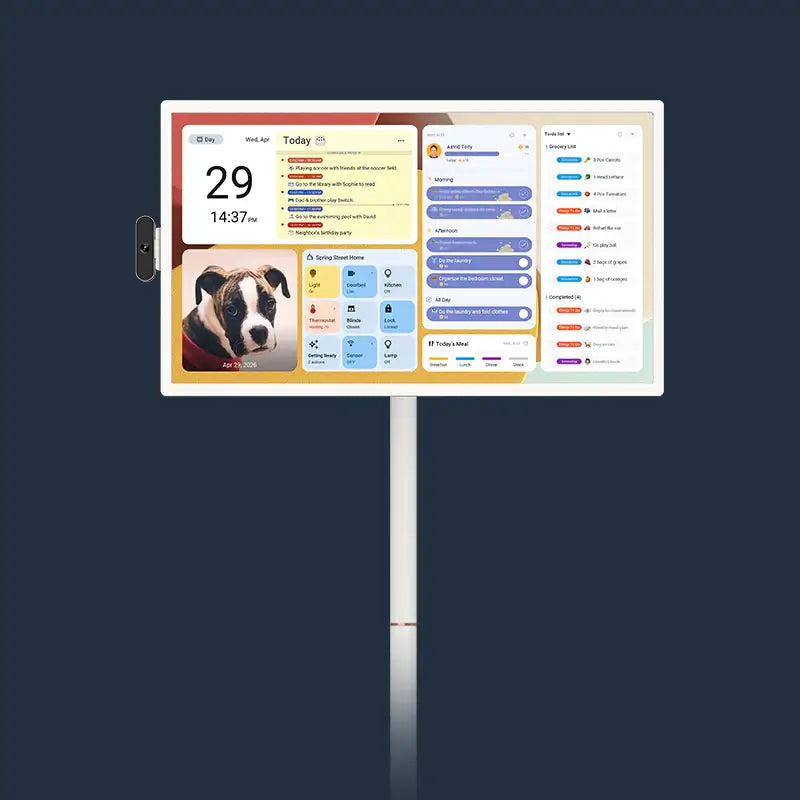
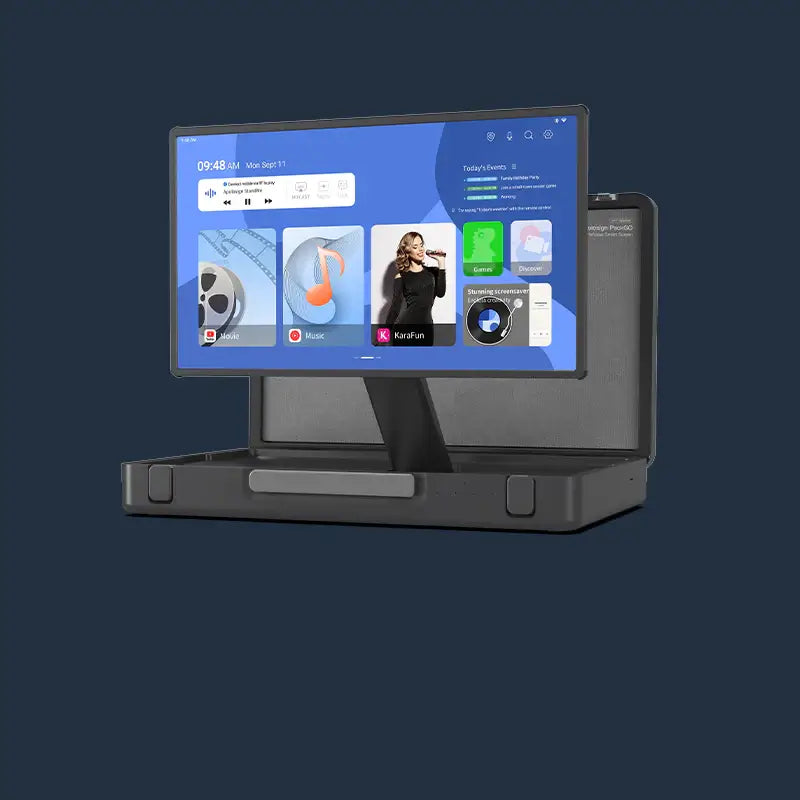



A calendar digital display gives every family member a live, shared view of the household schedule: no scribbling, no version confusion, no missed appointments. If your paper calendar is already causing friction, the switch is simpler than most people expect. The five signals below tell you if the paper has stopped working for your household.
Is Your Paper Calendar Already Failing You?
Most families don't decide to switch; they reach a breaking point. These five signs tell you whether you're already there.
5 Real Signs Your Paper Calendar Has Hit Its Limit
- Family members still ask "What's happening today?" even though it's written on the wall.
- Events get scratched out and rewritten so often that the calendar becomes unreadable.
- One person carries all the scheduling information in their head because no one else updates the paper version.
- An appointment gets missed because someone forgot to transfer it from their phone to the wall.
- The calendar disappears under fridge magnets or gets moved during a kitchen clean-up.
The Hidden Cost of Sticking with Paper
Each of these friction points costs time: reconfirming plans, catching double bookings late, and repeating schedule updates to every family member individually. Over a month, that adds up. A calendar device doesn't just organize events; it removes the daily back-and-forth that falls on whoever manages the family schedule. Research from the British Psychological Society shows that 63% of women report doing more than their fair share of household labour—a visible, shared scheduling system helps redistribute that burden.

What Does a Calendar Digital Display Actually Change?
The core shift isn't from paper to screen. It's from one person managing information to every family member seeing the same thing at the same time.
Always Visible, Always Current
A dedicated wall-mounted calendar digital display stays on. No one has to unlock a phone, open an app, or walk to a specific room to check it. The family schedule lives in one central location and updates in real time whenever anyone adds or changes an event.
One Screen That Syncs Every Calendar in the House
|
Feature |
Paper Calendar |
Calendar Digital Display |
|
Multi-person sync |
Manual, error-prone |
Auto-syncs Google, iCal, Outlook, Yahoo, and Cozi |
|
Real-time updates |
Not possible |
Instant, across all devices |
|
Color-coded by person |
Marker-dependent |
Customizable per person, consistent across all events |
|
Missed event risk |
High |
Low: synced in real time, visible to the whole family |
|
Readability over time |
Degrades with edits |
Always clean |
A calendar smart display removes the gap between what's on someone's phone and what the family actually knows. When one person updates an event from anywhere, the screen at home reflects it immediately.
More Than Scheduling: A Full Family Hub
Beyond the calendar itself, many calendar devices today support to-do lists, chore tracking, meal planning, and shopping lists on the same screen. Calendar displays can also show family photos as a screensaver when the calendar isn't in active use, so the screen adds to the room even on quiet days.
Why "Sleek" Matters: The Design Side of a Calendar Smart Display
A calendar digital display sits on your wall every day, so its size, frame finish, and brightness affect how well it fits into the room, not just how well it works.
How a Digital Calendar Fits Your Home's Look
Frame finish, screen size, and placement all affect whether the display looks intentional or out of place. Matte anti-glare glass, auto-brightness, and a sleep mode matter in real living environments. A screen that blinds you at 6 AM or dims mid-morning loses its usefulness fast. Wood-finish frames blend into most kitchen aesthetics without looking like office equipment.
What Size Calendar Device Works for Your Space
|
Screen Size |
Best Placement |
Best For |
|
15.6 inches |
Kitchen counter, desk, kids' room |
1–2 people, compact spaces |
|
21.5 inches |
Kitchen wall, hallway |
Families of 3–4, central hubs |
|
27 inches |
Open-plan kitchen, living room |
Large families, shared common areas |
The 15.6" model ships with both a wall mount and a desktop stand, making it the most flexible option for renters or anyone who prefers not to drill.

Who Gets the Most Out of a Calendar Digital Display?
A calendar smart device solves real problems for specific households. The two lists below show where it makes a clear difference and where it doesn't.
Families That See the Biggest Difference
- Households where two or more people manage different schedules will use the shared view every day.
- Parents who currently track the family schedule in their heads will notice the biggest immediate difference.
- Families already using Google Calendar or iCloud will find the display closes the gap between what's on each person's phone and what the whole household actually sees.
- Homes with school-age children benefit from a visual, always-on reminder of tasks, routines, and upcoming events.
When a Calendar Device Might Not Be the Right Fit
- A single-person household with a straightforward schedule will rarely use the shared-view features that justify the cost.
- Families without a stable home Wi-Fi connection will find real-time sync unreliable.
- Anyone not ready to build a shared digital habit across the household will end up with an expensive screen that only one person uses.
A calendar digital display works best when the whole household agrees to treat it as the one place everyone checks first.
How to Switch from Paper to a Digital Calendar in 3 Weeks
The most common reason the switch fails isn't the technology. It's trying to change everything at once, and a phased approach avoids that. For a broader look at how families are making this transition, see how families are planning 2026 with digital calendars.
Week 1: Sync Without Deleting Paper Yet
Import every existing calendar into the device and keep the paper version running in parallel. The goal this week is continuity, not full adoption. Ask each family member to add at least one event directly on the screen or through the companion app.
Week 2: Build the Daily Glance Habit
Place the display somewhere that every person passes multiple times a day. The kitchen is the most effective location for most households. Set up color-coded profiles for each family member so the screen is immediately readable at a glance. Add one recurring routine, such as the morning schedule or a weekly chore list.
Week 3: Retire the Paper Calendar
Once the digital habit is established and no one is checking the paper version first, take it down. Evaluate what's working and adjust the layout based on what the family actually uses day to day.
Start Using a Calendar Digital Display
Switching from paper to a calendar digital display changes how your household shares information, not just how it looks on the wall. The screen itself matters less than the shared habit it creates: one place, always visible and current, that everyone in the household actually checks.
If your paper calendar is already causing the friction described above, the 3-week path here removes the main reasons most transitions fail. For families looking for a calendar smart device that covers multi-calendar sync, chore charts, routines, and meal planning with no subscription fees for core features, the Apolosign Digital Calendar is available in 15.6", 21.5", and 27" sizes to fit any wall and any household.

FAQs About Calendar Digital Displays
Q1. How Is a Calendar Digital Display Different from Just Using Google Calendar on My Phone?
A dedicated calendar device shows the family schedule on a shared screen that everyone in the house can see without touching a phone. It removes the step of asking someone to check their device, making schedule visibility passive rather than active. That shift is the main reason it changes household coordination.
Q2. Is a 15.6-Inch Calendar Device Big Enough for a Family Kitchen?
It depends on how far away people usually stand when they look at it. If it sits on a counter that you're standing right in front of, 15.6 inches works fine for one or two people. If it's mounted on a wall across the kitchen, a 21.5-inch or 27-inch screen is easier for the whole family to read at a glance.
Q3. Do Calendar Digital Displays Require a Monthly Subscription to Use the Core Features?
Not always. Some devices charge annually for features like chore charts or photo display. Others include all core functions with no ongoing fees. Before buying, check which features require a paid plan and whether those are features your household will actually use every day.