


The best LG StanbyME 2 alternative depends on what your home needs most. Choose Apolosign when a larger 32-inch Android screen, family dashboard use, and HDMI matter. Choose Samsung The Movingstyle for a detachable 27-inch screen. Choose a plug-in or lower-cost model only after checking how you will power it, control it, and connect your devices.

Quick Answer: Choose the Alternative That Matches Your Screen Size, Power, and Control Needs
Start with the job the screen will do most often. A 27-inch detachable display makes sense when one person wants to carry the screen away from its stand. A 32-inch rolling smart screen for family use makes more sense when several people need to see recipes, video calls, shared schedules, or streaming from across the room.

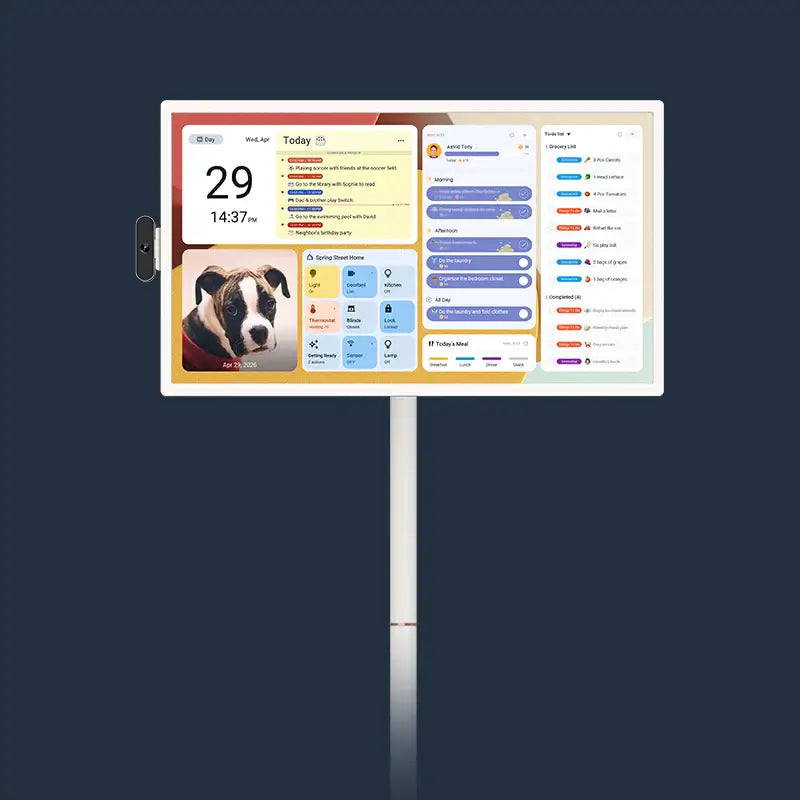
For a shared household screen, our 32-inch Smart Portable TV gives you a larger touchscreen, up to six hours of battery life, Android apps and Google Play Store content, HDMI, and a rolling stand. That combination suits homes that need one screen to move between family tasks and entertainment.
Samsung The Movingstyle suits shoppers who mainly want to detach the 27-inch screen. The Movingstyle Essential suits a home with power nearby that wants a 32-inch 4K screen on a rolling stand. Cozyla and MESWAO offer battery-powered 32-inch Android alternatives, but check their exact inputs and current bundle details before you buy.
Use this table to compare the six details that change daily use: screen size, operating system, battery life, controls and mobility, the main use difference, and current U.S. price. Prices and battery estimates can change, so check the live product listing before you buy.
| Model | Screen and system | Battery | What stands out | Price |
|---|---|---|---|---|
| Apolosign 32-Inch Smart Portable TV | 32-inch touchscreen, Android with Google Play | Up to 6 hours | Five wheels, adjustable stand, and an Apolosign Calendar-synced Dashboard for family schedules and daily use | $719 |
| Samsung The Movingstyle | 27-inch QHD touchscreen, One UI Tizen | Up to 3 hours | Detachable screen with a handle and rolling stand | $1,199.99 |
| Samsung The Movingstyle Essential | 32-inch 4K, One UI Tizen | Plug-in only | Rolling 4K screen with no touchscreen | $699.99 |
| Cozyla 32-Inch Smart TV on Wheels | 32-inch 1080p touchscreen, Android | Up to 6 hours claimed | Battery-powered Android screen with camera options | $1,099.99 |
| MESWAO 32-Inch Portable Smart TV on Wheels | 32-inch 1080p touchscreen, Android 13 | About 5 hours claimed | Lower-priced Android touchscreen. Check seller and warranty details. | $599.99 |
What Makes a Real LG StanbyME 2 Alternative?
A useful alternative should solve the same basic problem: bring a smart screen to the room where people are spending time. Size alone does not make two products equal. Check whether the screen rolls, detaches, runs on battery power, accepts touch input, and connects to the devices your home already uses.
Screen Size and Shared Viewing
Pick 32 inches if more than one person will watch or follow along at once. The LG StanbyME 2 has a 27-inch QHD touchscreen with up to four hours of battery life. That size can work well near a sofa, bed, or desk, but a 32-inch screen gives a family more room to read a schedule, see a video call, or watch from farther away.
Power, Control, and Connections
Decide whether cordless use or a plug-in setup matters more. A rolling stand does not automatically mean a screen will work away from an outlet. Also match the controls to the people who will use it: touch helps a person standing nearby, while a remote or voice control helps when the screen is across the room. HDMI matters for a laptop, console, or cable device, while wireless casting helps with quick sharing from a phone.
Apolosign 32-Inch Smart Portable TV: A Larger Android Option for Shared Use
Choose Apolosign when your home needs one larger screen for shared viewing, everyday entertainment, and family calendar use. Our 32-inch model has a 10-point touchscreen, five wheels, a built-in battery rated for up to six hours, and a stand that adjusts in height, tilt, swivel, and rotation.
Android apps and Google Play Store content let the screen serve different people at different times. Use it for a movie, a video call, or a recipe, then switch to the built-in Dashboard to check the family calendar, to-dos, weather, and smart-home information.
The Dashboard syncs with Apolosign Calendar, so the same portable screen can help the family see what is happening today while also working as an Android TV. Apolosign Calendar is the same family calendar used on our 15.6-inch Digital Calendar, 21.5-inch Digital Calendar, and 27-inch 4K Digital Calendar. HDMI, Wi-Fi sharing, Bluetooth, USB-A, and USB-C give you more ways to connect a laptop, phone, or console.
Samsung The Movingstyle: A Detachable 27-Inch Option With Touch Control
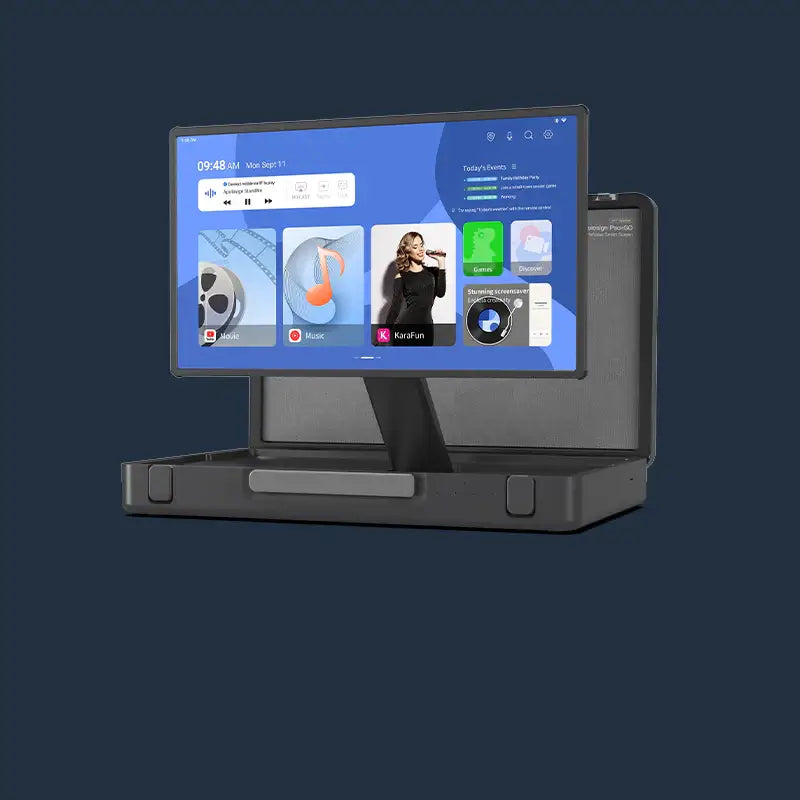
Choose Samsung The Movingstyle if lifting the screen off its stand matters more than having a larger display. Its 27-inch QHD touchscreen can detach and use its handle as a kickstand, so it can move from a rolling base to a table or another spot in the home.
Samsung lists up to three hours of battery life for The Movingstyle. That can suit a workout, a short show, or a child’s art activity, but plan to charge it between longer sessions.
The Movingstyle uses Samsung’s One UI Tizen platform. Check whether its streaming services, casting method, and device connection work the way you expect.
Samsung The Movingstyle Essential: A Larger Rolling Smart Screen for Plug-In Use
Choose Samsung The Movingstyle Essential if 4K detail and a larger rolling screen matter more than cordless use. The 32-inch version has a height-adjustable rolling stand and a 4K display, so it is a strong fit for a desk, kitchen counter, or living area with nearby power.
It is important to separate this model from Samsung The Movingstyle. The Essential is not a touchscreen and does not have a built-in battery. You can roll it between rooms, pivot and tilt it for the view, and use Samsung’s smart-screen tools, but it needs power where you use it.
That trade-off can work for a home with an outlet in each likely parking spot. Check the exact model listing for included accessories and current inputs before ordering.
Cozyla and MESWAO 32-Inch Models: Two Battery-Powered Android Alternatives to Check Closely
Cozyla and MESWAO are worth comparing when you want a 32-inch Android touchscreen with battery power. Each has different battery, camera, connection, and support details, so check the exact model before buying.
Cozyla 32-Inch Smart TV on Wheels
Cozyla’s 32-inch model combines an Android touchscreen, five-wheel base, removable charging dock, and a 108Wh battery rated for up to six hours. Its listed configuration includes a 4K camera, which may appeal to households that expect to use a large mobile screen for calls.
Before you choose it, confirm the version, resolution, current price, and included apps or accessories. If your main goal is a shared family dashboard plus entertainment, compare that workflow with the calendar and dashboard tools on Apolosign.
MESWAO 32-Inch Portable Smart TV on Wheels
MESWAO’s 32-inch model is a 1080p touchscreen that lists Android 13, Google Play certification, a detachable 5-megapixel webcam, and about five hours of cordless streaming. It can be a practical option for shoppers who want a basic Android touchscreen on wheels.
Confirm the U.S. seller, warranty, return terms, physical controls, and ports before placing an order. A lower initial price is less useful if the screen cannot connect to the device or service your family plans to use.
Compare the Five Alternatives by Size, Mobility, Power, Touch Control, and Inputs
Samsung The Movingstyle is the detachable 27-inch option. The Movingstyle Essential is a larger 4K rolling screen that stays tied to power. The other three are 32-inch touchscreens on wheels with battery power, with the model sections above explaining the remaining differences.
Which LG StanbyME 2 Alternative Fits Your Home?
Choose by the one compromise your home cannot make. That keeps the decision practical instead of turning into a long feature checklist.
- Choose Apolosign if you want a 32-inch Android touchscreen that rolls, runs on battery power, accepts HDMI, and can also show a shared family dashboard.
- Choose Samsung The Movingstyle if you want to detach and carry a 27-inch touchscreen away from its rolling stand.
- Choose Samsung The Movingstyle Essential if you want a 32-inch 4K smart screen on wheels and expect to use it near power.
- Compare Cozyla and MESWAO if you want a 32-inch battery-powered Android touchscreen, then verify the exact U.S. configuration, inputs, warranty, and current price.
Set Up One Screen for the Way Your Family Actually Lives
The right alternative should make everyday screen use easier, not add another device that stays parked in a corner. Apolosign Portable TVs give families one flexible screen for streaming, shared viewing, and everyday routines in different rooms. See the available sizes and configurations to find the setup that fits your home.
LG StanbyME 2 Alternatives FAQs
Q1: Is the LG StanbyME 2 a smart TV?
Yes, it uses LG webOS for streaming apps and smart features. App availability can change by region and service, so check that the apps your household uses are supported before you choose it over an Android-based portable screen.
Q2: Can a portable screen replace a regular living room TV?
Sometimes. A 32-inch portable screen can work well for a smaller shared space or as a second screen, while a large fixed TV may suit a wide living room better.
Q3: How long does a battery-powered rolling smart screen last?
The listed maximums here run from about three to six hours. Actual time changes with brightness, volume, Wi-Fi, and the app, so treat the advertised number as a planning estimate.
Q4: Do I need HDMI on a portable screen?
HDMI is useful for a laptop, game console, cable box, or another wired device. It matters less if your household only uses built-in apps or wireless casting.
Q5: Is a touchscreen necessary on a rolling smart screen?
No, but it can make shared use easier. Touch helps with apps, recipes, and children’s activities, while a remote may be enough for a screen used mainly from the couch.