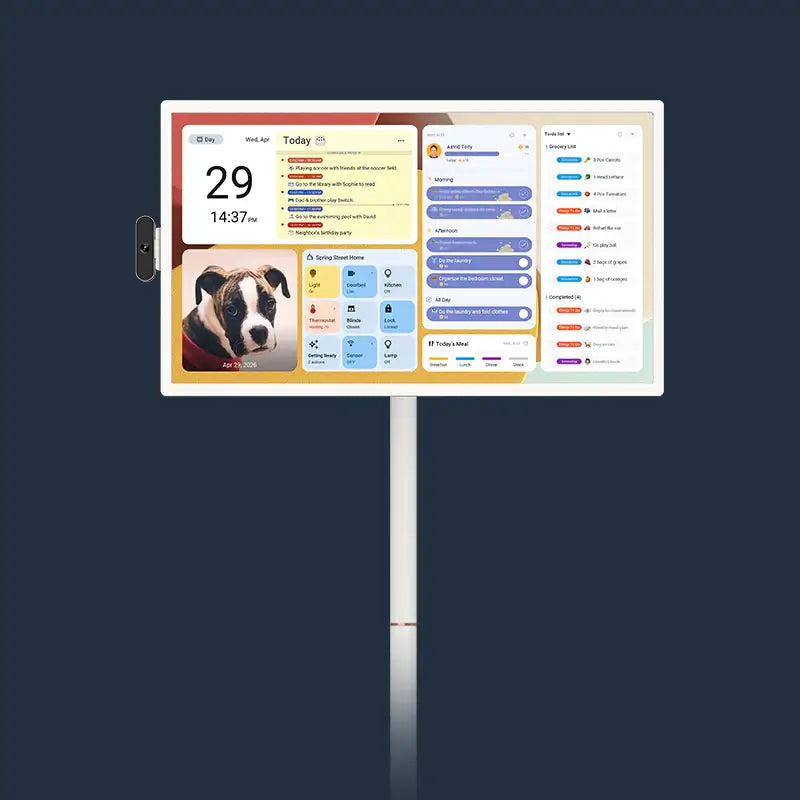
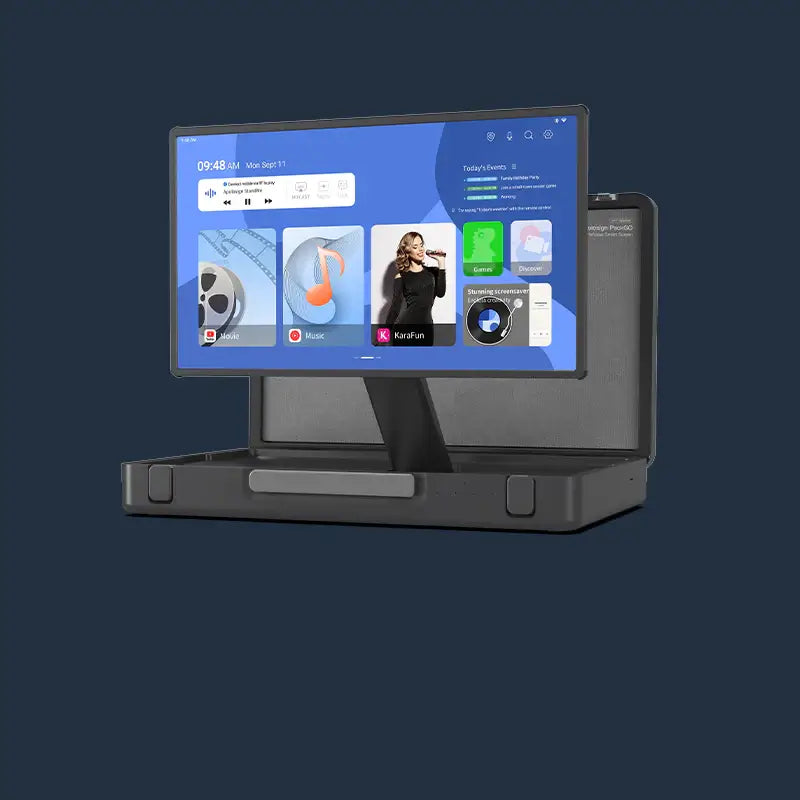



A digital wall calendar solves two problems at once: it removes visual clutter from your walls and makes your home look more deliberate. Most households accumulate paper calendars, sticky notes, and whiteboards without realizing how much wall space gets wasted.
Consolidate Your Home Organization
Paper calendars and whiteboards each handle one function. A digital wall calendar consolidates multiple items into a single screen, which directly changes how much your walls can do.
One Screen Replaces Multiple Items on Your Wall
A single digital wall calendar can replace all of the following:
- A monthly paper calendar takes up dedicated wall space and becomes outdated the moment plans change.
- A dry-erase whiteboard requires markers, erasing, and regular cleaning to stay readable.
- A digital photo frame uses a separate outlet and wall hook purely for display.
- A family to-do board adds more surface area for sticky notes and scribbled reminders.
Always Updated, Never Cluttered
Digital wall calendars sync automatically with Google Calendar, iCloud, and Outlook, so events update without anyone writing, erasing, or reprinting anything. The wall stays clean because there is nothing physical to accumulate.
Choosing the Right Calendar for Your Space
Screen size affects how well you can read the calendar from across a room and how proportional the display looks on the wall.
Matching Screen Size to Room Dimensions
| Room Type | Recommended Screen Size | Typical Viewing Distance |
| Small kitchen or desk area | 15.6 inches | Up to 5 feet |
| Standard kitchen or hallway | 21.5 inches | Up to 8 feet |
| Open living room or large home office | 27 inches | Up to 10 feet or more |
Distances are approximate and vary depending on lighting conditions and individual eyesight.
A 15.6-inch screen reads comfortably from 5 feet in a compact kitchen. A 27-inch screen remains readable from 10 feet or more, which matters in open-plan spaces where the display serves as a focal point.

Landscape (Horizontal) vs. Portrait (Vertical)
Landscape orientation suits wide kitchen walls and countertop ledges where horizontal space is available. Portrait orientation works better on narrow walls, beside doorframes, or in hallways where vertical space is what you have most of.
Most digital wall calendars support both, so the choice depends on your available wall shape.
Optimal Placement Strategies
Placement determines whether a wall calendar digital display gets checked daily or ignored. The right location puts the screen in your natural line of sight during routine moments.
Kitchen Walls
The kitchen is where most households spend the most time in the morning. Mounting a digital wall calendar at eye level near the coffee station or above a countertop means everyone sees the schedule without making a separate trip. A 21.5-inch screen at this location handles grocery lists, school pickup times, and dinner plans in a single view.
Entryway and Hallway Walls
Entryway walls and hallway sections between rooms are frequently overlooked surfaces. A narrow wall beside a front door is a practical spot for a portrait-oriented digital wall calendar. Anyone heading out sees the day's schedule at a glance. The screen fills the space that would otherwise hold nothing functional.
Home Office and Living Room
In a home office, a wall-mounted digital calendar replaces a paper desk calendar, a separate reminder board, and a framed photo—all at once. In the living room, a 27-inch display on a main wall serves as both a schedule display and a natural focal point. When screensaver mode is active, the screen shows family photos rather than a blank calendar grid.

Enhancing Home Aesthetics
Two specific features make the biggest visual difference: screensaver mode and display style.
Using Screensaver Mode as a Rotating Art Display
When no one is actively reviewing the schedule, screensaver mode can cycle through family photos from Google Photos or local storage, turning the display into a rotating gallery. Updating the photo set seasonally gives the wall a fresh look without replacing any physical decor.
Matching Display Style to Your Interior Design
Digital wall calendars with anti-glare matte glass read as flat panels on the wall rather than obvious screens. The clean rectangular form fits minimalist, modern farmhouse, and contemporary interiors across most interior styles. Color-coded calendar entries, adjustable widget layouts, and auto-brightness settings let you tune the display to match the room's color scheme and light level.
Installation Best Practices
Power cord visibility and ambient light conditions are both worth considering before you drill.
Power and Cable Management
Every wired display needs a power source, and how you handle the cable determines whether the installation looks finished. There are two approaches:
- A surface-mounted cable raceway painted to match the wall keeps the cord flat against the wall without any electrical work. This is the straightforward DIY option and costs under $30 at most hardware stores.
- A recessed outlet installed directly behind the mounting location eliminates the visible cord entirely. This requires a licensed electrician and is the better long-term solution for a permanent install.
Positioning the screen above a countertop or shelf can also allow the cable to drop behind the surface naturally, which removes it from the sightline without any additional hardware.
Lighting Conditions and Screen Visibility
Direct sunlight hitting the screen creates glare that makes the calendar hard to read. Anti-glare glass reduces this significantly, but placement still matters. North-facing walls and interior walls away from windows provide the most consistent visibility throughout the day. If the available wall receives direct afternoon sun, auto-brightness adjustment increases screen brightness automatically.
Final Setup Checklist
A digital wall calendar works best when it is sized for the room, placed where people already look, and styled to fit the space. Replacing paper and whiteboards with one screen reduces visual clutter and turns an underused wall into a functional display. The Apolosign Digital Calendar comes in 15.6-inch, 21.5-inch, and 27-inch configurations with zero subscription fees, Google Calendar sync built in, and anti-glare matte glass across all models.
FAQs About Wall Calendar Digital Displays
Q1: Can I Play Video Clips Through the Screensaver Mode?
No. Apolosign supports high-resolution photos and static art to maintain a clean aesthetic. Video playback is currently restricted to prioritize calendar readability and ensure a distraction-free environment for family organization.
Q2: What Is the Difference Between a Digital Wall Calendar and a Smart Display?
A digital wall calendar is designed specifically for schedule management, family coordination, and home organization, whereas a general smart display prioritizes general-purpose interactions like voice assistants and video calling. Some models also include chore tracking and reward systems designed for household use.
Q3: Do All Digital Wall Calendars Require a Monthly Subscription?
No. Some products lock features like calendar sync or chore charts behind a recurring fee, but others, such as Apolosign, include all functions in the purchase price. Check whether calendar sync, photo display, and family management tools are included upfront before buying, because subscription costs add up over two to three years.